Form Factor Explained: What It Means for Laser Engravers
As an Amazon Associate we earn from qualifying purchases. Links on this page are affiliate links.
Form Factor Explained for Buyers
The form factor explained helps you choose the right machine for your workspace. This spec describes the physical shape and size of the laser engraver. It tells you how much room the device needs and how easy it is to move. You will see three main categories on most product listings: portable, desktop, and foldable.
Portable engravers are small and lightweight. They often fit in a backpack or small case. You can take them to trade shows or work from different locations. These units usually have lower power and smaller working areas. They are ideal for hobbyists who travel or have limited desk space. Look for weight and dimensions to gauge true portability.
Desktop engravers are the most common type. They sit on a table or workbench. They offer a stable base for precise work. The working area is typically larger than portable models. You get more power and better accuracy for detailed projects. These machines are not meant to be moved daily. Check the footprint dimensions to ensure it fits your current desk setup.
Foldable engravers offer a middle ground. They have a sturdy frame that collapses for storage. This design saves space when the machine is not in use. You can keep it in a closet or under a bed. When you need to work, you unfold it and set it up. This is great for users with small apartments or shared studios. Verify the folded dimensions to see how much storage space you actually save.
Choosing the right form factor depends on your workflow. If you need mobility, pick portable. If you need stability and size, choose desktop. If space is tight but you need performance, foldable is a smart option. Always measure your available space before buying.
Portable Desktop And Foldable
Portable
Portable laser engravers are built for mobility. They are lightweight and compact, allowing you to take them to job sites or markets. The xTool F2 weighs 10 pounds and includes a camera for precision. The Carverall K15 Pro is silver and designed for bare metal marking. These units often feature enclosed designs for safety while traveling. You trade some workspace size for the ability to move the machine easily. This format suits mobile vendors who need to engrave on location. It is less ideal if you require a large, fixed workstation. You must balance portability with the power needed for your specific materials.
Desktop
Desktop engravers are stationary machines designed for fixed workspaces. They offer larger build areas and higher power outputs. The Creality Falcon2 Pro S 40W weighs 50.5 pounds and includes an integrated enclosure. The Creality Falcon A1C 10W provides auto focus and camera features. These machines prioritize safety and consistent batch production. You get robust performance for wood, acrylic, and leather. The trade-off is weight and size. You cannot move these units easily. This format suits makers who work in a dedicated studio. It is best for users who value enclosed safety and automated focusing over portability. You need a stable surface to support the weight.
Foldable
Foldable engravers are ultra-compact and designed for tight spaces. The Artilume T1-P weighs only 2.65 pounds and measures 14.3 inches long. The Artilume T1 7W offers app control and 7000mW power. These units are ideal for hobbyists and small DIY projects. You can store them easily when not in use. The trade-off is limited power and workspace. They are not suitable for heavy-duty cutting or metal engraving. This format suits users who value simplicity and portability. You get a lightweight tool for small items like gold or plastic. It is practical for travel or small desks. You sacrifice raw power for extreme compactness and ease of storage.
Is Portable Form Factor Worth It
Who needs it
You should prioritize portability if your work moves with you. If you sell at craft fairs, farmers markets, or pop-up shops, you need a machine that fits in your car. Compact designs let you set up quickly without hauling heavy equipment. Lightweight units reduce physical strain during transport. You can engrave on-site for custom gifts or repairs. This flexibility expands your customer base beyond a fixed studio. If you live in a small apartment, a foldable or portable model saves floor space when not in use. It allows you to store the unit easily. Mobility is key if your job requires traveling to clients. You can offer on-site customization for corporate events or private parties. The ability to take the laser to the project rather than bringing the project to the laser is a significant advantage for service-based businesses. It turns your workspace into wherever you are.
Who can skip it
You can ignore form factor if you have a dedicated, permanent workshop. If your laser sits on a sturdy bench or table all day, mobility is unnecessary. Focus instead on build quality, laser power, and work area size. A heavier, larger machine often offers better stability and precision for high-volume production. Vibration control matters more than weight when cutting thick materials. You do not need to worry about carrying the device. Prioritize features that enhance accuracy and speed, such as a robust frame or advanced optics. If you engrave large items like furniture or signage, a stationary desktop model provides the necessary space. Portability often comes with trade-offs, such as smaller working areas or less rigid construction. For serious makers who value consistency and capacity over convenience, a fixed setup is superior. Stability ensures repeatable results without the need to recalibrate after every move.
Form Factor Glossary
Desktop Engraver
A stationary unit sitting on a desk. It offers a stable platform for precision work. Typical footprint ranges from 20 to 40 inches wide. It suits fixed workshop spaces.
Portable Unit
A lightweight device designed for transport. It often weighs under 15 pounds. You can carry it to markets or job sites. It prioritizes mobility over maximum size.
Foldable Design
A structure that collapses for storage. It reduces volume when not in use. This allows you to fit the machine in a car trunk. It is ideal for limited storage areas.
Footprint
The floor space the machine occupies. Measure the width and depth of the base. Ensure your table or shelf can support this area. It determines where you can place the device.
Platen Area
The flat surface holding your material. Larger platens accept bigger sheets of wood or acrylic. Check this dimension to match your common project sizes. It limits the maximum engraving area.
Enclosure
A cover surrounding the laser head. It contains light and debris. Some models include a fully closed box. Others have open frames for ventilation. It affects safety and workspace cleanliness.
Weight Capacity
The maximum load the frame supports. Heavy materials like thick metal or stone need strong bases. Verify the limit before adding heavy fixtures. Exceeding it may damage the rails.
Quick picks
| # | Product | Best for | Price |
|---|---|---|---|
| 1 | xTool F2 15W Diode & 5W IR Laser Engraver | Mobile vendors needing metal and wood engraving | Check price of xTool F2 15W Diode & 5W IR Laser Engraver on Amazon |
| 2 | Creality Falcon2 Pro S 40W Enclosed Laser Cutter | Safe desktop batch production | Check price of Creality Falcon2 Pro S 40W Enclosed Laser Cutter on Amazon |
| 3 | Artilume Foldable 3000mW Laser Engraver | small portable DIY projects | Check price of Artilume Foldable 3000mW Laser Engraver on Amazon |
| 4 | Carverall K15 Pro Infrared Laser Engraver | portable bare metal and jewelry engraving | Check price of Carverall K15 Pro Infrared Laser Engraver on Amazon |
| 5 | Creality Falcon 10W Enclosed Laser Engraver | Safe, fast, compact desktop engraving | Check price of Creality Falcon 10W Enclosed Laser Engraver on Amazon |
| 6 | Artilume T1 7W Foldable Laser Engraver | small portable DIY projects | Check price of Artilume T1 7W Foldable Laser Engraver on Amazon |
Our 6 picks
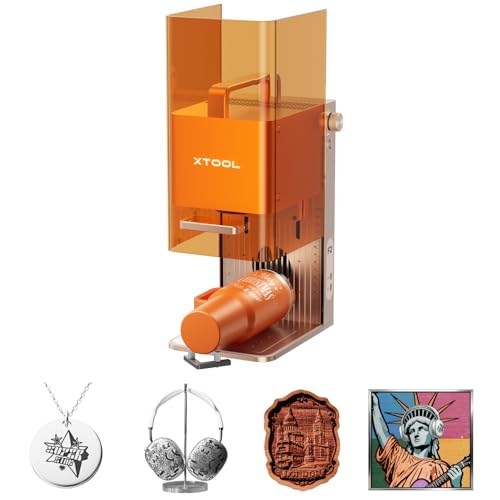
xTool F2 15W Diode & 5W IR Laser Engraver
Best for: Mobile vendors needing metal and wood engraving
- Form Factor
- Portable (what this guide is about)
- Laser Type
- Diode, IR
- Laser Power
- 15W Diode, 5W IR
- Engraving Speed
- Up to 6000mm/s
- Compatible Material
- Metal
- Features
- Camera
View on Amazon: xTool F2 15W Diode & 5W IR Laser Engraver Affiliate link
The xTool F2 is a portable laser engraver with a fully enclosed design. It features a 15W diode laser and a 5W IR laser for marking metal and engraving wood. A built-in 50MP camera ensures precise alignment. It reaches speeds up to 6000mm/s. Weighing 10 pounds, it suits mobile vendors. This model is ideal for users needing dual-laser versatility in a compact, safe package.
Pros
- Dual 15W diode and 5W IR lasers
- Built-in 50MP camera for precise alignment
- Fully enclosed and leak-proof design
- Speeds up to 6000mm/s
Cons
- Heavier than typical portable units at 10 pounds
- No mention of app control in data
- IR laser limited to 5W output
Good fit if
- You need to engrave metal and wood
- You require a safe, enclosed workspace
- You value high-speed engraving
Skip if
- You need a lightweight, ultra-portable device
- You only want to engrave non-metal materials
- You require a larger working area
Verdict: The xTool F2 Portable Dual Laser Engraver fits mobile vendors who need to mark metal and engrave wood quickly. Its enclosed design and dual lasers make it a practical tool for on-site customization.
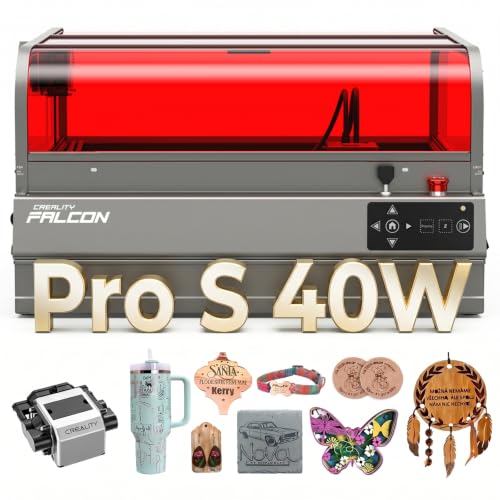
Creality Falcon2 Pro S 40W Enclosed Laser Cutter
Best for: Safe desktop batch production
- Form Factor
- Desktop (what this guide is about)
- Laser Type
- Diode
- Laser Power
- 40W
- Engraving Speed
- 600mm/s
- Cutting Capacity
- 20mm basswood, 30mm black acrylic
- Compatible Material
- Wood, Acrylic
View on Amazon: Creality Falcon2 Pro S 40W Enclosed Laser Cutter Affiliate link
The Creality Falcon2 Pro S is a fully enclosed desktop laser engraver with 40W diode output. It features auto focus, a built-in camera, and air assist. The unit measures 22 by 26 inches and weighs 50.5 pounds. It supports high-speed cutting up to 600mm/s. This model suits users needing a safe, contained workspace for batch production.
Pros
- 40W optical output for thick material cutting
- Fully enclosed Class 1 safety design
- Built-in camera with auto focus
- Integrated debris drawer for easy cleaning
- 80% pre-assembled for quick setup
Cons
- Large footprint requires dedicated desk space
- Heavy weight limits portability
- No wireless connectivity mentioned in data
Good fit if
- You need a contained workspace for smoke and debris
- You prioritize safety certifications for indoor use
- You want auto focus for consistent engraving
Skip if
- You require a portable or foldable design
- You have limited desk space under 22 inches
- You need to engrave thin metal sheets directly
Verdict: Creality Falcon2 Pro S 40W Desktop is a robust choice for makers who need a safe, high-power tool for consistent batch work. It fits users who value enclosed safety and automated focusing over portability.

Artilume Foldable 3000mW Laser Engraver
Best for: small portable DIY projects
- Form Factor
- Portable (what this guide is about)
- Laser Power
- 3000mW (3W)
- Working Area
- 200 x 150 mm
- Engraving Speed
- 10,000 mm/min
- Software Compatibility
- LightBurn, GRBL programs, Mobile App
- Compatible Material
- Gold
View on Amazon: Artilume Foldable 3000mW Laser Engraver Affiliate link
The Artilume T1-P is a foldable laser engraver designed for beginners who need a compact, portable solution. It features a 3W diode laser with a 200 x 150 mm working area and engraving speeds up to 10,000 mm/min. The unit weighs just 2.65 pounds and folds for easy storage. It supports mobile app control and desktop software like LightBurn, making it suitable for small DIY projects in limited spaces.
Pros
- Foldable design weighs only 2.65 pounds for portability
- 200 x 150 mm working area fits small desks
- Engraving speed reaches up to 10,000 mm/min
- Compatible with LightBurn and GRBL-based software
Cons
- 3W laser power limits depth and material versatility
- 200 x 150 mm workspace is smaller than desktop models
- No built-in camera for AI tracking or auto-focus
Good fit if
- You need a lightweight machine for small apartments or classrooms
- You primarily engrave small items like tags, cards, or coasters
- You want to use mobile app control for simple projects
Skip if
- You require a large working area for bigger projects
- You need to engrave thick wood or deep marks
- You want AI-assisted camera features for precision
Verdict: Artilume T1-P Foldable 3W Engraver fits hobbyists who value portability and simple software over raw power. It is a practical option for small, lightweight projects in tight spaces.

Carverall K15 Pro Infrared Laser Engraver
Best for: portable bare metal and jewelry engraving
- Form Factor
- Portable (what this guide is about)
- Laser Type
- 1064nm infrared laser
- Laser Power
- 1W
- Working Area
- 200x300mm
- Software Compatibility
- CutLabX
- Compatible Material
- Metal, Jewelry, Plastic, Silver
View on Amazon: Carverall K15 Pro Infrared Laser Engraver Affiliate link
This portable laser engraver pairs a dedicated 1064nm infrared beam with a 200x300mm working area. Measuring 13.4 by 11.5 by 6 inches, its aluminum frame sets up without tools in 90 seconds. You can mark bare metals and hard plastics using LightBurn, LaserGRBL, or CutLabX app control over WiFi. It suits on-site personalization setups.
Pros
- 1064nm infrared laser marks bare metals including copper, brass, and aluminum
- Portable aluminum chassis measures 13.4 by 11.5 by 6 inches
- Tool-free assembly ready in 90 seconds
- Supports LightBurn, LaserGRBL, and CutLabX via WiFi
Cons
- 1W laser output is limited to surface engraving rather than cutting
- Blue diode laser module for non-metal materials must be purchased separately
Good fit if
- You need a portable machine to engrave bare metal jewelry, tumblers, and brass plates.
- You want quick tool-free setup and WiFi mobile app operation for on-site events.
Skip if
- You need to cut thick wood or acrylic sheets right out of the box.
- You require a large-format desktop work area exceeding 200x300mm.
Verdict: Carverall Portable Infrared Laser Engraver delivers specialized 1064nm bare-metal marking in a lightweight, travel-friendly chassis. It gives on-the-go makers direct metal engraving capability without requiring a bulky workshop enclosure.

Creality Falcon 10W Enclosed Laser Engraver
Best for: Safe, fast, compact desktop engraving
- Form Factor
- Desktop (what this guide is about)
- Laser Power
- 10W
- Working Area
- 150 × 150 × 148 mm
- Engraving Speed
- 15,000 mm/min
- Compatible Material
- Wood, Acrylic, Leather
- Features
- Camera, Auto Focus
View on Amazon: Creality Falcon 10W Enclosed Laser Engraver Affiliate link
The Creality Falcon A1C is a Class 1 enclosed desktop engraver with a 10W laser. It features a 150 x 150 x 148 mm work area and speeds up to 15,000 mm/min. The built-in AI camera aids auto-focus and positioning. Its compact, portable design fits small spaces. You get a safe, enclosed unit that balances speed with a manageable footprint for home or studio use.
Pros
- Class 1 enclosed safety design
- 10W laser power output
- 15,000 mm/min engraving speed
- Built-in AI camera for auto-focus
- Interchangeable laser platform support
Cons
- Smaller 150 x 150 mm work area
- Lower 10W power compared to 40W competitors
- Higher price point implied by advanced features
Good fit if
- You need a safe, enclosed desktop unit
- You value fast engraving speeds
- You want interchangeable laser modules
Skip if
- You require a large work area
- You need maximum raw cutting power
- You prefer an open-frame design
Verdict: Creality Falcon A1C 10W Desktop Engraver fits users who prioritize safety and speed in a compact form. It suits those who want a contained workspace without sacrificing too much power for detailed projects.

Artilume T1 7W Foldable Laser Engraver
Best for: small portable DIY projects
- Form Factor
- Portable (what this guide is about)
- Laser Power
- 7000 mW (7 W)
- Working Area
- 200 x 150 mm
- Engraving Speed
- 10,000 mm/min
- Software Compatibility
- LightBurn, LaserGRBL, Mobile App
- Compatible Material
- Wood, Metal, Acrylic, Leather, Gold
View on Amazon: Artilume T1 7W Foldable Laser Engraver Affiliate link
The Artilume T1 is a foldable laser engraver with a 7W module and a 200 x 150mm working area. It reaches engraving speeds up to 10,000mm/min with 0.01mm precision. You control it via a mobile app or desktop software like LightBurn. The compact frame fits small desks or craft tables. This unit suits beginners who want a portable machine for small DIY projects and gifts.
Pros
- Foldable frame saves space
- 7W laser power for cutting
- 10,000mm/min engraving speed
- Mobile app and LightBurn support
Cons
- 200 x 150mm work area is small
- No built-in camera for framing
- No infrared laser module listed
Good fit if
- You need a portable machine for small crafts
- You want app-based wireless control
- You have limited desk space
Skip if
- You require a large working area
- You need to engrave bare metal
- You prefer desktop-only software
Verdict: The Artilume T1 Foldable 7W Engraver offers a compact, app-controlled solution for small projects. It fits users who prioritize portability and basic cutting power over large workspaces or metal engraving.
Specifications side by side
| Spec | xTool F2 15W Diode & 5W IR Laser Engraver | Creality Falcon2 Pro S 40W Enclosed Laser Cutter | Artilume Foldable 3000mW Laser Engraver | Carverall K15 Pro Infrared Laser Engraver | Creality Falcon 10W Enclosed Laser Engraver | Artilume T1 7W Foldable Laser Engraver |
|---|---|---|---|---|---|---|
| Laser Type | Diode, IR | Diode | not stated | 1064nm infrared laser | not stated | not stated |
| Laser Power | 15W Diode, 5W IR | 40W | 3000mW (3W) | 1W | 10W | 7000 mW (7 W) |
| Working Area | not stated | not stated | 200 x 150 mm | 200x300mm | 150 × 150 × 148 mm | 200 x 150 mm |
| Engraving Speed | Up to 6000mm/s | 600mm/s | 10,000 mm/min | not stated | 15,000 mm/min | 10,000 mm/min |
| Software Compatibility | not stated | not stated | LightBurn, GRBL programs, Mobile App | CutLabX | not stated | LightBurn, LaserGRBL, Mobile App |
| Form Factor | Fully enclosed | Fully Enclosed | Foldable | not stated | Fully Enclosed (Class 1) | not stated |
| Cutting Capacity | not stated | 20mm basswood, 30mm black acrylic | not stated | not stated | not stated | not stated |
| Compatible Material | Metal | Wood, Acrylic | Gold | Metal, Jewelry, Plastic, Silver | Wood, Acrylic, Leather | Wood, Metal, Acrylic, Leather, Gold |
| Features | Camera | Air Assist, Camera, Auto Focus | not stated | not stated | Camera, Auto Focus | not stated |
| Target Audience | not stated | not stated | DIY, Beginners | not stated | not stated | not stated |
| Size | xTool F2 Basic | Falcon2 Pro S 40W with Integrated Enclosure | 3000mW | 1W | not stated | 7W |
| Dimensions | 6.89 × 9.33 × 0.1 inches | 26 × 22 × 12.9 inches | 14.3 × 3.94 × 0.1 inches | 13.4 × 11.5 × 6 inches | 18.5 × 16.5 × 15.7 inches | 14.3 × 3.94 × 0.1 inches |
| Weight | 10 pounds | 50.5 pounds | 2.65 pounds | not stated | not stated | not stated |
| Color | Orange | Falcon2 Pro S 40W | Gold-3w With Riser Kit | Silver | Purple Gray | Gold-7w With App |
| Model | MXF-K005-002 | Falcon2 pro 40W | T1-P-GOLD-3W | K15 Pro | Falcon A1C | T1-app-GOLD-7W |
Frequently asked questions
Which form factor is best for metal engraving?
Portable units are best for metal. The xTool F2 uses a 5W diode laser to mark metal. It also includes a 5W IR laser for this purpose. The Carverall K15 Pro uses a 1W infrared laser for bare metal. Both are designed for on-site work.
How much space does a desktop engraver take?
Desktop models require a stable desk surface. The Creality Falcon2 Pro S measures 22 by 26 inches. It weighs 50.5 pounds. The Creality Falcon A1C is slightly smaller at 16.5 by 18.5 inches. These sizes fit fixed workshop spaces well.
Can foldable engravers cut thick materials?
Foldable engravers have limited cutting power. The Artilume T1 has 7W power. The Artilume T1-P has 3W power. They are best for thin materials like gold or light wood. They are not designed for thick acrylic or heavy batch production.
Do portable engravers include safety enclosures?
Some portable models include enclosures. The xTool F2 has an enclosed design for safety. It also features a camera for precision. Other portable units like the Carverall K15 Pro are open chassis. They rely on their lightweight build for transport rather than full containment.
What is the lightest laser engraver available?
The Artilume T1-P is the lightest option. It weighs only 2.65 pounds. Its dimensions are small, making it easy to carry. The Carverall K15 Pro is also lightweight for its class. Portable units generally weigh less than 15 pounds.
Which desktop model has auto focus?
The Creality Falcon2 Pro S includes auto focus. It also has air assist and a camera. The Creality Falcon A1C also features auto focus and a camera. These features help maintain precision without manual adjustment during long batch jobs.