Best Laser Engravers for Acrylic: 15 Spec-Based Picks
As an Amazon Associate we earn from qualifying purchases. Links on this page are affiliate links.
Finding the best laser engravers for acrylic requires matching power and precision to your project scale. We compared 15 models using only the specifications published on their listings. The ACMER S1 6W Portable Laser Engraver leads this list because its 6W output handles small detailed acrylic projects effectively. Other picks range from budget-friendly 5W units to enclosed 40W cutters. Each option is ranked by how its specs suit acrylic work. This guide helps you decide which machine fits your workspace and material needs.
Quick picks
The best fit for you
- You want the best overall machine for small projects ACMER S1 6W Portable Laser Engraver Its 6W power and compact size suit desktop users needing fine detail on small acrylic items.
- You need high power for thick acrylic in a safe setup xTool S1 40W Enclosed Laser Cutter The 40W output and enclosed chassis handle large-scale cutting while keeping you safe from laser exposure.
- You require a budget option for large-format surface engraving Creality Falcon 5W Laser Engraver The 400 x 415 mm bed and 5W output provide precise marking for large acrylic sheets.
- You need to work offline without a computer Longer Ray5 10W Laser Engraver with Touchscreen The integrated 3.5-inch touchscreen lets you control the 10W laser and 400x400mm bed independently.
Our 15 picks
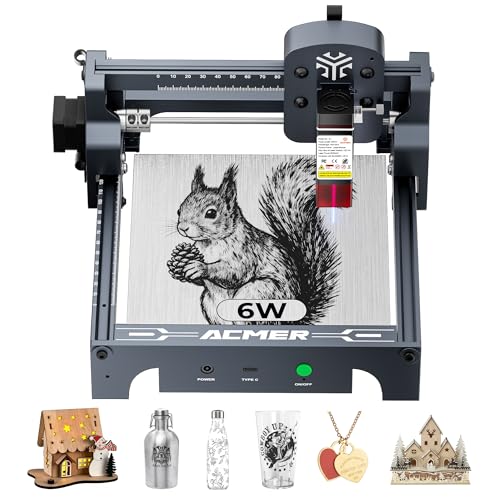
ACMER S1 6W Portable Laser Engraver
Best for: small detailed acrylic projects
- Compatible Material
- Wood, Acrylic, Silver (what this guide is about)
- Laser Type
- Diode
- Laser Power
- 6000 mW
- Working Area
- 130 x 130 mm
- Engraving Speed
- 10,000 mm/min
- Software Compatibility
- ACMER studio, LightBurn, LaserGRBL
The ACMER S1 is a 6W diode laser engraver with a 130x130mm working area. It reaches 10,000mm/min engraving speed and 0.01mm positioning accuracy. You get free ACMER studio software with AI tools, plus LightBurn support. It arrives 99% preassembled for quick setup. The compact 2kg aluminum frame fits small desks. It handles acrylic and wood well for detailed projects.
Pros
- 6000mW diode laser power for cutting thin acrylic
- 10,000mm/min engraving speed with 0.01mm accuracy
- Supports LightBurn and LaserGRBL software
- 99% preassembled for easy setup
Cons
- Small 130x130mm working area limits large projects
- Class 4 laser requires strict safety measures
- No built-in air assist mentioned in specs
Good fit if
- You need precise details on small acrylic pieces
- You want a lightweight machine for limited space
- You prefer preassembled units to save setup time
Skip if
- You require a large working area for big items
- You need high power for thick acrylic cutting
- You want a Class 1 enclosed safety design
Verdict: The ACMER S1 6W Laser Engraver fits hobbyists needing fine details on small acrylic projects. Its compact size and fast speed suit desktop users with limited space.

xTool S1 40W Enclosed Laser Cutter
Best for: high-power cutting in an enclosed safety setup
- Compatible Material
- Wood, Metal, Acrylic (what this guide is about)
- Laser Power
- 40W (40,000mW)
- Working Area
- 23.93" x 15.16"
- Engraving Speed
- 600mm/s
- Software Compatibility
- xTool Creative Space (XCS)
- Form Factor
- Enclosed
The xTool S1 provides high-end cutting capability with a 40W laser module and a large 23.93" x 15.16" bed size. Operating at speeds up to 600mm/s, it cuts dense materials such as 18mm cherry wood in a single pass. Its fully enclosed Class 1 safety design filters 99% of laser light and blocks smoke, making it a reliable pick if you need heavy-duty output on acrylic and other materials.
Pros
- High 40W optical output with 600mm/s maximum engraving speed
- Fully enclosed Class 1 design with lid-open stop and five flame sensors
- Large working area measuring 23.93" x 15.16"
- Auto-focus and Pin-point Positioning for curved surfaces
Cons
- Software compatibility lists only xTool Creative Space (XCS)
- Enclosed build requires dedicated table space for its large footprint
Good fit if
- You need 40W of cutting power to slice thick sheets in single passes
- You want an enclosed Class 1 workstation with built-in smoke containment and safety sensors
- You work on large batches or oversized projects up to 23.93" x 15.16"
Skip if
- You rely on third-party control software not listed in the specifications
- You need an open-frame or highly portable engraving unit
Verdict: xTool S1 40W Enclosed Laser Cutter delivers industrial-grade 40W cutting power inside a fully enclosed, sensor-monitored chassis. It handles large-scale acrylic and wood projects without compromising on workshop safety.

Carverall 6W Desktop Laser Engraver
Best for: compact A4 black acrylic engraving and cutting
- Compatible Material
- Wood, Metal, Acrylic, Leather, Paper (what this guide is about)
- Laser Type
- Diode
- Laser Power
- 6W (6000mW)
- Working Area
- 11.8×7.9 inches (A4)
- Engraving Speed
- 15,000mm/min
- Software Compatibility
- CutLabX, LightBurn, LaserGRBL
The Carverall 6W A4 Laser Engraver is a compact desktop diode machine built for small-format crafting. For acrylic projects, its 6W diode output can cut up to 5mm black acrylic using multiple passes, operating at speeds up to 15,000mm/min with 0.01mm precision. With an 11.8 by 7.9-inch working area and multi-platform software support, it suits hobbyists and beginners looking to produce detailed acrylic signs, tags, and small crafts on a desk.
Pros
- Cuts up to 5mm black acrylic using multiple passes
- Engraves at speeds up to 15,000mm/min with 0.01mm precision
- Compact 11.8×7.9-inch A4 bed includes four heightening columns
- Works with CutLabX mobile app, LightBurn, and LaserGRBL
- Supports offline running via TF card with a repeat engraving button
Cons
- Cutting 5mm black acrylic requires multiple passes
- Working area is limited to A4 dimensions (11.8×7.9 inches)
- Rotary roller and metal-engraving IR module must be purchased separately
Good fit if
- You want to cut black acrylic sheets up to 5mm using multi-pass cuts.
- You have limited workspace and prefer a compact A4-sized footprint.
- You need wireless app control or offline standalone operation without a PC.
Skip if
- You require single-pass cutting on thick acrylic sheets.
- You routinely make acrylic signs larger than 11.8×7.9 inches.
Verdict: Carverall 6W A4 Laser Engraver delivers 0.01mm detailing and multi-pass cutting on 5mm black acrylic within a compact desktop frame. It is a practical entry-level option if you prioritize small-space convenience and broad software compatibility over heavy cutting power.

Creality Falcon 10W Laser Engraver
Best for: Cutting 5mm dark acrylic on large sheets
- Compatible Material
- Wood, Metal, Acrylic, Leather (what this guide is about)
- Laser Power
- 10W
- Working Area
- 15.7" x 16.3" (400 x 415 mm)
- Engraving Speed
- 10000mm/min
- Software Compatibility
- LightBurn, LaserGRBL
- Cutting Capacity
- 12mm wood, 5mm black acrylic
This open-frame laser engraver delivers 10W of optical output power with a fine 0.06 by 0.06 mm compressed laser spot. For acrylic work, it is rated to cut up to 5 mm black acrylic in a single pass across a spacious 15.7 by 16.3 inch working area. You can operate it through LightBurn, LaserGRBL, or via an SD card for offline cutting and engraving at speeds up to 10,000 mm/min.
Pros
- 10W laser module cuts up to 5mm black acrylic in one pass
- Large 15.7 x 16.3 in (400 x 415 mm) working area
- Fine 0.06 x 0.06 mm compressed laser spot with 0.004 in accuracy
- Supports offline SD card operation and includes safety goggles
Cons
- Cutting rating is specified only for black acrylic, not clear variants
- Top engraving speed reaches 10,000 mm/min
- Open frame lacks a built-in enclosure
Good fit if
- You need to cut black acrylic sheets up to 5mm thick in one pass
- You want a large 400 by 415 mm workspace for oversized sheets
- You prefer running offline jobs using an SD card without a tethered PC
Skip if
- You plan to cut transparent acrylic without specialized coatings
- You require a fully enclosed workspace out of the box
Verdict: Creality Falcon 10W Laser Engraver pairs a 0.06 mm spot with 10W output to reliably cut 5 mm dark acrylic across a generous work bed.

Creality Falcon 5W Laser Engraver
Best for: large-format acrylic surface engraving
- Compatible Material
- Wood, Acrylic, Leather, Glass (what this guide is about)
- Laser Power
- 5W
- Working Area
- 400 x 415 mm
- Engraving Speed
- Up to 10,000 mm/min
- Dimensions
- 17.3 × 9.33 × 24.8 inches
This desktop engraver pairs a 5W diode output with a spacious 400 x 415 mm working area. It operates at speeds up to 10,000 mm/min and uses a 0.06 x 0.06 mm laser spot to engrave materials like acrylic, wood, and leather. It suits you if you need a standard working bed for surface engraving without the expense of high-wattage cutting modules.
Pros
- 400 x 415 mm working area for larger stock
- Fine 0.06 x 0.06 mm laser spot for detailed lines
- Engraving speeds reaching up to 10,000 mm/min
- Built-in active stop safety feature halts operation if movement is detected
- Laser cover filters 97% of UV light
Cons
- 5W laser power provides lower cutting capacity than higher-wattage units
- Rotary roller and height risers must be purchased separately
Good fit if
- You need a large 400 x 415 mm workspace for flat acrylic sheet engraving.
- You prioritize fine detail with its 0.06 x 0.06 mm spot size.
Skip if
- You need more than 5W of output power for deep cuts in thick materials.
- You require an included rotary tool out of the box for tumblers.
Verdict: Creality Falcon 5W Laser Engraver pairs a spacious 400 x 415 mm bed with a tight 0.06 mm compression spot for precise acrylic marking.

Creality Falcon 10W Laser Engraver
Best for: Cutting 3mm black acrylic panels on a budget
- Compatible Material
- Wood, Metal, Acrylic, Leather, Glass, Paper (what this guide is about)
- Laser Power
- 10W
- Working Area
- 17" x 16"
- Engraving Speed
- Up to 10000mm/m
- Software Compatibility
- LightBurn, LaserGRBL
- Cutting Capacity
- 5mm basswood, 3mm black acrylic
This open-frame laser engraver delivers 10W of optical output power across a 17" x 16" working area. Its 0.06 x 0.06 mm laser spot cuts up to 3 mm black acrylic in a single pass at speeds reaching 10,000 mm/min. Compatible with both LightBurn and LaserGRBL, it provides a solid workspace for your acrylic and wood projects without requiring complex workshop machinery.
Pros
- Cuts 3mm black acrylic in one pass
- Spacious 17" x 16" working area
- Fine 0.06 x 0.06mm compressed laser spot
- Speed up to 10,000 mm/min
- Multiple connectivity options via Wi-Fi, USB, and SD card
Cons
- Open-frame construction requires dedicated eye safety vigilance
- Air assist pump and rotary roller are sold separately
- Cuts dark acrylic but is not specified for clear acrylic
Good fit if
- You want to cut sheets of black acrylic up to 3 mm thick in one pass
- You need a large 17" x 16" workspace for wider acrylic panels
- You prefer running jobs offline via Wi-Fi or SD card
Skip if
- You need an enclosed machine with built-in smoke filtration
- You need included air assist hardware in the basic package
- You primarily work with clear or transparent acrylic
Verdict: Creality Falcon 10W Laser Engraver provides a reliable 17" x 16" workspace with enough output power to cut 3 mm dark acrylic in a single pass. It is a capable choice if you need balanced speed and precision on an open frame.

Artilume T1 7W Foldable Laser Engraver
Best for: small-scale dark acrylic engraving and compact workspaces
- Compatible Material
- Wood, Acrylic (what this guide is about)
- Laser Type
- Diode
- Laser Power
- 7W
- Engraving Speed
- up to 10,000 mm/min
- Cutting Capacity
- Up to 4mm basswood (multi-pass)
- Dimensions
- 145 × 142 × 57.9 inches
The Artilume T1 is a compact diode laser engraver built with a 7W optical output and a foldable aluminum frame. It gives you a 200 by 150 mm working area and speeds reaching up to 10,000 mm/min. With a fine 0.01 mm motion precision, it handles intricate detailing on dark acrylic, wood, and leather. It suits hobbyists needing a space-saving desktop tool for small decorative acrylic tags and personal craft projects.
Pros
- 7W diode laser with 0.01 mm engraving precision
- Maximum engraving speed of 10,000 mm/min
- Foldable aluminum frame saves desktop storage space
- Engraves dark acrylic, wood, leather, and coated metal
Cons
- Compact 200 x 150 mm working area limits project size
- Acrylic compatibility is specified for dark acrylic
- Cutting 4mm wood requires multiple passes
Good fit if
- You want a compact machine with a foldable design for desktop use.
- You engrave dark acrylic items under 200 by 150 mm in size.
- You need fine 0.01 mm motion precision for detailed artwork.
Skip if
- You plan to engrave or cut large acrylic sheets over 200 x 150 mm.
- You need a high-power cutter that slices thick stock in a single pass.
Verdict: Artilume T1 7W Laser Engraver provides precise 0.01 mm detailing and 7W diode power in a foldable, space-saving format. Its 200 by 150 mm work bed makes it a practical choice for small dark acrylic projects.

Artilume Foldable 3000mW Laser Engraver
Best for: portable acrylic engraving in tight workspaces
- Compatible Material
- Wood, Acrylic, Leather (what this guide is about)
- Laser Type
- Diode
- Laser Power
- 3000mW
- Working Area
- 200 x 150 mm (8 x 6 in)
- Engraving Speed
- Up to 10,000 mm/min
- Target Audience
- Beginners
The Artilume Foldable 3000mW Laser Engraver delivers portable acrylic and wood marking in a compact 3-pound frame. It offers a 200 x 150 mm work area, a 0.04 x 0.04 mm compressed laser spot, and engraving speeds up to 10,000 mm/min. Its 2-in-1 protective cover adds 3.15 inches of height for taller workpieces. It suits beginners who need a portable, pre-assembled machine for surface engraving and cutting very thin acrylic under 2 mm.
Pros
- Foldable 3-pound frame arrives pre-assembled for quick setup and storage
- Fine 0.04 x 0.04 mm compressed laser spot with 0.01 mm precision
- Protective cover doubles as an elevation stand adding 3.15 inches of height
- Smart app control via Wi-Fi for wireless project setup and monitoring
Cons
- Low 3000mW output limits cutting to materials under 2 mm thick
- Compact 200 x 150 mm working area restricts sheet sizes
- App control relies on Wi-Fi with no wired computer connection listed
Good fit if
- You need a lightweight, foldable engraver you can store or pack easily.
- You primarily mark acrylic surfaces or cut sheets thinner than 2 mm.
- You want wireless project management from a mobile device over Wi-Fi.
Skip if
- You need to cut acrylic sheets thicker than 2 mm.
- You require a large working area exceeding 200 x 150 mm.
Verdict: Artilume Foldable 3000mW Laser Engraver is a portable, space-saving option designed for fine-detail acrylic marking and light craft projects. Its integrated folding mechanism and riser cover make it practical for compact workspaces.

LaserPecker LP2 Portable Laser Engraver with Roller
Best for: portable marking on tumblers and small acrylic items
- Compatible Material
- Wood, Metal, Acrylic, Leather (what this guide is about)
- Engraving Speed
- 1417 "/min
- Cutting Capacity
- Within 0.2" (wood, paper)
- Features
- Rotary Axis
- Form Factor
- Portable
- Dimensions
- 5.91 × 5.91 × 8.66 inches
View on Amazon: LaserPecker LP2 Portable Laser Engraver with Roller
The LaserPecker LP2 is a compact, handheld galvo engraving unit designed for easy transport. It works on acrylic along with wood, leather, and coated metals. You get a fine 0.05 mm compressed spot, engraving speeds reaching up to 1417 inches per minute, and an electric roller for curved surfaces. It suits you if you need a mobile setup for small items rather than a large stationary cutting bed.
Pros
- Engraving speeds reach up to 1417 inches per minute
- Fine 0.05 mm compressed laser spot with up to 2K resolution
- Versatile electric roller included for 360-degree cylindrical jobs
- Compact handheld design measuring 5.91 by 5.91 by 8.66 inches
Cons
- Light or transparent materials must be painted black before engraving
- Cutting capacity is limited to wood and paper up to 0.2 inches thick
- Standard working width is limited to 4 inches
Good fit if
- You want a handheld, portable engraver that connects to phones or PCs
- You need to engrave cylindrical items like tumblers alongside flat acrylic
- You prioritize fast previewing and high-speed marking on small surfaces
Skip if
- You need to cut through thick acrylic sheets
- You require a large wide-format workspace without continuous roller feeding
- You plan to engrave pure or shiny bare metals
Verdict: LaserPecker LP2 Portable Engraver with Roller delivers rapid galvo marking in an ultra-portable frame suited for tumblers and small acrylic projects. It focuses on compact, mobile engraving rather than heavy-duty sheet cutting.

Creality Falcon2 Pro S 40W Enclosed Laser Cutter
Best for: thick acrylic cutting and batch work
- Compatible Material
- Wood, Acrylic (what this guide is about)
- Laser Type
- Diode
- Laser Power
- 40W
- Engraving Speed
- 600mm/s
- Form Factor
- Fully Enclosed
- Cutting Capacity
- 20mm basswood, 30mm black acrylic
View on Amazon: Creality Falcon2 Pro S 40W Enclosed Laser Cutter
The Creality Falcon2 Pro S 40W is a fully enclosed desktop diode laser designed for high-speed batch production. It delivers 40W of optical output, enabling one-pass cutting through 30mm black acrylic and 20mm basswood. The unit features auto focus, a built-in camera for precise positioning, and Class 1 safety certification. Its 600mm/s engraving speed and integrated enclosure make it suitable for professional makers and small studios seeking reliable, efficient workflow management.
Pros
- 40W optical output for fast cutting
- Cuts up to 30mm black acrylic
- Built-in camera with auto focus
- Fully enclosed Class 1 design
- 600mm/s high engraving speed
Cons
- Heavy at 50.5 pounds
- Large footprint at 26 inches
- No remote control listed
Good fit if
- You need to cut thick black acrylic
- You want a fully enclosed safe unit
- You require high-speed batch processing
Skip if
- You need a portable handheld device
- You have limited desktop space
- You only engrave thin materials
Verdict: The Creality Falcon2 Pro S 40W fits professional makers who need heavy-duty cutting power and a safe, enclosed workspace. It is the right pick for studios prioritizing speed and thick material capacity over portability.

ATOMSTACK 48W Dual-Mode Laser Engraver
Best for: high-power acrylic cutting with automatic air assist
- Compatible Material
- Wood, Metal, Acrylic, Leather, Jewelry (what this guide is about)
- Laser Power
- 24W / 48W (48,000 mW)
- Engraving Speed
- Up to 500 mm/s
- Cutting Capacity
- 18 mm wood, 7 nm acrylic
- Features
- Air Assist
- Dimensions
- 22.8 × 21.7 × 5.91 inches
The ATOMSTACK 48W Laser Engraver with Air Assist is an open-frame cutter designed for materials like acrylic, wood, and metal. It features a dual-power laser module that toggles between 24W and 48W via a physical button, reaching speeds up to 500mm/s. Built with an anodized aluminum alloy frame and an automatic air assist system, it suits you if you need strong cutting output alongside cleaner cut edges.
Pros
- Physical button toggles laser output between 24W and 48W
- Included auto air assist helps clear debris during operation
- Engraving speeds reach up to 500mm/s
- Aluminum alloy anodized frame assembles in 20 to 30 minutes
Cons
- Requires 20 to 30 minutes of frame assembly
- Large footprint measuring 22.8 inches long by 21.7 inches wide
- Class IV laser rating requires strict safety and eyewear precautions
Good fit if
- You need high 48W output power for cutting acrylic and wood
- You want integrated auto air assist to maintain cleaner cuts
- You want to toggle between 24W and 48W for engraving versus cutting tasks
Skip if
- You want a fully assembled machine straight out of the box
- You have limited workspace for a 22.8 by 21.7-inch frame
- You only require low wattage for basic surface engraving
Verdict: ATOMSTACK 48W Laser Engraver with Air Assist delivers dual-mode 24W and 48W output for fast, high-power acrylic and mixed-material cutting. Its aluminum build and integrated air assist make it a capable choice for demanding projects.

Creality Falcon 10W Enclosed Laser Engraver
Best for: small acrylic projects requiring safety
- Compatible Material
- Wood, Acrylic, Leather (what this guide is about)
- Laser Power
- 10W
- Working Area
- 150 × 150 × 148 mm
- Engraving Speed
- 15,000 mm/min
- Form Factor
- Fully Enclosed (Class 1)
- Features
- Camera, Auto Focus
The Creality Falcon A1C is a Class 1 enclosed desktop engraver with a 10W laser and a 150 × 150 × 148 mm work area. It features an AI camera for auto-focus and one-tap photo engraving. You get speeds up to 15,000 mm/min and interchangeable laser modules. This model suits users who want safety certification and smart automation for acrylic and wood projects.
Pros
- Class 1 fully enclosed safety design
- 10W laser power for acrylic cutting
- AI camera with auto-focus and one-tap engraving
- Interchangeable laser platform for 5W, 10W, and 1.2W modules
- Engraving speeds up to 15,000 mm/min
Cons
- Smaller 150 × 150 mm work area compared to larger desktop models
- Single laser module included per package
- No mention of rotary attachment support in base specs
Good fit if
- You need a Class 1 enclosed machine for safe indoor use
- You want AI-assisted photo engraving workflows
- You prefer a compact desktop footprint for small acrylic projects
Skip if
- You require a large work area for big signs
- You need high-power cutting for thick materials
- You prefer open-frame designs for easy access
Verdict: The Creality Falcon A1C 10W AI Engraver fits hobbyists who prioritize safety and automation for small acrylic pieces. Its enclosed Class 1 design and AI camera make it ideal for home studios where precision and convenience matter more than raw size.

ATOMSTACK Swift 7W Laser Engraver
Best for: compact high-speed acrylic and craft engraving
- Compatible Material
- Wood, Metal, Acrylic, Leather, Glass (what this guide is about)
- Laser Power
- 7W
- Working Area
- 300 x 300 mm
- Engraving Speed
- 400 mm/s
- Software Compatibility
- ATOMSTACK app, LightBurn, LaserGRBL
- Dimensions
- 9.65 × 4.72 × 19.5 inches
The ATOMSTACK Swift 7W Laser Engraver provides a 300 x 300 mm working area paired with a 7W laser module. It supports engraving speeds up to 400 mm/s with 0.06 mm precision. You can connect via USB or Type-C to run LightBurn, LaserGRBL, or dedicated ATOMSTACK software. It suits users who want a compact, fast setup for etching acrylic, wood, and other compatible craft blanks.
Pros
- Engraving speeds reach up to 400 mm/s
- 0.06 mm high-accuracy engraving precision
- Compatible with LightBurn, LaserGRBL, and mobile app control
- Includes safety glasses and a removable magnetic protective cover
Cons
- 300 x 300 mm working area is smaller than standard desktop frames
- 7W laser power limits cutting capacity on thick acrylic sheets
- No integrated camera or air assist system listed
Good fit if
- You need fast engraving speeds up to 400 mm/s on acrylic blanks.
- You prefer software flexibility across LightBurn, LaserGRBL, and mobile apps.
- You want a compact 300 x 300 mm footprint for smaller workstations.
Skip if
- You need to cut through thick acrylic panels requiring higher laser wattage.
- You plan to process workpieces larger than 300 x 300 mm.
Verdict: ATOMSTACK Swift 7W Laser Engraver balances a compact 300 x 300 mm working area with 400 mm/s processing speeds for detailed acrylic projects. It provides solid software versatility and 0.06 mm accuracy for small-scale benchtop fabrication.

WECREAT Vision 20W Enclosed Laser Engraver
Best for: Safe, high-precision acrylic engraving
- Compatible Material
- Wood, Metal, Acrylic (what this guide is about)
- Laser Type
- Diode
- Laser Power
- 20W (20,000mW)
- Engraving Speed
- 600mm/s
- Software Compatibility
- LightBurn, WeCreat proprietary software
- Form Factor
- Fully enclosed (Class 1)
The WeCreat Vision 20W is a fully enclosed diode laser rated at 20,000mW. It reaches 600mm/s engraving speed and cuts 8mm opaque black acrylic in one pass. The unit includes an air assist, rotary attachment, and HD camera. Its auto-lifting bed handles materials up to 140mm thick. This Class 1 device suits users who need safety features and high precision for batch work.
Pros
- 20W (20,000mW) diode laser output
- Cuts 8mm opaque black acrylic in one pass
- 600mm/s engraving speed with 0.01mm accuracy
- Fully enclosed Class 1 safety design
- Built-in HD camera and air assist
Cons
- Limited to 20W power compared to higher-end models
- Proprietary software required for some features
- Heavier desktop footprint than portable units
Good fit if
- You need a Class 1 enclosed machine for home use
- You require fast engraving speeds for batch production
- You want to cut 8mm acrylic in a single pass
Skip if
- You need to cut thicker than 8mm acrylic
- You prefer a fully open-frame design
- You want a portable handheld engraver
Verdict: WeCreat Vision 20W Desktop Laser delivers high precision and safety in a single package. It fits users who prioritize enclosed Class 1 operation and fast acrylic cutting over raw power.

Longer Ray5 10W Laser Engraver with Touchscreen
Best for: standalone offline acrylic engraving and cutting
- Compatible Material
- Wood, Metal, Acrylic, Glass (what this guide is about)
- Laser Power
- 10W
- Working Area
- 400x400mm
- Engraving Speed
- 10,000mm/min
- Software Compatibility
- LaserGRBL, LightBurn
- Cutting Capacity
- 0.8" (20mm) wood, 1.2" (30mm) acrylic
View on Amazon: Longer Ray5 10W Laser Engraver with Touchscreen
The Longer Ray5 10W Laser Engraver gives you a 400x400mm working area paired with a built-in 3.5-inch touchscreen for standalone control. Its 10W laser module uses a fine 0.06x0.06mm spot size to engrave intricate patterns and cut acrylic up to 1.2 inches thick. Connecting over Wi-Fi, USB, TF card, or mobile app, it suits makers who want to run acrylic jobs without staying tethered to a computer.
Pros
- Built-in 3.5-inch color touchscreen for offline controls
- Spacious 400x400mm working area
- Fine 0.06x0.06mm compressed laser spot
- Rated to cut acrylic up to 1.2 inches (30mm) thick
Cons
- Maximum engraving speed caps at 10,000mm/min
- Assembly is required before your first project
Good fit if
- You want to manage your laser jobs offline using an onboard touchscreen.
- You need a 400x400mm bed for mid-sized acrylic cutting and engraving.
- You plan to send designs wirelessly via Wi-Fi or directly from a TF card.
Skip if
- You require engraving speeds faster than 10,000mm/min.
- You prefer a fully factory-assembled machine that requires no setup.
Verdict: Longer Ray5 10W Laser Engraver delivers reliable 10W cutting capability and a roomy 400x400mm bed. Its integrated 3.5-inch touchscreen makes it an ideal pick for working on acrylic without keeping a PC connected.
Specifications side by side
| Spec | ACMER S1 6W Portable Laser Engraver | xTool S1 40W Enclosed Laser Cutter | Carverall 6W Desktop Laser Engraver | Creality Falcon 10W Laser Engraver | Creality Falcon 5W Laser Engraver | Creality Falcon 10W Laser Engraver | Artilume T1 7W Foldable Laser Engraver | Artilume Foldable 3000mW Laser Engraver | LaserPecker LP2 Portable Laser Engraver with Roller | Creality Falcon2 Pro S 40W Enclosed Laser Cutter | ATOMSTACK 48W Dual-Mode Laser Engraver | Creality Falcon 10W Enclosed Laser Engraver | ATOMSTACK Swift 7W Laser Engraver | WECREAT Vision 20W Enclosed Laser Engraver | Longer Ray5 10W Laser Engraver with Touchscreen |
|---|---|---|---|---|---|---|---|---|---|---|---|---|---|---|---|
| Laser Type | Diode | not specified | Diode | not specified | not specified | not specified | Diode | Diode | not specified | Diode | not specified | not specified | not specified | Diode | not specified |
| Laser Power | 6000 mW | 40W (40,000mW) | 6W (6000mW) | 10W | 5W | 10W | 7W | 3000mW | not specified | 40W | 24W / 48W (48,000 mW) | 10W | 7W | 20W (20,000mW) | 10W |
| Working Area | 130 x 130 mm | 23.93" x 15.16" | 11.8×7.9 inches (A4) | 15.7" x 16.3" (400 x 415 mm) | 400 x 415 mm | 17" x 16" | not specified | 200 x 150 mm (8 x 6 in) | not specified | not specified | not specified | 150 × 150 × 148 mm | 300 x 300 mm | not specified | 400x400mm |
| Engraving Speed | 10,000 mm/min | 600mm/s | 15,000mm/min | 10000mm/min | Up to 10,000 mm/min | Up to 10000mm/m | up to 10,000 mm/min | Up to 10,000 mm/min | 1417 "/min | 600mm/s | Up to 500 mm/s | 15,000 mm/min | 400 mm/s | 600mm/s | 10,000mm/min |
| Software Compatibility | ACMER studio, LightBurn, LaserGRBL | xTool Creative Space (XCS) | CutLabX, LightBurn, LaserGRBL | LightBurn, LaserGRBL | not specified | LightBurn, LaserGRBL | not specified | not specified | not specified | not specified | not specified | not specified | ATOMSTACK app, LightBurn, LaserGRBL | LightBurn, WeCreat proprietary software | LaserGRBL, LightBurn |
| Form Factor | not specified | Enclosed | Class 1 | not specified | not specified | not specified | not specified | not specified | not specified | Fully Enclosed | not specified | Fully Enclosed (Class 1) | not specified | Fully enclosed (Class 1) | not specified |
| Cutting Capacity | not specified | 18mm cherry wood | 8mm plywood, 5mm black acrylic | 12mm wood, 5mm black acrylic | not specified | 5mm basswood, 3mm black acrylic | Up to 4mm basswood (multi-pass) | not specified | Within 0.2" (wood, paper) | 20mm basswood, 30mm black acrylic | 18 mm wood, 7 nm acrylic | not specified | not specified | 10mm wood, 8mm opaque black acrylic | 0.8" (20mm) wood, 1.2" (30mm) acrylic |
| Compatible Material | Wood, Acrylic, Silver | Wood, Metal, Acrylic | Wood, Metal, Acrylic, Leather, Paper | Wood, Metal, Acrylic, Leather | Wood, Acrylic, Leather, Glass | Wood, Metal, Acrylic, Leather, Glass, Paper | Wood, Acrylic | Wood, Acrylic, Leather | Wood, Metal, Acrylic, Leather | Wood, Acrylic | Wood, Metal, Acrylic, Leather, Jewelry | Wood, Acrylic, Leather | Wood, Metal, Acrylic, Leather, Glass | Wood, Metal, Acrylic | Wood, Metal, Acrylic, Glass |
| Features | not specified | Rotary Axis | not specified | not specified | not specified | not specified | not specified | not specified | Rotary Axis | Air Assist, Camera, Auto Focus | Air Assist | Camera, Auto Focus | not specified | Enclosure, Air Assist, Camera | Touchscreen |
| Target Audience | DIY | not specified | DIY, Beginners, Small Business | not specified | not specified | DIY | not specified | Beginners | not specified | not specified | not specified | not specified | not specified | not specified | DIY |
| Size | 6000mW | 40W | 6W | Falcon-10W | Falcon-5W | Falcon-10W Basic | T1 with APP 7000mW | T1-P 3000mW | LP2 Suit | Falcon2 Pro S 40W with Integrated Enclosure | A40 PRO V2 | not specified | Swift 7W blue | 20W | 10W |
| Application | not specified | Tumblers | not specified | not specified | not specified | not specified | not specified | not specified | not specified | not specified | not specified | not specified | not specified | not specified | not specified |
| Length | not specified | 19.6 inches | not specified | not specified | not specified | not specified | not specified | not specified | not specified | not specified | not specified | not specified | not specified | not specified | not specified |
| Width | not specified | 19.6 inches | not specified | not specified | not specified | not specified | not specified | not specified | not specified | not specified | not specified | not specified | not specified | not specified | not specified |
| Dimensions | not specified | not specified | 1 × 1 × 1 inches | 1 × 1 × 1 inches | 17.3 × 9.33 × 24.8 inches | 22.4 × 24.9 × 7.79 inches | 145 × 142 × 57.9 inches | 14.5 × 14.2 × 5.79 inches | 5.91 × 5.91 × 8.66 inches | 26 × 22 × 12.9 inches | 22.8 × 21.7 × 5.91 inches | 18.5 × 16.5 × 15.7 inches | 9.65 × 4.72 × 19.5 inches | 24 × 21 × 10 inches | 25.4 × 17.1 × 12.8 inches |
| Weight | not specified | not specified | not specified | not specified | not specified | 7.05 pounds | not specified | 3 pounds | not specified | 50.5 pounds | not specified | not specified | not specified | not specified | not specified |
| Color | Silver, White-6 | Black Rotary | Gray | Falcon-10W | Falcon-5W | Falcon-10W Basic | BLUE-7W-APP | BLUE-3W Full Kit | LP2 (SpinTrack) | Falcon2 Pro S 40W | Black | Purple Gray | Blue, 7w | Rotary Pack | 10w |
| Model | not specified | MXD-K101-001 | k15pro6w | CR-Laser Falcon | CR-Laser Falcon | CR-Laser Falcon 10W | T1 | T1 | L2-KDR88 | Falcon2 pro 40W | A40 PRO V2 | Falcon A1C | Swift | LC2320 | 10W |
Is Acrylic Compatibility Right for You?
Focusing on acrylic compatibility expands your workshop capabilities from basic wood etching to rigid plastic signs, displays, and custom craft panels. In daily use, having verified acrylic support means the laser's focal spot and beam output properly process dense synthetic stock. Most diode models on this list specify dark or black acrylic for reliable beam absorption and edge processing. Prioritizing this specification ensures you get clean line definitions across decorative plates, jewelry components, and structured parts without melting or irregular burns.
Worth it if
- You plan to fabricate signs, display plates, or craft parts using dark or black acrylic sheets.
- You want a multi-material desktop setup that processes synthetic plastics alongside wood and leather.
Skip it if
- You only engrave natural timber, cardboard, or untreated paper stock.
- You strictly focus on bare metal marking and have no need for plastic fabrication.
If you need fixtures, see our guide on best acrylic bathtubs ranked by specs.
How We Picked These Models
To compile this guide, we filtered Amazon listings specifically for machines that document acrylic compatibility in their specifications or titles. We then compared key manufacturer specifications across the 15 options, focusing on laser power ratings ranging from 2500mW up to 48W, bed dimensions, and included hardware features like enclosures or air assist. Only one variant from a product family appears on the list.
We sorted the machines with in-stock products first, followed by Amazon sales rank, prioritizing better-selling units. Every detail comes entirely from published manufacturer data rather than physical testing. Current stock status and pricing update automatically on the page throughout 2026.
How to Choose the Right Acrylic Engraver
-
Evaluate Chassis and Safety Design
Decide between an open gantry frame and an enclosed machine based on your working environment. Open-frame units provide flexible clearance for long boards and easy workpiece placement. Enclosed systems contain smoke, fumes, and beam reflections within an internal compartment. Units like the xTool S1 40W feature an enclosed chassis designed to keep processing contained. If you work in a shared household space or an office rather than a dedicated workshop, prioritize enclosed units with dedicated exhaust ports over open aluminum frames.
-
Select the Right Work Area
Match the bed dimensions directly to your raw material stock sizes. Acrylic sheets commonly sell in standard precut craft dimensions. If you engrave small badges, tags, or jewelry blanks, a compact working bed around 200 by 150 mm on the Artilume T1 7W keeps the machine small. For full-size signage, panels, or multi-item production runs, choose an expanded working bed measuring 400 by 400 mm or larger. Buying a bed that matches your material saves time spent pre-cutting stock to fit.
-
Assess Hardware Control Options
Consider how you plan to send jobs to the engraver during production. Many desktop models require a constant USB cable tether to a laptop or computer while processing jobs. If your workspace lacks desk space for a computer, seek machines equipped with standalone offline controls. The Longer Ray5 10W includes an integrated 3.5-inch touchscreen to load files directly from memory cards. Standalone control prevents failed jobs caused by computer sleep modes, operating system updates, or disconnected cords during long runs.
-
Look for Integrated Air Assist
Check whether the machine includes an integrated air pump or nozzle connection. When cutting dense plastics, vaporized resin and debris settle back onto the edges, causing melting, charred discoloration, or cloudiness. A dedicated air assist system blows pressurized air straight down into the kerf. The ATOMSTACK 48W includes integrated air assist to sweep away smoke and melted residue immediately. This airflow keeps cut edges clean and extends the operating lifespan of the optical protective glass lens above the workpiece.
-
Check Portable and Foldable Frames
Review the physical footprint and weight if you lack a permanent workshop bench. Standard desktop lasers feature rigid aluminum extrusions that demand fixed counter space. In contrast, folding or handheld designs allow easy storage between projects. The Artilume Foldable 3000mW weighs just 3 pounds and folds down to fit inside a cabinet or shelf when not in use. If you travel to craft shows or operate out of a small apartment, collapsible frames offer clear space advantages over permanent rigs.
-
Consider Cylindrical Object Support
Determine if your projects involve flat acrylic sheets or cylindrical items like tumblers and rounded awards. Flat gantries only move along horizontal X and Y planes. To process curved items, you need rotary hardware that turns the object synchronously with the laser head. Models like the LaserPecker LP2 come packaged with a roller accessory specifically built for cylindrical marking. Check the included accessories list before buying to confirm whether rotary attachments are bundled or require separate purchases.
Frequently asked questions
Can I cut 5mm dark acrylic with a 6W laser engraver?
Yes, but results depend on the machine. The Carverall 6W Desktop Laser Engraver delivers multi-pass cutting on 5mm black acrylic. It achieves this through 0.01mm detailing and a compact design. You must plan for multiple passes rather than a single cut. This makes it suitable for detailed work rather than rapid production.
Which laser engraver is best for portable acrylic projects?
The LaserPecker LP2 Portable Laser Engraver with Roller is designed for mobile use. It features a compact frame and roller axis for tumblers. The unit focuses on rapid galvo marking for small acrylic items. It is not intended for heavy-duty sheet cutting. You can carry it easily for on-site marking tasks.
Do I need an enclosed laser cutter for acrylic engraving?
Enclosures provide safety and contain fumes. The xTool S1 40W Enclosed Laser Cutter offers a sensor-monitored chassis. It handles large-scale acrylic cutting safely. The enclosed design protects your workspace from smoke and sparks. You should choose this type if you prioritize safety in a home studio environment.
What is the largest work area for acrylic engraving?
The Creality Falcon 5W Laser Engraver offers a spacious bed. Its dimensions reach 400 x 415 mm for large-format surface engraving. This size allows you to mark large acrylic sheets with precision. The tight 0.06 mm compression spot ensures clear details. You get ample space for big projects without needing a massive machine.
Can I engrave acrylic without connecting to a computer?
Yes, if the machine includes a touchscreen. The Longer Ray5 10W Laser Engraver features an integrated 3.5-inch display. You can operate it standalone for offline acrylic cutting and engraving. This removes the need for a constant PC connection. It is ideal for users who want a simpler, self-contained workflow.
Which laser is best for small jewelry or detailed acrylic work?
The ACMER S1 6W Portable Laser Engraver is ideal for fine details. Its 6W output suits small detailed acrylic projects. The compact size fits desktop users with limited space. It delivers fast speeds for intricate designs. You get precise results for small items without taking up much room.
Is air assist necessary for cutting acrylic?
Air assist improves cut quality by clearing debris. The ATOMSTACK 48W Dual-Mode Laser Engraver includes automatic air assist. It delivers high-power output for fast acrylic cutting. The aluminum build and air system handle demanding projects. You get cleaner edges and faster processing times when cutting thicker materials.