Best Laser Engravers with Camera: 15 Spec-Based Picks
As an Amazon Associate we earn from qualifying purchases. Links on this page are affiliate links.
These best laser engravers with camera help you align projects with visual precision. The xTool M2 20W leads because its 20W diode laser and dual-camera system offer safe home crafting. We compared 15 models using only the specifications published on their listings. You will find enclosed safety, cutting power, and workspace size for every budget. This guide helps you decide which machine fits your specific material needs and workflow.
Our top pick: xTool M2 20W Enclosed Laser Engraver.
Quick picks
The best fit for you
- You want the best overall safe home crafting setup xTool M2 20W Enclosed Laser Engraver The xTool M2 offers 20W power and dual-camera alignment inside a Class 1 enclosure.
- You need fast portable engraving on metal and wood xTool F2 15W Diode & 5W IR Laser Engraver The xTool F2 combines 15W diode and 5W IR lasers with a 50MP camera.
- You want high-power cutting with automated batch positioning Creality Falcon2 Pro S 40W Enclosed Laser Cutter The Creality Falcon2 Pro S delivers 40W diode power with an integrated camera and enclosure.
- You need large-format cutting with LightBurn camera alignment Longer 30W Laser Engraver with Camera The Longer 30W Laser provides a massive 850mm by 450mm workspace with automated air assist.
- You require dual material metal and wood engraving WeCreat Lumos Flex 15W Dual Fiber and Diode Laser The WECREAT Lumos Flex 15W uses a dual laser setup for both fiber and diode work.
Our 15 picks

xTool M2 20W Enclosed Laser Engraver
Best for: safe home crafting with dual-camera precision
- Features
- Enclosure, Camera (what this guide is about)
- Laser Type
- Diode
- Laser Power
- 20W (20000mW)
- Software Compatibility
- xTool Studio
- Form Factor
- Class 1 Enclosed
- Compatible Material
- Wood, Leather, Paper, Fabric
The xTool M2 is a fully enclosed Class 1 diode laser engraver built for safe home crafting. It pairs a 20W (20,000mW) laser module with built-in dual cameras, giving you real-time workspace previews and precise design alignment without guesswork. Operated via xTool Studio software, it suits DIY makers who need balanced cutting power, clean material placement, and the option to expand capabilities later.
Pros
- Built-in dual cameras provide real-time workspace previews
- 20W (20,000mW) diode laser cuts and engraves wood, leather, and fabric
- Fully enclosed Class 1 design with real-time safety monitoring
- xTool Studio software includes customizable templates and an AI image generator
- Supports add-ons like a CMYK inkjet module and 3W IR laser
Cons
- CMYK inkjet module and RA3 Lite rotary must be purchased separately
- 3W IR laser for fine metal engraving is not included in the base package
Good fit if
- You want dual cameras for exact design positioning and minimal material waste
- You need a safe, fully enclosed Class 1 machine for home workshops
- You plan to cut organic materials with a 20W diode laser
Skip if
- You need out-of-the-box full-color printing without buying separate modules
- You require dedicated metal-engraving hardware included from day one
Verdict: xTool M2 20W Enclosed Laser Engraver delivers strong 20W diode cutting, built-in dual-camera alignment, and a Class 1 enclosure. It is an ideal desktop foundation for makers who want safe, accurate crafting with room for modular upgrades.

xTool F2 15W Diode & 5W IR Laser Engraver
Best for: fast on-site dual-laser engraving and marking
- Features
- Camera (what this guide is about)
- Laser Type
- Diode, IR
- Laser Power
- 15W Diode, 5W IR
- Engraving Speed
- Up to 6000mm/s
- Form Factor
- Fully enclosed
- Compatible Material
- Metal
The xTool F2 pairs a 15W diode laser with a 5W infrared laser in a portable, fully enclosed 10-pound chassis. Its built-in 50MP camera provides workspace visualization with alignment accuracy down to 0.1 mm. With engraving speeds reaching up to 6000mm/s, this machine suits you if you need rapid on-site customization, metal marking, and detailed engraving on small items without lengthy setup times.
Pros
- Built-in 50MP camera delivers up to 0.1 mm alignment accuracy
- Dual-laser configuration with 15W diode and 5W infrared modules
- Engraving speeds reach up to 6000mm/s
- Fully enclosed 10-pound body arrives fully assembled
Cons
- Smoke purifier unit is optional and not included in base kit
- Slide extension and RA3 rotary accessories must be purchased separately
- Carries a Class 4 laser rating despite the enclosure
Good fit if
- You need ultra-precise camera alignment for small or pre-cut blanks.
- You want to engrave metals with infrared and cut organic materials with diode.
- You need a portable, pre-assembled setup for live events or pop-up markets.
Skip if
- You require optical output power higher than 15W for thick cutting jobs.
- You need batch slide extension hardware included out of the box.
Verdict: xTool F2 Dual Laser Engraver with 50MP Camera combines rapid 6000mm/s engraving speeds with high-resolution visual positioning and dual-laser flexibility. It provides a compact, fully assembled solution for detailed multi-material work.

BlazeX M3 10W Laser Engraver with Camera
Best for: enclosed 10W engraving with camera alignment
- Features
- Enclosure, Camera (what this guide is about)
- Laser Power
- 10W
- Software Compatibility
- LightBurn, CutlabX, LaserGRBL
- Compatible Material
- Wood, Metal, Leather, Glass
- Dimensions
- 4.3 × 1.2 × 4.7 inches
This desktop unit features a 10W laser, a high-definition smart camera, and a Class 1 safety enclosure. It delivers 0.01mm engraving precision and works with materials like wood, glass, and metal. The built-in camera connects to LightBurn and CutlabX so you can position designs directly over your material. It suits you if you want a fully enclosed 10W workspace with integrated visual alignment tools.
Pros
- High-definition smart camera for design placement via LightBurn and CutlabX
- Class 1 safety enclosure with tilt and lid-open auto-shutoff sensors
- 0.01mm precision for fine engraving on wood, metal, and glass
- Includes a honeycomb laser bed and 13 starter materials
Cons
- Air assist and rotary roller are not included in the standard kit
- 10W laser power offers lower cutting capacity than 20W or higher alternatives
Good fit if
- You want an enclosed Class 1 setup with automatic safety shutoffs
- You use LightBurn or CutlabX for camera-based material alignment
- You need a complete starter bundle that includes a honeycomb bed
Skip if
- You require high-wattage laser output exceeding 10W for thick cuts
- You need built-in air assist included straight out of the box
Verdict: BlazeX M3 10W Laser Engraver with Camera provides precise 0.01mm alignment and Class 1 safety in an enclosed format. It is a practical 10W choice for camera-assisted cutting and engraving on desktop materials.

Creality Falcon2 Pro S 40W Enclosed Laser Cutter
Best for: high-power cutting and automated batch positioning
- Features
- Air Assist, Camera, Auto Focus (what this guide is about)
- Laser Type
- Diode
- Laser Power
- 40W
- Engraving Speed
- 600mm/s
- Form Factor
- Fully Enclosed
- Cutting Capacity
- 20mm basswood, 30mm black acrylic
View on Amazon: Creality Falcon2 Pro S 40W Enclosed Laser Cutter
The Creality Falcon2 Pro S 40W Enclosed Laser is a Class 1 fully enclosed desktop diode cutter equipped with a built-in overhead camera. It delivers 40W of optical output at speeds up to 600mm/s, cutting up to 20mm basswood in a single pass. With Z-axis auto-focus and batch positioning via USB, you get precise alignment and strong cutting capability, making it well-suited for small studios managing higher-volume production runs.
Pros
- 40W optical output cuts 20mm basswood and 30mm black acrylic in one pass
- Built-in shield camera enables visual preview and batch positioning via USB
- Class 1 fully enclosed structure with flame detection and emergency stop
- Integrated Z-axis auto-focus and auto cut-through path compensation
- Pull-out debris drawer simplifies cleaning cut residue
Cons
- Substantial 50.5-pound weight requires a sturdy, dedicated bench
- Footprint measures 26 inches long by 22 inches wide
- Camera preview requires a direct USB connection to a computer
Good fit if
- You need 40W cutting capability for thick materials like 20mm wood or 30mm acrylic.
- You want camera-based batch alignment inside an enclosed Class 1 safety housing.
- You prefer automated focusing over manual height measurement.
Skip if
- You have limited workspace and cannot fit a 26-by-22-inch machine.
- You require an open-frame chassis to engrave oversized boards.
- You operate without a computer tethered via USB for camera previews.
Verdict: Creality Falcon2 Pro S 40W Enclosed Laser pairs high 40W diode cutting power with an integrated camera and Class 1 enclosure. It is a practical, powerful option if you need fast cutting speeds and automated alignment in a contained footprint.

Creality Falcon A1 10W Enclosed Engraver
Best for: enclosed desktop crafting with visual camera alignment
- Features
- Enclosure, Air Assist, Camera (what this guide is about)
- Laser Power
- 10W (10000mW)
- Working Area
- 381 × 305mm
- Engraving Speed
- 600mm/s
- Software Compatibility
- Falcon, LightBurn, LaserGRBL, Cutlabx
- Form Factor
- Enclosed
This enclosed 10W laser engraver features a pre-calibrated smart HD camera that gives you a full-frame view of its 381 x 305 mm working area for visual workpiece positioning. Powered by a CoreXY motion system, it runs at speeds up to 600 mm/s. Integrated air assist, Class 1 enclosure safety, and graphic outline extraction make it well suited for indoor makers working with wood and coated materials.
Pros
- Pre-calibrated HD camera provides full-frame area monitoring and alignment
- CoreXY motion system reaches engraving speeds up to 600 mm/s
- Class 1 enclosed build with smoke control, emergency stop, and auto-lock
- Supports Falcon Design Space, LightBurn, LaserGRBL, and Cutlabx
Cons
- Cannot cut acrylic or engrave highly reflective mirrored materials
- Working area is 381 x 305 mm and does not fit 500 x 500 mm honeycomb panels
Good fit if
- You want an enclosed Class 1 laser with a smart camera for visual job alignment
- You need engraving speeds up to 600 mm/s inside a compact workspace
- You plan to use LightBurn, LaserGRBL, or the native Falcon software
Skip if
- You plan to cut acrylic sheets
- You need to engrave mirror-finished metals or mirrored acrylic
- You require a large working bed wider than 381 x 305 mm
Verdict: Creality Falcon A1 10W Enclosed Laser Engraver pairs a smart positioning camera with a fast 600 mm/s CoreXY system in a safe Class 1 enclosure. It is a solid pick for detailed indoor crafting that does not require acrylic cutting.

Creality Falcon 10W Enclosed Laser Engraver
Best for: enclosed desktop engraving on small items
- Features
- Camera, Auto Focus (what this guide is about)
- Laser Power
- 10W
- Working Area
- 150 × 150 × 148 mm
- Engraving Speed
- 15,000 mm/min
- Form Factor
- Fully Enclosed (Class 1)
- Compatible Material
- Wood, Acrylic, Leather
The Creality Falcon A1C is a fully enclosed Class 1 desktop laser engraver paired with a 10W laser module. It features a built-in AI camera offering up to 0.1 mm positioning accuracy alongside auto-focus functionality. With a compact 150 × 150 × 148 mm working volume and speeds up to 15,000 mm/min, it suits creators working on small items like coasters, wallets, and signs who prioritize safety and camera-assisted layout.
Pros
- Built-in AI HD camera delivers up to 0.1 mm positioning accuracy
- Fully enclosed structure certified to Class 1 laser safety standards
- Engraving speeds reach up to 15,000 mm/min
- Interchangeable laser platform supports 1.2W, 5W, and 10W modules
- Auto-focus simplifies focus setup on flat materials
Cons
- Compact work area limited to 150 × 150 mm (5.9 × 5.9 inches)
- Includes only one laser module in the package
Good fit if
- You need a certified Class 1 enclosed machine for a classroom, home, or office.
- You want camera-based alignment to quickly place designs on small workpieces.
- You engrave items that easily fit within a 150 × 150 mm footprint.
Skip if
- You regularly cut or engrave sheet materials larger than 150 × 150 mm.
- You need more than 10W of stock laser output for heavy cutting tasks.
Verdict: Creality Falcon A1C 10W Enclosed Laser Engraver provides a compact, fully enclosed Class 1 workspace with reliable camera-assisted layout. It is a capable tabletop choice if your projects fit within its 150 × 150 mm boundaries.

Creality Falcon A1 10W Enclosed Laser Engraver
Best for: Safe indoor engraving with automated camera alignment
- Features
- Enclosure, Camera (what this guide is about)
- Laser Power
- 10W
- Engraving Speed
- Up to 600mm/s
- Form Factor
- Fully enclosed
- Cutting Capacity
- 6mm wood
- Compatible Material
- Wood, Metal
View on Amazon: Creality Falcon A1 10W Enclosed Laser Engraver
This is a fully enclosed 10W desktop laser engraver built with an integrated HD camera for auto positioning and material recognition. Operating on a CoreXY motion system, it reaches speeds up to 600mm/s with 0.05mm accuracy and cuts 6mm wood in a single pass. Arriving fully pre-assembled as a Class 1 device, it suits beginners and makers who want safe indoor operation without spending time on setup.
Pros
- Built-in HD camera automatically recognizes materials and applies settings
- CoreXY motion system reaches speeds up to 600mm/s with 0.05mm accuracy
- Class 1 fully enclosed structure blocks 99% of laser light and pauses when opened
- Ships fully pre-assembled with no mechanical setup required
- Double-door design with transparent panels for multi-angle monitoring and access
Cons
- Strictly prohibited from processing highly reflective materials like mirror-finished metals or acrylic
- Honeycomb panel compatibility is limited strictly to 460 x 346mm sizing
- 10W optical output cuts up to 6mm wood, limiting single-pass heavy cutting
Good fit if
- You want an enclosed Class 1 laser with camera-assisted material alignment
- You prefer a pre-assembled machine compatible with LightBurn, LaserGRBL, and Falcon Design Space
- You need fast engraving speeds up to 600mm/s for detailed projects
Skip if
- You plan to work extensively on mirrored acrylic or reflective metals
- You need thick, multi-layer cutting that exceeds 6mm wood capacity in a single pass
- You already own non-standard honeycomb panels not sized to 460 x 346mm
Verdict: Creality Falcon A1 10W Enclosed Laser Engraver delivers turnkey Class 1 safety, fast 600mm/s movement, and automated camera positioning right out of the box. It is a dependable pick if you want an enclosed workspace without having to calibrate parts during initial assembly.

WECREAT Vision 20W Enclosed Laser Engraver
Best for: Automated height adjustments and camera-aligned rotary jobs
- Features
- Enclosure, Air Assist, Camera (what this guide is about)
- Laser Type
- Diode
- Laser Power
- 20W (20,000mW)
- Engraving Speed
- 600mm/s
- Software Compatibility
- LightBurn, WeCreat proprietary software
- Form Factor
- Fully enclosed (Class 1)
The WECREAT Vision 20W Enclosed Laser Engraver is a desktop diode machine built with an integrated HD camera for direct material layout and positioning. It features a 20W laser module, up to 600mm/s engraving speed, and an internal auto-lifting system handling heights up to 140mm. If you want a fully enclosed Class 1 setup that accommodates both flat materials and cylindrical rotary work without manual riser blocks, this model suits your workflow.
Pros
- Built-in smart HD camera for accurate design alignment and material layout
- Auto-lifting mechanism adjusts for material heights between 1mm and 140mm
- Class 1 safety enclosure with lid-open auto-stop and 99% light filtering
- Cuts up to 10mm wood and 8mm opaque black acrylic in a single pass
- Includes a rotary tool and up to 30L/min automatic air assist
Cons
- Requires a dedicated workspace footprint measuring 24 by 21 inches
- Diode laser power is limited to 20W compared to higher-output configurations
- Cutting capacity caps at 10mm wood and 8mm acrylic in one pass
Good fit if
- You want camera-based workpiece positioning inside a fully enclosed Class 1 laser machine.
- You work with objects up to 140mm tall and prefer automatic focus adjustments over manual riser bases.
- You plan to engrave tumblers, glassware, and rings using an included rotary system.
Skip if
- You require more than 20W of diode laser power for faster single-pass heavy cutting.
- You have limited bench space that cannot fit a 24-inch by 21-inch enclosure.
Verdict: WECREAT Vision 20W Enclosed Laser Engraver combines HD camera monitoring with an innovative auto-lifting enclosure and rotary attachment. It provides an efficient, enclosed diode platform for detailed engraving and cutting up to 10mm wood.

Carverall A1 Pro 5W Enclosed Laser Engraver
Best for: compact craft engraving with precise camera alignment
- Features
- Camera (what this guide is about)
- Laser Power
- 5W (verified 5.12–5.35W)
- Working Area
- 3.94×3.94-inch
- Engraving Speed
- 12,000mm/min
- Software Compatibility
- CutLabX, LightBurn, LaserGRBL
- Form Factor
- fully enclosed Class 1
The Carverall A1 Pro Enclosed Laser Engraver is a compact desktop machine built for beginners and small-craft projects. It features an integrated HD camera that lets you snap a photo of your material to align designs precisely. With a 5W laser output and a 3.94×3.94-inch working area, you can cut 4mm plywood in a single pass. Its fully enclosed Class 1 safety housing makes it well suited for home studios.
Pros
- HD camera enables design positioning directly over material photos
- Fully enclosed Class 1 housing with auto-shutoff when opened or tilted over 15 degrees
- Pre-installed TF card and memory function support offline batch engraving
- Integrated air assist and exhaust fan help control smoke and debris
Cons
- Compact 3.94×3.94-inch working area limits project size
- 5W optical output is modest compared to higher-wattage cutters
- Marking bare metal requires purchasing an optional IR laser head
Good fit if
- You need an enclosed machine with an HD camera for precise positioning on small crafts.
- You want a fully assembled desktop engraver with built-in air assist and safety interlocks.
- You plan to produce repeatable batches offline using a memory button and TF card.
Skip if
- You need to engrave materials larger than the 3.94×3.94-inch working bed.
- You require higher optical wattage to cut through thick materials quickly.
Verdict: Carverall A1 Pro Enclosed Laser Engraver delivers accurate visual alignment and Class 1 safety features in a compact desktop format. It is a solid choice for small personal crafts, though its 3.94×3.94-inch work area limits overall project size.

Creality Falcon A1 10W Enclosed Laser Engraver
Best for: Beginners wanting safe, enclosed camera-guided desktop engraving
- Features
- Enclosure, Air Assist, Camera (what this guide is about)
- Laser Power
- 10W (10000mW)
- Form Factor
- Enclosed (Class 1)
- Cutting Capacity
- 6 mm wood, 10 mm acrylic
- Compatible Material
- Wood, Metal, Acrylic
- Target Audience
- Beginners
View on Amazon: Creality Falcon A1 10W Enclosed Laser Engraver
The Creality Falcon A1 pairs a 10W diode laser with an integrated HD panoramic camera inside a Class 1 enclosed housing. You get an ultra-fine 0.06 x 0.08 mm laser spot for detailed work, single-pass cutting for up to 6 mm wood and 10 mm acrylic, and dual-door access. It suits beginners and desktop makers who want safe, fume-controlled cutting and camera-assisted alignment without building an enclosure themselves.
Pros
- Integrated HD panoramic camera provides visual alignment via computer
- Class 1 fully enclosed body with dual-door access and lid-open stop safety
- Fine 0.06 x 0.08 mm laser spot with 10W optical output
- Cuts up to 6 mm wood or 10 mm acrylic in a single pass
Cons
- Camera positioning requires an active computer connection to operate
- Internal fan exhaust must be vented outdoors or routed through an air purifier
- Weighs 35.2 pounds, requiring a sturdy, dedicated workspace
Good fit if
- You want an enclosed Class 1 laser with built-in camera positioning
- You need single-pass cutting up to 6 mm in wood or 10 mm in acrylic
- You plan to work with LightBurn, LaserGRBL, or Creality Falcon Design Space
Skip if
- You need a lightweight machine you can easily move around your workspace
- You cannot vent exhaust fumes outdoors or attach an external air purifier
Verdict: Creality Falcon A1 10W Enclosed Laser Engraver offers a turnkey Class 1 setup with HD camera alignment and reliable 10W cutting capabilities. It delivers clean, enclosed operation and precise positioning right out of the box.

Longer 30W Laser Engraver with Camera
Best for: large-format cutting and LightBurn camera alignment
- Features
- Air Assist, Camera (what this guide is about)
- Laser Power
- Up to 36W
- Working Area
- 850mm x 450mm (33.46" x 17.71")
- Engraving Speed
- Up to 36,000mm/min
- Software Compatibility
- LightBurn
- Cutting Capacity
- 25mm basswood, 50mm acrylic
The Longer 30W Laser Engraver with Camera pairs a 30W diode laser with an expanded 850mm by 450mm working area. It includes a 500W-resolution LightBurn camera for design alignment and auto positioning, alongside automated air assist and operating speeds up to 36,000mm/min. It suits makers who cut thick materials like 25mm basswood and require extra bed length for large-format wood and acrylic projects.
Pros
- Expanded 850mm x 450mm working area with included extension kit
- 500W-resolution wide-angle LightBurn camera for visual positioning
- Operating speeds reach up to 36,000mm/min
- Auto air-assist system managed directly through LightBurn
- Capable of cutting up to 25mm basswood and 50mm acrylic
Cons
- Open-frame build lacks an enclosed Class 1 safety cabinet
- Large extension frame requires substantial dedicated bench space
Good fit if
- You need an extra-long bed to cut or engrave materials up to 850mm
- You work in LightBurn and want direct camera integration and auto air assist
- You require 30W of optical power for cutting thick acrylic or wood
Skip if
- You need a compact or fully enclosed desktop laser unit
- You have limited workspace that cannot accommodate an extended frame
Verdict: Longer 30W Laser Engraver with Camera provides high-output diode power alongside a massive 850mm by 450mm workspace. Its dedicated camera and automated air assist streamline alignment and heavy cutting on larger stock.

WeCreat Lumos Flex 15W Dual Fiber and Diode Laser
Best for: Dual material metal and wood engraving
- Features
- Camera (what this guide is about)
- Laser Type
- Fiber, Diode
- Laser Power
- 15W Fiber, 15W Diode
- Engraving Speed
- Up to 10,000mm/s
- Software Compatibility
- WeCreat MakeIt
- Form Factor
- Fully enclosed
View on Amazon: WeCreat Lumos Flex 15W Dual Fiber and Diode Laser
The WECREAT Lumos Flex combines a 15W fiber laser and a 15W diode laser in one enclosed unit. It features a built-in 50MP camera for precise visual positioning. The machine reaches engraving speeds up to 10,000mm/s. It handles metals with the fiber source and wood with the diode. This dual-laser system suits users who need to process both material types without switching heads.
Pros
- Dual 15W fiber and diode lasers
- Built-in 50MP camera
- Speeds up to 10,000mm/s
- Fully enclosed Class 4 design
Cons
- Fiber laser requires separate protective cone
- Rotary and extension sold separately
- Class 4 laser safety classification
Good fit if
- You need to engrave metals and wood
- You want high-speed batch processing
- You prefer a fully enclosed machine
Skip if
- You only engrave non-metal materials
- You need a budget-friendly entry model
- You require a lightweight portable unit
Verdict: WECREAT Lumos Flex 15W Fiber Diode fits users who need to process metals and wood in one machine. The dual-laser setup and fast speeds suit high-volume production needs.

Longer Laser B1 20W with Camera
Best for: Large format engraving with camera assist
- Features
- Air Assist, Camera (what this guide is about)
- Laser Power
- 20000mW
- Working Area
- 450x440mm (17.72x17.32 inches)
- Engraving Speed
- 36000mm/min
- Software Compatibility
- LaserGRBL, LightBurn
- Cutting Capacity
- 25mm wood, 35mm black acrylic
The Longer B1 is a desktop laser engraver featuring a 20,000mW output and a built-in 5MP camera kit. It offers a 450x440mm working area and reaches speeds of 36,000mm/min. The system includes auto air assist and supports LightBurn software. This model suits users who need a large workspace and automated positioning for detailed projects.
Pros
- 20,000mW laser power for efficient cutting
- 5MP HD camera for auto positioning
- 450x440mm spacious working area
- 36,000mm/min top engraving speed
Cons
- No enclosed safety housing listed
- Camera kit covers 740x560mm but area is 450x440mm
- Requires separate honeycomb panel purchase
Good fit if
- You need a large 450x440mm workspace
- You want auto air assist included
- You use LightBurn software
Skip if
- You require a fully enclosed Class 1 machine
- You prefer a compact desktop footprint
- You need cutting capacity over 35mm acrylic
Verdict: The Longer B1 20W Laser Engraver with Camera delivers high speed and a large bed for serious hobbyists. It fits users who prioritize workspace size and automated camera positioning over an enclosed design.
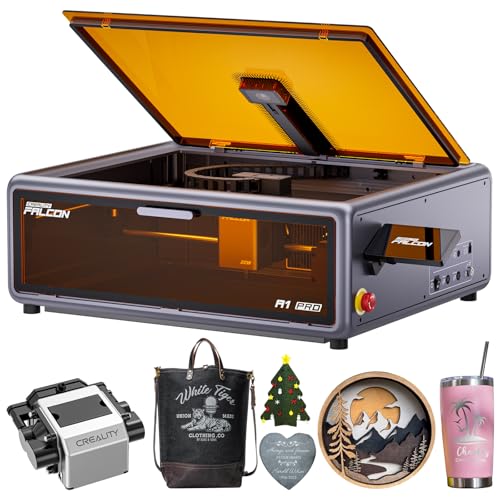
Creality Falcon A1 Pro 20W Enclosed Laser
Best for: Fast enclosed engraving with smart touchscreen
- Features
- Enclosure, Air Assist, Camera, Touchscreen, Auto Focus (what this guide is about)
- Laser Power
- 20W (20000mW)
- Engraving Speed
- Up to 600 mm/s
- Form Factor
- Enclosed (Class 1)
- Cutting Capacity
- 10 mm basswood, 8 mm black acrylic
- Compatible Material
- Wood, Metal
The Creality Falcon A1 Pro is an enclosed Class 1 laser engraver with a 20W diode laser and a built-in HD camera. It features a smart touchscreen for easy file management and real-time previews. The CoreXY system reaches speeds up to 600 mm/s. It handles 10 mm basswood and 8 mm black acrylic. This machine suits users who want fast, clean cuts in a safe, enclosed workspace.
Pros
- 20W laser power for cutting up to 10 mm basswood
- Built-in HD camera with ~3s autofocus
- Smart touchscreen for real-time previews and file history
- Enclosed Class 1 design with air assist
Cons
- Optional 2W infrared module sold separately
- Specified dimensions are unusually large for desktop use
- No mention of mobile app control in data
Good fit if
- You need an enclosed Class 1 machine for home use
- You want a touchscreen interface for quick project access
- You require fast CoreXY speeds up to 600 mm/s
Skip if
- You need infrared engraving without buying extra modules
- You prefer a machine with a smaller footprint
- You require built-in mobile app control
Verdict: The Creality Falcon A1 Pro 20W is a high-speed enclosed engraver with a smart touchscreen and HD camera. It fits makers who prioritize safety and fast batch production on wood and acrylic.

xTool P3 80W CO2 Laser
Best for: Thick material cutting and large projects
- Features
- Camera, Auto Focus (what this guide is about)
- Laser Type
- CO2
- Laser Power
- 80W
- Working Area
- 36 x 18 inches
- Engraving Speed
- 1200 mm/s
- Form Factor
- Fully Enclosed (Class 1)
The xTool P3 80W CO2 laser cutter offers industrial-grade power for cutting up to 20mm wood and 25mm acrylic. It features a large 36 x 18 inch workspace and an evolved dual HD camera system for precise alignment. The Class 1 enclosed design ensures safety while the automated creation system simplifies setup. This machine suits users needing high output and professional material handling.
Pros
- 80W CO2 laser power for thick materials
- 36 x 18 inch large desktop area
- Dual HD cameras with 0.0079 inch accuracy
- Class 1 fully enclosed safety design
Cons
- Limited to CO2 laser type only
- No mention of mobile app control
- Requires significant workspace for 36 inch bed
Good fit if
- You need to cut thick wood or acrylic
- You require a large workspace for big projects
- You prioritize Class 1 safety standards
Skip if
- You prefer diode lasers for speed
- You need fiber laser metal marking
- You have limited bench space
Verdict: The xTool P3 80W CO2 Laser fits professionals who need high power and a large cutting area for thick materials. Its dual camera system and safety features make it suitable for serious production work.
Specifications side by side
| Spec | xTool M2 20W Enclosed Laser Engraver | xTool F2 15W Diode & 5W IR Laser Engraver | BlazeX M3 10W Laser Engraver with Camera | Creality Falcon2 Pro S 40W Enclosed Laser Cutter | Creality Falcon A1 10W Enclosed Engraver | Creality Falcon 10W Enclosed Laser Engraver | Creality Falcon A1 10W Enclosed Laser Engraver | WECREAT Vision 20W Enclosed Laser Engraver | Carverall A1 Pro 5W Enclosed Laser Engraver | Creality Falcon A1 10W Enclosed Laser Engraver | Longer 30W Laser Engraver with Camera | WeCreat Lumos Flex 15W Dual Fiber and Diode Laser | Longer Laser B1 20W with Camera | Creality Falcon A1 Pro 20W Enclosed Laser | xTool P3 80W CO2 Laser |
|---|---|---|---|---|---|---|---|---|---|---|---|---|---|---|---|
| Laser Type | Diode | Diode, IR | not specified | Diode | not specified | not specified | not specified | Diode | not specified | not specified | not specified | Fiber, Diode | not specified | not specified | CO2 |
| Laser Power | 20W (20000mW) | 15W Diode, 5W IR | 10W | 40W | 10W (10000mW) | 10W | 10W | 20W (20,000mW) | 5W (verified 5.12–5.35W) | 10W (10000mW) | Up to 36W | 15W Fiber, 15W Diode | 20000mW | 20W (20000mW) | 80W |
| Working Area | not specified | not specified | not specified | not specified | 381 × 305mm | 150 × 150 × 148 mm | not specified | not specified | 3.94×3.94-inch | not specified | 850mm x 450mm (33.46" x 17.71") | not specified | 450x440mm (17.72x17.32 inches) | not specified | 36 x 18 inches |
| Engraving Speed | not specified | Up to 6000mm/s | not specified | 600mm/s | 600mm/s | 15,000 mm/min | Up to 600mm/s | 600mm/s | 12,000mm/min | not specified | Up to 36,000mm/min | Up to 10,000mm/s | 36000mm/min | Up to 600 mm/s | 1200 mm/s |
| Software Compatibility | xTool Studio | not specified | LightBurn, CutlabX, LaserGRBL | not specified | Falcon, LightBurn, LaserGRBL, Cutlabx | not specified | not specified | LightBurn, WeCreat proprietary software | CutLabX, LightBurn, LaserGRBL | not specified | LightBurn | WeCreat MakeIt | LaserGRBL, LightBurn | not specified | not specified |
| Form Factor | Class 1 Enclosed | Fully enclosed | not specified | Fully Enclosed | Enclosed | Fully Enclosed (Class 1) | Fully enclosed | Fully enclosed (Class 1) | fully enclosed Class 1 | Enclosed (Class 1) | not specified | Fully enclosed | not specified | Enclosed (Class 1) | Fully Enclosed (Class 1) |
| Cutting Capacity | not specified | not specified | not specified | 20mm basswood, 30mm black acrylic | not specified | not specified | 6mm wood | 10mm wood, 8mm opaque black acrylic | 4mm plywood and 3mm acrylic | 6 mm wood, 10 mm acrylic | 25mm basswood, 50mm acrylic | not specified | 25mm wood, 35mm black acrylic | 10 mm basswood, 8 mm black acrylic | 20 mm wood, 25 mm acrylic |
| Compatible Material | Wood, Leather, Paper, Fabric | Metal | Wood, Metal, Leather, Glass | Wood, Acrylic | Wood, Metal | Wood, Acrylic, Leather | Wood, Metal | Wood, Metal, Acrylic | Wood, Metal, Leather, Glass, Paper | Wood, Metal, Acrylic | Wood | Metal | Wood, Acrylic | Wood, Metal | not specified |
| Features | Enclosure, Camera | Camera | Enclosure, Camera | Air Assist, Camera, Auto Focus | Enclosure, Air Assist, Camera | Camera, Auto Focus | Enclosure, Camera | Enclosure, Air Assist, Camera | Camera | Enclosure, Air Assist, Camera | Air Assist, Camera | Camera | Air Assist, Camera | Enclosure, Air Assist, Camera, Touchscreen, Auto Focus | Camera, Auto Focus |
| Target Audience | DIY | not specified | not specified | not specified | not specified | not specified | not specified | not specified | Beginners | Beginners | DIY | not specified | not specified | not specified | not specified |
| Size | 20W | xTool F2 Basic | 10W | Falcon2 Pro S 40W with Integrated Enclosure | Creality Falcon A1 | not specified | Falcon-A1 | 20W | not specified | 22.3*18.4*7.7 inch | 30W | not specified | 20W Basic Package-1 | not specified | P3 Versatile Bundle |
| Dimensions | not specified | 6.89 × 9.33 × 0.1 inches | 4.3 × 1.2 × 4.7 inches | 26 × 22 × 12.9 inches | not specified | 18.5 × 16.5 × 15.7 inches | 30 × 25 × 15 inches | 24 × 21 × 10 inches | 12.8 × 11 × 10.9 inches | 22.3 × 18.4 × 7.7 inches | not specified | 15.2 × 14.4 × 16.9 inches | not specified | 177 × 94.5 × 256 inches | not specified |
| Weight | not specified | 10 pounds | not specified | 50.5 pounds | not specified | not specified | 28.7 pounds | not specified | not specified | 35.2 pounds | not specified | not specified | not specified | not specified | not specified |
| Color | M2 Basic | Orange | 10w With Camera | Falcon2 Pro S 40W | Gray | Purple Gray | Falcon-A1 10W Gray | Rotary Pack | 5w | A1-10W-Grey | Extension Set(A Blue) | Basic | Dark blue | Dark Gray | White |
| Model | MLM-K610-001 | MXF-K005-002 | not specified | Falcon2 pro 40W | Creality Falcon A1 | Falcon A1C | Laser Engraver | LC2320 | A1 PRO 5W | Creality Falcon A1 | B1 | LG2407 | not specified | Creality Falcon A1 | not specified |
Is a Camera Worth the Upgrade?
A camera helps you position designs accurately without manual guesswork. Models like the xTool M2 use dual cameras for precise alignment, while the xTool F2 offers a 50MP sensor for detailed work. You can see your material through the lens, ensuring the laser hits the exact spot. This is useful for batch processing or intricate crafts. However, if you only engrave large, simple shapes, visual aids may not change your workflow significantly.
Worth it if
- You need precise alignment for small or intricate designs
- You want to automate positioning for batch production
- You engrave on materials where visual placement is critical
Skip it if
- You only cut large, simple shapes on wood
- You prefer manual alignment over visual aids
- Your projects fit within a fixed jig system
If you need dedicated workshop monitoring instead of alignment assistance, compare the best security cameras for business.
How We Selected These Picks
We identified machines with built-in cameras by scanning Amazon listings for that specific feature in the title or bullet points. We only included one variant per product family to keep the list clear. All details come directly from published specifications, not from physical handling or independent testing.
The products are ordered by availability first. Next, we used the listing’s overall rating weighted by review count. Finally, we applied additional criteria from the specs to determine the final ranking. This method ensures you see the most relevant, well-reviewed options with camera features first.
How to Choose a Camera Laser
-
Match Power to Materials
Select laser power based on the thickness and type of material you intend to process. For standard wood and acrylic cutting, 10W to 20W diode lasers are sufficient. If you need to cut thicker stock, consider the Creality Falcon2 Pro S 40W. Metal engraving requires a different approach. The WECREAT Lumos Flex uses a 5W fiber laser specifically for metal. Thick materials may benefit from the xTool P3 80W CO2 laser. Always verify the compatible material list in the specifications to ensure the power level meets your project demands.
-
Prioritize Enclosed Safety
Enclosed machines provide Class 1 safety, protecting your eyes and lungs from laser radiation and fumes. The xTool M2 20W offers a fully enclosed design with dual-camera precision for safe home crafting. The BlazeX M3 10W also features an enclosed format with precise alignment. The Creality Falcon A1 series provides Class 1 safety for indoor use. Enclosures are essential if you work in shared spaces or have children. Check the attributes for the enclosure feature to ensure the machine contains the laser beam and exhausts smoke effectively during operation.
-
Check Workspace Dimensions
The working area determines the maximum size of your projects. The Longer 30W Laser Engraver offers a massive 850mm by 450mm workspace for large-format cutting. In contrast, the Carverall A1 Pro has a compact 3.94 by 3.94-inch area, limiting it to small crafts. The Creality Falcon A1C fits within 150 by 150 mm boundaries. Measure your typical material sizes before purchasing. A larger bed allows for batch processing but requires more floor space. Compare the length and width specs to find a machine that fits your workflow.
-
Consider Portability Needs
If you need to move your machine frequently, look for a portable form factor. The xTool F2 is a portable unit weighing 10 pounds, suitable for fast on-site engraving. The WECREAT Lumos Flex is also portable, weighing approximately 16 pounds based on its dimensions. Desktop models like the Creality Falcon2 Pro S weigh 50.5 pounds and are less mobile. Portability matters if you attend markets or work in multiple locations. Check the weight and form factor attributes to determine if the machine suits your mobility requirements.
-
Verify Software Compatibility
Ensure the laser engraver works with your preferred design software. The Longer 30W Laser Engraver supports LightBurn, which offers advanced camera alignment features. Most diode lasers support standard vector graphics files. Check the product specifications for software compatibility details. Some machines include proprietary software, while others rely on third-party tools. LightBurn is popular for its precise camera integration and automation features. Verify compatibility before starting your projects to avoid workflow interruptions or additional software costs.
Frequently asked questions
Can a laser engraver with a camera cut thick materials?
Yes, but power matters more than the camera. The Creality Falcon2 Pro S offers 40W diode power for high-speed cutting. The Longer 30W model also handles heavy cutting on large stock. For very thick materials, the xTool P3 80W CO2 laser is designed for serious production work. The camera simply helps you align these powerful cuts.
Do I need an enclosed laser engraver with a camera?
Enclosures provide Class 1 safety, which is ideal for home use. The xTool M2 20W and BlazeX M3 10W both offer enclosed designs with camera alignment. This setup keeps fumes contained while you use the visual positioning system. Open-frame models like the Longer B1 20W are faster but lack this safety feature.
Which laser engraver is best for beginners with a camera?
The Carverall A1 Pro 5W is a solid choice for beginners. It offers Class 1 safety and precise camera alignment in a compact format. The Creality Falcon A1 10W is another option, providing a turnkey setup with automated camera positioning. These models help you avoid manual guesswork while you learn.
Can I engrave metal with a laser engraver that has a camera?
Standard diode lasers cannot engrave bare metal. You need a fiber laser or an IR module. The xTool F2 combines a 15W diode for wood with a 5W IR laser for metal. The WECREAT Lumos Flex 15W also uses dual lasers for both metal and wood. The camera helps you position these intricate marks.
How does the camera improve laser engraving accuracy?
The camera provides visual positioning to align designs precisely. The xTool M2 uses a dual-camera system for high accuracy. The xTool F2 features a 50MP camera for detailed work. This visual aid eliminates manual guesswork, allowing you to place designs exactly where you want them on your material.
What is the largest work area available with a camera?
The Longer 30W Laser Engraver offers a massive 850mm by 450mm workspace. This large bed supports heavy cutting on larger stock. The Creality Falcon2 Pro S 40W also provides a substantial footprint at 26 inches long. These models combine large areas with automated camera positioning for efficient batch work.
Is a touchscreen necessary for camera-guided laser engraving?
A touchscreen is not strictly necessary but adds convenience. The Creality Falcon A1 Pro 20W includes a smart touchscreen for quick adjustments. It pairs with an HD camera for fast, enclosed engraving. Many other models rely on software control, which works just as well with the visual alignment features.
Can I use a rotary attachment with a camera laser engraver?
Yes, several models support rotary attachments for cylindrical items. The WECREAT Vision 20W includes an innovative rotary attachment with camera alignment. This allows you to engrave curved surfaces like tumblers or pens. The camera ensures the design wraps around the object correctly during the automated process.