Best Laser Engravers with Auto Focus: 15 Spec-Based Picks
As an Amazon Associate we earn from qualifying purchases. Links on this page are affiliate links.
Auto focus simplifies setup on the best laser engravers with auto focus. You get consistent depth without manual adjustments. The LaserPecker LP1 Plus Portable Engraver leads because its motorized stand automates focal distance while remaining lightweight at 2.2 pounds. This guide compares 15 models using only published specifications. We analyze features like laser power, workspace size, and safety enclosures. These specs determine which machine fits your workflow. Use this list to decide which auto-focusing engraver matches your material needs and budget.
Quick picks
The best fit for you
- You want the most portable option for soft materials LaserPecker LP1 Plus Portable Engraver It weighs 2.2 pounds and supports power bank operation.
- You need a safe desktop machine for high power Creality Falcon2 Pro S 40W Enclosed Laser Cutter It delivers 40W diode power inside a fully enclosed chassis.
- You want to engrave tumblers without extra risers TOOCAA NOVA 10W Enclosed Laser Engraver It includes built-in rotary tumbler support inside the enclosure.
Our 15 picks
LaserPecker LP1 Plus Portable Engraver
Best for: portable, on-the-go engraving on soft materials
- Features
- Auto Focus (what this guide is about)
- Software Compatibility
- cross-platform app
- Compatible Material
- Wood, Leather, Paper
- Target Audience
- DIY
- Dimensions
- 1 × 1 × 1 inches
- Weight
- 2.2 pounds
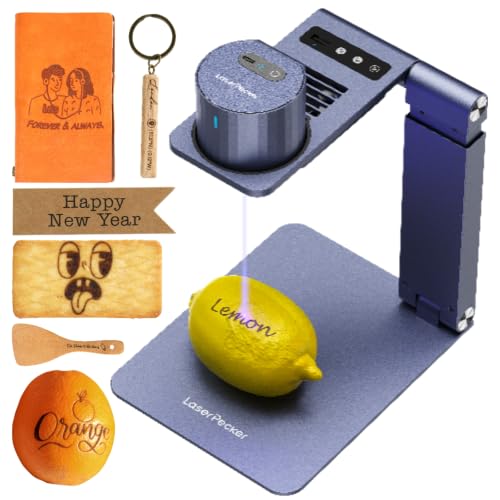
The LaserPecker LP1 Plus is an ultra-portable DIY laser engraver weighing 2.2 pounds. It includes an auto-focus stand and a magnetic base to secure smaller items during operation. Designed for quick mobile jobs, you can run the machine using an external power bank and control it via a cross-platform mobile app. It engraves materials like wood, leather, paper, and acrylic, making it practical for portable personal projects without requiring a permanent workshop bench.
Pros
- Auto-focus stand eliminates manual height measurements
- Weighs 2.2 pounds and operates using an external power bank
- Adjustable stand supports 360-degree engraving angles
- Includes magnetic base to stabilize small workpieces
Cons
- Safety enclosure is an optional accessory rather than standard equipment
- Material compatibility centers on soft items like wood, leather, and paper rather than metal
- Small footprint limits the scale of items you can engrave
Good fit if
- You need a lightweight engraver that can run off a portable power bank outdoors.
- You want automatic focusing combined with a 360-degree multi-angle stand.
- You work primarily with wood, paper, acrylic, and leather items.
Skip if
- You need to engrave large boards or expansive workpieces.
- You require an enclosed laser cabinet included in the base package.
- You need a machine rated to engrave bare metal.
Verdict: LaserPecker LP1 Plus Mini Auto-Focus Engraver delivers exceptional portability with power bank support while automating focal distance through its motorized stand. It provides an efficient, mobile setup if your primary focus is personalized DIY projects on wood and leather.

Creality Falcon2 Pro S 40W Enclosed Laser Cutter
Best for: enclosed high-power diode cutting and batch alignment
- Features
- Air Assist, Camera, Auto Focus (what this guide is about)
- Laser Type
- Diode
- Laser Power
- 40W
- Engraving Speed
- 600mm/s
- Form Factor
- Fully Enclosed
- Cutting Capacity
- 20mm basswood, 30mm black acrylic
View on Amazon: Creality Falcon2 Pro S 40W Enclosed Laser Cutter
The Creality Falcon2 Pro S 40W combines a 40W diode laser with motorized Z-axis autofocus and an integrated overhead camera for precise positioning. Its fully enclosed Class 1 desktop chassis measures 26 by 22 inches and includes safety features like flame detection, dual limit switches, and an emergency stop. Reaching speeds up to 600mm/s and cutting up to 20mm basswood in one pass, it suits workshops needing heavy cutting capacity without manual focal adjustments.
Pros
- 40W optical output cuts up to 20mm basswood and 30mm black acrylic in one pass
- Motorized Z-axis autofocus eliminates manual focal height adjustments
- Class 1 fully enclosed metal frame with flame sensor and safety lock
- Built-in central camera supports automatic batch positioning
Cons
- Heavier 50.5-pound machine weight restricts mobility
- Requires a dedicated footprint of 26 by 22 inches
Good fit if
- You want automatic Z-axis focusing combined with high-power 40W diode cutting.
- You need an enclosed Class 1 work area with built-in camera positioning.
- You frequently cut thick materials like 20mm basswood or 30mm acrylic.
Skip if
- You need a lightweight or compact engraver for easy transport.
- You have limited workbench depth for a 26-inch deep machine.
Verdict: Creality Falcon2 Pro S 40W Laser Engraver delivers high-output 40W diode cutting and motorized Z-axis autofocus inside a fully enclosed, safety-equipped chassis.

Creality Falcon A1 Pro 20W Enclosed Engraver
Best for: enclosed high-speed cutting with automated focusing
- Features
- Enclosure, Touchscreen, Auto Focus (what this guide is about)
- Laser Type
- Blue-laser
- Laser Power
- 20W
- Engraving Speed
- up to 600 mm/s
- Software Compatibility
- Falcon Design Space
- Form Factor
- Full Enclosed, Class 1
View on Amazon: Creality Falcon A1 Pro 20W Enclosed Engraver
This fully enclosed Class 1 laser engraver delivers 20W of blue laser power with engraving speeds reaching up to 600 mm/s. It features a motorized Z-axis auto-lift system paired with a red-dot ranging laser that sets focus automatically in 3 seconds to within 0.012 inches. It suits creators looking for safe, fast cutting and rapid setup without manual focal adjustments.
Pros
- Automatic Z-axis auto-focus completes in 3 seconds
- Engraving speeds reach up to 600 mm/s
- Cuts up to 10 mm basswood and 8 mm black acrylic
- Fully enclosed design with built-in smoke fan and lid-open stop
- Integrated HD camera and smartphone-style touchscreen
Cons
- Optional 2W infrared laser module is sold separately
- Restricted to 460 x 346 mm honeycomb panels
- Requires final setup because it arrives 80% pre-assembled
Good fit if
- You want an enclosed desktop machine with 3-second motorized autofocus.
- You need 20W of diode power to cut up to 10 mm basswood.
- You prefer running jobs using a built-in touchscreen or mobile app.
Skip if
- You require an out-of-the-box infrared laser module for fine metal engraving.
- You need a machine that arrives 100% pre-assembled.
Verdict: Creality Falcon A1 Pro 20W Enclosed Laser Engraver provides dependable enclosed operation and high-speed processing backed by a quick 3-second autofocus system.

Creality Falcon 10W Enclosed Laser Engraver
Best for: compact desktop engraving with enclosed safety
- Features
- Camera, Auto Focus (what this guide is about)
- Laser Power
- 10W
- Working Area
- 150 × 150 × 148 mm
- Engraving Speed
- 15,000 mm/min
- Form Factor
- Fully Enclosed (Class 1)
- Compatible Material
- Wood, Acrylic, Leather
The Creality Falcon 10W Enclosed Laser Engraver pairs auto focus with an integrated AI camera to position designs with up to 0.1 mm accuracy. It features a certified Class 1 fully enclosed body and an engraving speed reaching 15,000 mm/min. With a 150 × 150 × 148 mm work volume, this desktop unit suits you if you need a compact, enclosed machine for desktop projects in wood, acrylic, and leather.
Pros
- Auto focus system paired with an AI camera offering 0.1 mm positioning accuracy
- Certified Class 1 fully enclosed safety housing
- Engraving speeds reaching up to 15,000 mm/min
- Interchangeable module platform compatible with 1.2W, 5W, and 10W heads
Cons
- Compact 150 × 150 mm working area limits raw material dimensions
- Package includes only one laser module despite modular platform support
Good fit if
- You need a fully enclosed Class 1 laser for shared or desktop environments.
- You want automated camera alignment and auto focus to streamline project setups.
- You primarily engrave smaller items such as coasters, wallets, and signs.
Skip if
- You need to cut or engrave flat sheets larger than 150 × 150 mm.
- You require higher wattage diode or CO2 lasers for heavy-duty cutting tasks.
Verdict: Creality Falcon 10W Enclosed Laser Engraver delivers hands-off focus and precise camera alignment inside a certified Class 1 safety enclosure. It is a practical pick when you prioritize desktop safety and quick alignment over a large cutting bed.

Creality Falcon A1 Pro 20W Enclosed Engraver
Best for: enclosed desktop cutting with rapid camera auto focus
- Features
- Enclosure, Air Assist, Camera, Auto Focus (what this guide is about)
- Laser Power
- 20W
- Engraving Speed
- 600mm/s
- Software Compatibility
- Creality Falcon Design Space
- Form Factor
- Class 1 Safety Enclosed
- Cutting Capacity
- 10mm wood board or 13mm acrylic board
View on Amazon: Creality Falcon A1 Pro 20W Enclosed Engraver
The Creality Falcon A1 Pro 20W Enclosed Laser provides an integrated Class 1 enclosed setup with AI-driven camera auto focus. Its camera activates auto focus within three seconds with accuracy under 0.012 inches before jobs start. Running at speeds up to 600 mm/s, the 20W diode cuts 10 mm wood or 13 mm acrylic in a single pass. You will appreciate this model if you want an enclosed, camera-aligned machine with standalone touchscreen control.
Pros
- AI camera delivers auto focus in under 3 seconds with under 0.012-inch accuracy
- 20W laser module operates at engraving speeds up to 600 mm/s
- Class 1 enclosed body with double-door access and built-in exhaust fan
- Single-pass cutting capacity up to 10 mm wood and 13 mm acrylic
Cons
- 2W infrared laser module is optional and not included in the package
- Internal exhaust fan requires outdoor venting or a separate air purifier
- Machine weighs 37 pounds, limiting portability
Good fit if
- You want camera-based auto focus and area previewing for precise alignment.
- You need a fully enclosed Class 1 laser with dual doors and flame detection.
- You prefer running projects directly from an onboard touchscreen or mobile app.
Skip if
- You need out-of-the-box 1064nm infrared engraving without purchasing an add-on module.
- You do not have a setup ready to vent exhaust fumes outdoors or into a purifier.
Verdict: Creality Falcon A1 Pro 20W Enclosed Laser combines high-speed diode cutting with rapid 3-second camera auto focus inside a certified Class 1 safety enclosure. It gives you a clean desktop workflow with touchscreen monitoring and dual-door material access.
Creality Falcon A1 Pro 20W Enclosed Laser
Best for: safe enclosed diode cutting and engraving
- Features
- Enclosure, Air Assist, Camera, Touchscreen, Auto Focus (what this guide is about)
- Laser Power
- 20W (20000mW)
- Engraving Speed
- Up to 600 mm/s
- Form Factor
- Enclosed (Class 1)
- Cutting Capacity
- 10 mm basswood, 8 mm black acrylic
- Compatible Material
- Wood, Metal
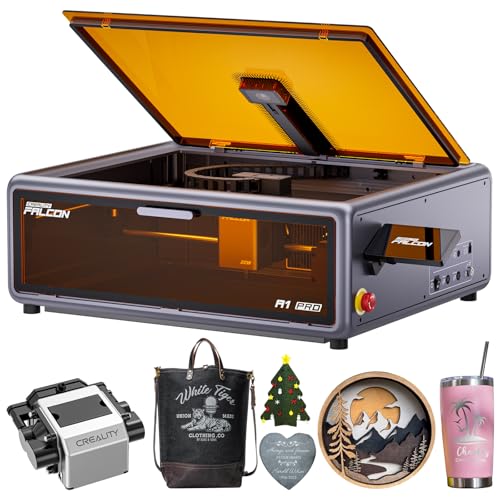
The Creality Falcon A1 Pro 20W Enclosed Laser provides an automated setup with three-second auto focus and an integrated HD camera for full-bed layout alignment. Its 20W optical diode runs on a CoreXY drive reaching speeds up to 600 mm/s, while cutting up to 10 mm basswood and 8 mm black acrylic. With a fully enclosed Class 1 safety housing, air assist, and an onboard touchscreen, it suits makers who want clean, contained desktop cutting.
Pros
- Auto focus sets focal distance in about three seconds
- Class 1 enclosed build with lid-open stop and smoke filtration cover
- CoreXY motion system supports engraving speeds up to 600 mm/s
- Integrated HD camera and touchscreen for real-time positioning and control
- Cuts up to 10 mm basswood and 8 mm black acrylic
Cons
- The 2W 1064nm infrared laser module requires a separate purchase
- Diode laser is not specified for transparent or clear acrylics
Good fit if
- You need rapid auto focus paired with a full-bed camera preview.
- You want a fully enclosed Class 1 desktop machine with built-in air assist.
- You work primarily with wood up to 10 mm or black acrylic up to 8 mm.
Skip if
- You require a bundled 1064nm infrared laser for metal marking out of the box.
- You need more than 20W of optical diode power for thicker stock.
Verdict: Creality Falcon A1 Pro 20W Enclosed Laser combines fast three-second auto focusing, an HD preview camera, and an enclosed Class 1 safety design for reliable workshop use.

xTool P3 80W CO2 Laser
Best for: large workspace industrial cutting
- Features
- Camera, Auto Focus (what this guide is about)
- Laser Type
- CO2
- Laser Power
- 80W
- Working Area
- 36 x 18 inches
- Engraving Speed
- 1200 mm/s
- Form Factor
- Fully Enclosed (Class 1)
The xTool P3 Versatile Bundle is an 80W CO2 laser cutter with a 36 by 18 inch workspace. It uses LiDAR ranging for auto focus and dual HD cameras for precise positioning. The system includes a conveyor feeder and rotary attachment. It features a Class 1 enclosed design with lid interlocks. This setup suits users needing industrial-grade cutting power and automated workflows for large projects.
Pros
- 80W CO2 laser cuts 20mm wood and 25mm acrylic
- LiDAR ranging enables automated autofocus
- Dual HD cameras provide 0.0079 inch alignment accuracy
- 36 by 18 inch workspace handles large materials
- Class 1 enclosed design ensures safety
Cons
- Large footprint requires significant desk space
- No mention of mobile app control
- Heavier build due to industrial components
Good fit if
- You need to cut thick wood or acrylic
- You want a large 36 by 18 inch workspace
- You prefer automated autofocus and camera positioning
Skip if
- You need a compact portable engraver
- You only engrave small items
- You prefer diode laser technology
Verdict: The xTool P3 Versatile Bundle 80W CO2 is a powerful industrial tool for cutting thick materials. It fits users who need a large workspace and automated precision for professional results.

Creality Falcon A1C 10W Enclosed Laser Engraver
Best for: compact desktop crafting with automated focal setup
- Features
- Camera, Auto Focus (what this guide is about)
- Laser Type
- Diode
- Laser Power
- 10W
- Engraving Speed
- Up to 15,000 mm/min
- Software Compatibility
- Falcon Design Space
- Form Factor
- Fully enclosed (Class 1)
View on Amazon: Creality Falcon A1C 10W Enclosed Laser Engraver
The Creality Falcon A1C pairs a 10W diode laser with automatic focal height adjustment, removing the need for manual focal calibration across different materials. Its built-in HD smart camera provides live alignment and visual previews to reduce placement errors. Measuring under 15 inches on all sides, this Class 1 enclosed desktop unit gives you safe operation, app control, and engraving speeds reaching up to 15,000 mm/min.
Pros
- Integrated auto focus adjusts laser height automatically
- Class 1 fully enclosed safety design
- Built-in HD smart camera for visual placement
- Engraving speeds reach up to 15,000 mm/min
- Supports quick-swap modules including optional 1.2W IR
Cons
- Listed software support is limited to Falcon Design Space
- Compact 14.8 x 13.2-inch footprint limits physical project clearance
- Metal engraving requires an optional infrared module sold separately
Good fit if
- You want an enclosed, eye-safe desktop engraver with automated focal adjustment
- You plan to align designs using a built-in camera preview
- You need a portable machine that fits on a standard desk or retail counter
Skip if
- You require high-wattage laser output above 10W for thick cutting
- You engrave large-format items that exceed compact desktop dimensions
- You need native support for third-party laser software out of the box
Verdict: Creality Falcon A1C 10W Enclosed Laser Engraver delivers automated focusing and camera-based alignment inside a compact, Class 1 enclosed frame. It is an efficient desktop option for everyday cutting and engraving on compatible organic materials.
TOOCAA NOVA 10W Enclosed Laser Engraver
Best for: engraving tumblers and drinkware without risers
- Features
- Enclosure, Air Assist, Camera, Auto Focus (what this guide is about)
- Laser Power
- 10W
- Engraving Speed
- 600mm/s
- Software Compatibility
- TOOCAA Studio
- Form Factor
- Class 1 Enclosed
- Compatible Material
- Wood, Metal, Leather
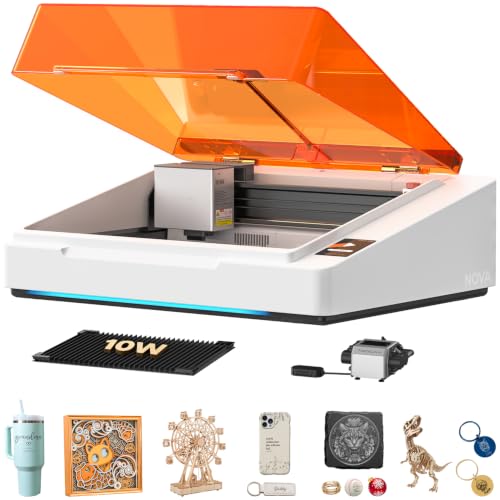
The TOOCAA NOVA 10W Enclosed Laser Engraver is a Class 1 desktop machine designed for cylindrical and flat engraving. It features 3-second auto focus, a 5MP AI camera for visual positioning, and engraving speeds up to 600 mm/s. A built-in 360-degree rotary kit lets you engrave tumblers, rings, and bottles without needing separate riser blocks. With integrated air assist and dual-channel exhaust, it suits makers looking to personalize drinkware indoors.
Pros
- Integrated 360-degree rotary kit engraves tumblers and cylinders without risers
- 3-second auto focus with AI material recognition
- 5MP AI camera for real-time visual positioning
- Class 1 enclosed body with flame detection, lid-open stop, and dual exhaust
- Engraving speeds up to 600 mm/s
Cons
- 10W optical output is limited for thick cutting tasks
- Software compatibility is specified only for TOOCAA Studio
Good fit if
- You want to engrave tumblers, bottles, and rings without buying extra riser blocks.
- You need an enclosed Class 1 laser with built-in safety shutoffs for home or classroom use.
- You prefer a fully assembled machine with automated camera positioning and auto focus.
Skip if
- You need more than 10W of laser power for heavy cutting jobs.
- You require verified compatibility with third-party software like LightBurn.
Verdict: TOOCAA NOVA 10W Enclosed Laser Engraver delivers rapid auto focus and built-in rotary tumbler support inside a Class 1 safety enclosure. It provides a practical, fully assembled setup for customizing drinkware without requiring separate riser hardware.

VEVOR 130W CO2 Laser Engraver (55 x 35 in)
Best for: large-format non-metal cutting and glass engraving
- Features
- Air Assist, Water Chiller, Auto Focus (what this guide is about)
- Laser Type
- CO2
- Laser Power
- 130W
- Working Area
- 55 x 35 in
- Engraving Speed
- 1200 mm/s
- Software Compatibility
- LightBurn, RDWorks
If you process oversized non-metal stock like glass, wood, or acrylic, this CO2 machine provides the scale you need. It delivers 130W of output across a massive 55 x 35-inch work envelope, hitting speeds up to 1200 mm/s. The motorized autofocus handles focal height adjustments based on material thickness. With an included water chiller, dual beds, and pass-through doors, it suits shops handling broad materials.
Pros
- Motor-controlled autofocus system adjusts head height to material thickness
- Spacious 55 x 35-inch work area with a two-way pass-through design
- Engraving speeds reach up to 1200 mm/s with a 130W CO2 tube
- Includes water chiller system, air assist, honeycomb bed, and blade bed
Cons
- Machine weighs 736 pounds and requires significant floor space
- Cannot engrave bare metals without a coating
- Recommended cutting material thickness is under 10 mm
Good fit if
- You regularly work on large items like furniture panels, signs, or glass sheets
- You want motor-controlled autofocus paired with high-speed 1200 mm/s movement
- You need both honeycomb and aluminum blade beds out of the box
Skip if
- You need a compact machine that can be moved easily
- You plan to engrave directly onto bare, uncoated metal surfaces
Verdict: VEVOR 130W CO2 Laser Engraver 55x35" provides an expansive work area and motor-driven auto focusing for handling demanding non-metal sheet materials like glass and acrylic.

ComMarker 30W Fiber Laser Engraver
Best for: fast metal marking on desktops
- Features
- Auto Focus (what this guide is about)
- Laser Type
- Fiber (1064nm)
- Laser Power
- 30W
- Working Area
- 150mm x 150mm
- Engraving Speed
- 15,000mm/s
- Software Compatibility
- Lightburn, EzCad2
The ComMarker B6 is a 30W fiber laser engraver with auto focus. It marks metals like stainless steel and aluminum at 15,000mm/s. The 150mm x 150mm working area fits on desktops. It weighs 13kg and includes a touch screen for focus. You get LightBurn and EzCad2 software. It suits those who need fast, precise metal marking in a compact form.
Pros
- 30W JPT M7 laser source for fast marking
- Auto focus via integrated touch screen
- Portable 13kg design for desktop use
- 15,000mm/s engraving speed
- Compatible with LightBurn software
Cons
- Small 150mm x 150mm working area
- Limited to metal and non-transparent plastic marking
- No air assist or enclosure included
Good fit if
- You need fast, precise marking on metals like steel or aluminum
- You want a portable unit that fits on a desktop
- You prefer auto focus for quick setup
Skip if
- You need to engrave wood, glass, or acrylic
- You require a large working area for big projects
- You want a fully enclosed safety system
Verdict: The ComMarker B6 30W Fiber Engraver delivers fast, precise metal marking in a portable package. It is ideal for small businesses or hobbyists who prioritize speed and portability over large workspace size.

Creality Falcon A1C 5W Enclosed Engraver
Best for: Small detailed DIY engraving projects
- Features
- Camera, Auto Focus (what this guide is about)
- Laser Power
- 5W
- Working Area
- 150 × 150 × 148 mm
- Engraving Speed
- 15,000 mm/min
- Form Factor
- Fully Enclosed (Class 1)
- Compatible Material
- Wood, Leather
This compact desktop engraver features a 5W laser module and a fully enclosed Class 1 design. It includes an AI HD camera for auto focus and precise positioning. The working area measures 150 × 150 × 148 mm. Engraving speeds reach 15,000 mm/min. It suits DIY creators who need a safe, space-saving tool for small projects.
Pros
- 5W laser power for detailed work
- Fully enclosed Class 1 safety design
- AI HD camera with auto focus
- 15,000 mm/min engraving speed
- Interchangeable laser platform support
Cons
- 5W laser limits cutting depth
- 150 mm work area is small
- No air assist mentioned in data
Good fit if
- You need a Class 1 safe unit
- You engrave small items like coasters
- You value auto focus precision
Skip if
- You require deep material cutting
- You need a large work area
- You want high power output
Verdict: Creality Falcon A1C 5W is a safe, compact option for detailed engraving tasks. It fits users who prioritize safety and precision over raw power or large capacity.

Creality Falcon A1C 5W Desktop Laser
Best for: enclosed desktop crafting and beginner-friendly auto focus
- Features
- Camera, Auto Focus (what this guide is about)
- Laser Type
- Diode
- Laser Power
- 5W
- Engraving Speed
- Up to 15,000 mm/min
- Software Compatibility
- Falcon Design Space
- Form Factor
- Fully enclosed (Class 1)
This compact desktop engraver combines automatic focus with a built-in smart camera in a fully enclosed Class 1 safety enclosure. Its 5W diode laser delivers speeds up to 15,000 mm/min for detailing wood, leather, and dark acrylic. Auto focus eliminates manual height adjustments, making it a reliable pick if you want an eye-safe, self-calibrating desktop machine for light cutting and precise markings.
Pros
- Automatic focus sets laser height without manual measuring
- Class 1 fully enclosed safety design with flame detection
- Engraving speeds reach up to 15,000 mm/min
- Built-in HD smart camera provides visual positioning and preview
- Quick-swap module design swaps lasers in 15 seconds
Cons
- Modest 5W output limits cutting thickness on dense materials
- Alternative 10W diode and 1.2W IR modules require separate purchase
- Uses proprietary Falcon Design Space software
Good fit if
- You want an enclosed, eye-safe laser with automatic focal height adjustment
- You need camera alignment to place designs on smaller workpieces
- You plan to engrave light materials like paper, leather, and wood
Skip if
- You require high-wattage laser power for deep cuts in thick stock
- You prefer standard open-source control software over Falcon Design Space
Verdict: Creality Falcon A1C 5W Desktop Laser delivers safe, enclosed desktop marking with effortless auto focus and smart camera positioning. It is a solid choice for everyday hobby projects that do not require heavy cutting power.

OMTech 20W MOPA Autofocus Fiber Laser
Best for: high-speed color metal marking on small items
- Features
- Auto Focus (what this guide is about)
- Laser Type
- MOPA Fiber
- Laser Power
- 20W
- Working Area
- 5.9" x 5.9"
- Engraving Speed
- 10,000 mm/s
- Software Compatibility
- Lightburn, EzCad
The OMTech 20W MOPA Fiber Laser Engraver provides motorized autofocus that sets focal length to within ±1 mm at the push of a button. Built for high-speed marking up to 10,000 mm/s, its MOPA source lets you adjust pulse frequency and width for color marking on metals. With a 5.9" x 5.9" working area and LightBurn support, it suits small shops focusing on detailed metal and jewelry marking.
Pros
- One-touch autofocus with ±1 mm focal accuracy
- MOPA fiber source enables color marking on metals
- Engraving speeds reach up to 10,000 mm/s
- Compatible with both LightBurn and EzCad software
Cons
- Engraving area is limited to 5.9" x 5.9"
- 20W output offers less power than 30W or 60W MOPA configurations
Good fit if
- You need one-touch autofocus for rapid, accurate focal adjustments
- You want to produce color markings on stainless steel and other metals
- You prefer running your laser jobs through LightBurn software
Skip if
- You need a work area larger than 5.9" x 5.9"
- You require higher wattage for deep metal engraving or fast cutting
Verdict: OMTech 20W MOPA Fiber Laser Engraver pairs push-button autofocus with an adjustable-pulse MOPA fiber source for accurate metal color marking. Its 10,000 mm/s speed and LightBurn support make it a capable tool for small-scale production.

SCULPFUN iCube Ultra 12W Enclosed Laser Engraver
Best for: compact indoor projects needing full safety enclosure
- Features
- Auto Focus (what this guide is about)
- Laser Type
- diode laser
- Laser Power
- 12000mW (12 W)
- Working Area
- 5.9x5.9" (150 x 150 mm)
- Engraving Speed
- up to 10000 mm/min
- Form Factor
- Fully enclosed
View on Amazon: SCULPFUN iCube Ultra 12W Enclosed Laser Engraver
This desktop unit features a 12W diode laser inside a fully enclosed Class 1 body. It includes auto focus functionality, a 0.06 mm laser spot, and a compact 150 x 150 mm work area. Operating at speeds up to 10,000 mm/min, it handles objects up to 80 mm tall. It suits beginners and indoor hobbyists who prioritize integrated safety features and smoke filtration over large cutting capacities.
Pros
- Fully enclosed Class 1 design with built-in smoke filter
- Fine 0.06 mm laser spot with 0.1 mm motion accuracy
- Engraving speeds reaching up to 10000 mm/min
- Multiple safety systems including door-open stop and emergency switch
Cons
- Compact 150 x 150 mm maximum working area
- Maximum processing height is limited to 80 mm
Good fit if
- You need a fully enclosed, Class 1 laser for home, office, or classroom desks
- You engrave small items fitting within a 150 x 150 mm area
- You want built-in safety features like smoke filtration and auto-shutoff doors
Skip if
- You need to cut or engrave large sheets exceeding 5.9 x 5.9 inches
- You work with objects taller than 80 mm
Verdict: SCULPFUN iCube Ultra 12W Enclosed Laser Engraver delivers clean 12W desktop diode performance in a safe, fully enclosed housing. It is a solid, space-saving choice if your projects fit within its 150 x 150 mm workspace.
Specifications side by side
| Spec | LaserPecker LP1 Plus Portable Engraver | Creality Falcon2 Pro S 40W Enclosed Laser Cutter | Creality Falcon A1 Pro 20W Enclosed Engraver | Creality Falcon 10W Enclosed Laser Engraver | Creality Falcon A1 Pro 20W Enclosed Engraver | Creality Falcon A1 Pro 20W Enclosed Laser | xTool P3 80W CO2 Laser | Creality Falcon A1C 10W Enclosed Laser Engraver | TOOCAA NOVA 10W Enclosed Laser Engraver | VEVOR 130W CO2 Laser Engraver (55 x 35 in) | ComMarker 30W Fiber Laser Engraver | Creality Falcon A1C 5W Enclosed Engraver | Creality Falcon A1C 5W Desktop Laser | OMTech 20W MOPA Autofocus Fiber Laser | SCULPFUN iCube Ultra 12W Enclosed Laser Engraver |
|---|---|---|---|---|---|---|---|---|---|---|---|---|---|---|---|
| Laser Type | not specified | Diode | Blue-laser | not specified | not specified | not specified | CO2 | Diode | not specified | CO2 | Fiber (1064nm) | not specified | Diode | MOPA Fiber | diode laser |
| Laser Power | not specified | 40W | 20W | 10W | 20W | 20W (20000mW) | 80W | 10W | 10W | 130W | 30W | 5W | 5W | 20W | 12000mW (12 W) |
| Working Area | not specified | not specified | not specified | 150 × 150 × 148 mm | not specified | not specified | 36 x 18 inches | not specified | not specified | 55 x 35 in | 150mm x 150mm | 150 × 150 × 148 mm | not specified | 5.9" x 5.9" | 5.9x5.9" (150 x 150 mm) |
| Engraving Speed | not specified | 600mm/s | up to 600 mm/s | 15,000 mm/min | 600mm/s | Up to 600 mm/s | 1200 mm/s | Up to 15,000 mm/min | 600mm/s | 1200 mm/s | 15,000mm/s | 15,000 mm/min | Up to 15,000 mm/min | 10,000 mm/s | up to 10000 mm/min |
| Software Compatibility | cross-platform app | not specified | Falcon Design Space | not specified | Creality Falcon Design Space | not specified | not specified | Falcon Design Space | TOOCAA Studio | LightBurn, RDWorks | Lightburn, EzCad2 | not specified | Falcon Design Space | Lightburn, EzCad | not specified |
| Form Factor | not specified | Fully Enclosed | Full Enclosed, Class 1 | Fully Enclosed (Class 1) | Class 1 Safety Enclosed | Enclosed (Class 1) | Fully Enclosed (Class 1) | Fully enclosed (Class 1) | Class 1 Enclosed | not specified | not specified | Fully Enclosed (Class 1) | Fully enclosed (Class 1) | not specified | Fully enclosed |
| Cutting Capacity | not specified | 20mm basswood, 30mm black acrylic | 10 mm basswood, 8 mm black acrylic | not specified | 10mm wood board or 13mm acrylic board | 10 mm basswood, 8 mm black acrylic | 20 mm wood, 25 mm acrylic | not specified | not specified | under 10 mm | not specified | not specified | not specified | not specified | not specified |
| Compatible Material | Wood, Leather, Paper | Wood, Acrylic | Wood, Metal | Wood, Acrylic, Leather | Wood, Metal, Acrylic | Wood, Metal | not specified | not specified | Wood, Metal, Leather | Wood, Acrylic, Glass | Metal, Jewelry, Plastic | Wood, Leather | not specified | Metal | Wood |
| Features | Auto Focus | Air Assist, Camera, Auto Focus | Enclosure, Touchscreen, Auto Focus | Camera, Auto Focus | Enclosure, Air Assist, Camera, Auto Focus | Enclosure, Air Assist, Camera, Touchscreen, Auto Focus | Camera, Auto Focus | Camera, Auto Focus | Enclosure, Air Assist, Camera, Auto Focus | Air Assist, Water Chiller, Auto Focus | Auto Focus | Camera, Auto Focus | Camera, Auto Focus | Auto Focus | Auto Focus |
| Target Audience | DIY | not specified | not specified | not specified | not specified | not specified | not specified | not specified | DIY | not specified | not specified | DIY | not specified | not specified | not specified |
| Application | not specified | not specified | not specified | not specified | not specified | not specified | not specified | not specified | Tumblers | not specified | not specified | not specified | not specified | not specified | not specified |
| Dimensions | 1 × 1 × 1 inches | 26 × 22 × 12.9 inches | 32 × 27 × 15 inches | 18.5 × 16.5 × 15.7 inches | 5 × 3 × 1 inches | 177 × 94.5 × 256 inches | not specified | 13.2 × 14.8 × 13.4 inches | not specified | 77 × 57.5 × 36.6 inches | 12 × 28 × 10 inches | 18.5 × 16.5 × 15.7 inches | 13.2 × 14.8 × 13.4 inches | not specified | not specified |
| Weight | 2.2 pounds | 50.5 pounds | 37.5 pounds | not specified | 37 pounds | not specified | not specified | not specified | not specified | 736 pounds | not specified | not specified | 21.6 pounds | not specified | not specified |
| Size | LP1 Plus Suit | Falcon2 Pro S 40W with Integrated Enclosure | not specified | not specified | 22.3*18.4*8.3 inch | not specified | P3 Versatile Bundle | not specified | 10-w | Working Area: 35" x 55" | not specified | not specified | not specified | MOPA 20W | 12W Diode |
| Color | 1 | Falcon2 Pro S 40W | Falcon-A1 Pro 20W | Purple Gray | A1 Pro-20W-White | Dark Gray | White | Purple Gray | White & Amber | Orange+black | B6 30w | Purple Gray | Purple Gray | with Lightburn | not specified |
| Model | LP1 Plus | Falcon2 pro 40W | Falcon A1 Pro | Falcon A1C | Creality Falcon A1 PRO | Creality Falcon A1 | not specified | Creality Falcon A1C | TOOCAA NOVA | SH-1490 | B6 | Falcon A1C | Creality Falcon A1C 5W | not specified | iCube Ultra-12W |
Is Auto Focus Worth the Upgrade?
Auto focus removes manual height adjustments, saving time when switching materials or using uneven surfaces. Models like the Creality Falcon A1 Pro use cameras for quick alignment, while the LaserPecker LP1 Plus automates focal distance with a motorized stand. This feature ensures consistent depth without guesswork. It is particularly useful for batch processing or when engraving cylindrical items like tumblers, where maintaining precise distance is critical for quality results.
Worth it if
- You switch between different material thicknesses frequently
- You engrave curved items like tumblers without risers
- You prioritize speed and consistent depth over manual control
Skip it if
- You only engrave on perfectly flat, uniform surfaces
- You prefer manual precision for artistic control
- Your workflow involves single-sheet batches with no height variation
If you also manage paperwork, you can compare the best laser printers with auto document feeder by paper handling specs.
How We Selected Auto Focus Units
We identified auto focus by scanning Amazon titles and feature lists for that specific capability. Only machines explicitly listing this function were included. We reviewed the published specifications for each model to confirm the feature was present in the data provided by the manufacturer. We did not handle or test any hardware ourselves. All details rely on the listing information available online.
The 15 picks are ordered by stock availability first. Next, we ranked them by overall rating weighted by review count. We then considered how many of our core criteria each spec sheet met. This method ensures the most relevant and highly rated options appear first. You can trust this order reflects current market data and verified feature listings.
Key Specs for Auto Focus Laser Buyers
-
Match Laser Type to Materials
Choose your laser source based on what you plan to mark. Diode lasers, like the Creality Falcon2 Pro S, work well on wood and acrylic. Fiber lasers, such as the ComMarker 30W, are built for marking metal and jewelry. CO2 units, including the xTool P3 and VEVOR 130W, handle glass and thick non-metals. Select the type that aligns with your primary materials to ensure clean results without damaging the machine or the workpiece.
-
Check Power for Cutting Depth
Laser power determines how thick a material you can cut. Low power models like the Creality Falcon A1C 5W are ideal for surface engraving on wood and leather. Mid-range units, such as the 20W Creality Falcon A1 Pro, offer faster processing for thinner materials. High-power options like the 40W Falcon2 Pro S or the 130W VEVOR CO2 handle thicker sheets. Match the wattage to your cutting needs to avoid slow speeds or insufficient depth.
-
Consider Portability and Weight
If you need to move your machine, weight matters significantly. The LaserPecker LP1 Plus weighs just 2.2 pounds and supports power bank operation, making it ideal for on-the-go DIY projects. In contrast, heavy desktop units like the 50.5-pound Creality Falcon2 Pro S or the massive 736-pound VEVOR 130W require a permanent spot. Choose a lightweight model if you travel or switch workspaces frequently.
-
Evaluate Enclosure Safety Features
Enclosed models provide Class 1 safety, protecting you from laser exposure. The Creality Falcon A1C 10W and TOOCAA NOVA 10W offer enclosed operation with air assist and cameras. This setup is safer for home workshops than open-frame units. If you prioritize safety and dust containment, look for fully enclosed chassis. These models often include dual doors and touchscreen monitoring for a cleaner, more secure working environment.
-
Review Software Compatibility
Ensure the machine works with your preferred design software. Some fiber lasers, like the OMTech 20W MOPA and ComMarker 30W, explicitly support LightBurn for advanced control. This compatibility allows for precise speed and power adjustments during metal marking. Check the published specifications to confirm if the device integrates with your existing workflow. Proper software support streamlines the process from design to finished product.
Frequently asked questions
Which auto focus laser engraver is best for portable use?
The LaserPecker LP1 Plus is the top portable choice. It weighs only 2.2 pounds and supports power bank operation. The motorized stand automates focal distance, allowing for on-the-go engraving on soft materials like wood and leather. Its compact design makes it ideal for DIY projects that require mobility.
What is the most powerful enclosed auto focus laser engraver?
The VEVOR 130W CO2 Laser Engraver offers the highest power with a large 55 x 35 inch work area. It uses motor-driven auto focusing for demanding non-metal sheet materials like glass and acrylic. This heavy-duty unit weighs 736 pounds and is designed for large-format cutting tasks.
Which auto focus laser is best for engraving tumblers?
The TOOCAA NOVA 10W Enclosed Laser Engraver is designed specifically for drinkware. It includes built-in rotary tumbler support, eliminating the need for separate riser hardware. This Class 1 safety enclosure model provides rapid auto focus and is ready for customizing tumblers out of the box.
Which auto focus laser engraver is best for metal marking?
The ComMarker B6 30W Fiber Engraver is optimized for fast, precise metal marking. It features auto focus and supports LightBurn software for efficient workflow. This portable unit is ideal for small businesses or hobbyists who need speed and accuracy on metal, jewelry, and plastic surfaces.
Which auto focus laser engraver is best for beginners?
The Creality Falcon A1C 5W is a safe, compact option for detailed engraving tasks. It offers auto focus and camera-based alignment inside a Class 1 enclosed frame. This desktop model is efficient for everyday cutting and engraving on organic materials like wood and leather without requiring heavy power.
Which auto focus laser engraver is best for industrial cutting?
The xTool P3 80W CO2 Laser is a powerful industrial tool for cutting thick materials. It features a large workspace and automated precision for professional results. This model includes auto focus and a camera, making it suitable for users who need high-capacity performance for large-scale production.