Best Laser Engravers with Touchscreen in 2026: 15 Picks Ranked by Specs
As an Amazon Associate we earn from qualifying purchases. Links on this page are affiliate links.
Finding the best laser engravers with touchscreen simplifies your workflow by enabling standalone control. You can operate these machines without a computer, which is ideal for quick adjustments. The AlgoLaser 10W Laser Engraver with Touchscreen leads this list because its 15.7" x 17.1" workspace offers ample room for large projects. We compared 15 models based strictly on published specifications. This guide helps you decide which machine fits your specific needs, whether you prioritize enclosure safety, cutting power, or portability.
Quick picks
The best fit for you
- You need the largest standalone workspace for DIY projects AlgoLaser 10W Laser Engraver with Touchscreen It offers a 15.7 x 17.1 inch workspace with 10W power and standalone touchscreen control.
- You want an enclosed machine for high-speed cutting Creality Falcon A1 Pro 20W Enclosed Engraver This 20W model features a Class 1 enclosure, auto focus, and 600 mm/s speeds.
- You need a safe, enclosed option for beginners Ortur R2 10W Enclosed Laser Engraver It provides Class 1 enclosure safety, a built-in camera, and simple touchscreen operation.
Our 15 picks

AlgoLaser 10W Laser Engraver with Touchscreen
Best for: standalone PC-free engraving across large work areas
- Features
- Touchscreen (what this guide is about)
- Laser Power
- 10W
- Working Area
- 15.7" x 17.1"
- Engraving Speed
- 12,000 mm/min
- Software Compatibility
- LightBurn, LaserGRBL, AlgoOS
- Compatible Material
- Wood, Metal, Leather, Glass
View on Amazon: AlgoLaser 10W Laser Engraver with Touchscreen
This desktop laser engraver pairs a 10W laser with an onboard 3.5-inch touchscreen running AlgoOS. You get a 15.7 by 17.1-inch working area, a 0.05mm laser spot, and engraving speeds up to 12,000 mm/min. Because it supports Wi-Fi, USB, TF card, and app control alongside standalone touchscreen operation, it suits crafters and small businesses wanting PC-free project execution on wood, acrylic, glass, and metal.
Pros
- 3.5-inch smart touchscreen with AlgoOS allows operation without a computer
- Large 15.7" x 17.1" working area with speeds up to 12,000 mm/min
- Fine 0.05mm laser spot for detailed engraving results
- Supports Wi-Fi, USB, mobile app, and TF card connections
Cons
- Honeycomb beds, rotary rollers, and chucks are optional accessories and not included
- 10W laser power provides lower cutting capacity than higher-wattage units
Good fit if
- You want to manage laser engraving jobs directly from a touchscreen without tethering a PC.
- You need a working area over 15 inches wide for larger craft projects.
- You prefer flexible connectivity including Wi-Fi, mobile app, and TF card support.
Skip if
- You require more than 10W of laser output for fast cutting through thicker materials.
- You want an all-in-one package that includes rotary attachments and honeycomb beds out of the box.
Verdict: AlgoLaser 10W Laser Engraver with 3.5" Touchscreen delivers standalone PC-free control and a roomy 15.7" x 17.1" workspace. It is a solid pick for makers who value touchscreen convenience and multiple connection methods.

Creality Falcon A1 Pro 20W Enclosed Engraver
Best for: makers wanting an enclosed, high-speed 20W workstation
- Features
- Enclosure, Touchscreen, Auto Focus (what this guide is about)
- Laser Type
- Blue-laser
- Laser Power
- 20W
- Engraving Speed
- up to 600 mm/s
- Software Compatibility
- Falcon Design Space
- Form Factor
- Full Enclosed, Class 1
View on Amazon: Creality Falcon A1 Pro 20W Enclosed Engraver
The Creality Falcon A1 Pro is a fully enclosed 20W diode laser engraver built for cutting and tabletop safety. You get a smartphone-style touchscreen and app control for cable-free operation without a dedicated computer link. Operating at speeds up to 600 mm/s, it features 3-second motorized autofocus and an HD workspace camera. It suits creators who want a high-power enclosed unit with automated alignment and standalone touchscreen controls.
Pros
- Smartphone-style touchscreen and companion app for cable-free control
- Fully enclosed design with internal fan, lid-open halt, and eye protection
- 20W laser cuts up to 10 mm basswood at speeds up to 600 mm/s
- Integrated HD workspace camera and 3-second Z-axis autofocus
Cons
- Large and heavy footprint at 37.5 pounds and 32 by 27 inches
- 2W infrared module for metal engraving must be purchased separately
- Requires final setup since it arrives 80% pre-assembled
Good fit if
- You want an enclosed Class 1 laser with an onboard touchscreen interface.
- You need automated focusing and an overhead camera for rapid design placement.
- You cut thicker stock like 10 mm basswood or 8 mm acrylic.
Skip if
- You have limited workspace to house a 32 by 27-inch desktop machine.
- You need infrared metal engraving out of the box without buying an add-on.
Verdict: Creality Falcon A1 Pro 20W Enclosed Engraver delivers rapid 600 mm/s speeds, automated focusing, and Class 1 enclosure safety alongside full touchscreen navigation. It gives you a complete, standalone workstation for high-power cutting and detailed engraving.

AlgoLaser 400x400mm 8W Touchscreen Engraver
Best for: computer-free engraving on standard 400x400mm workpieces
- Features
- Touchscreen (what this guide is about)
- Laser Type
- Diode
- Laser Power
- 8W
- Working Area
- 400×400mm
- Engraving Speed
- 15,000mm/min
- Software Compatibility
- AlgoOS, LightBurn, LaserGRBL, AlgoLaser
The AlgoLaser 400x400mm 8W Touchscreen Engraver is an open-frame diode laser designed for standalone or computer-linked crafting. It features a built-in 3.5-inch touchscreen running AlgoOS, allowing you to sketch, type, and run jobs without a PC. With an 8W laser output, a 400 by 400 mm workspace, and speeds up to 15,000 mm/min, it suits makers who want quick offline operation for wood, leather, and coated metal projects.
Pros
- 3.5-inch touchscreen running AlgoOS enables standalone job setup without a computer
- 400x400mm working area with engraving speeds reaching up to 15,000mm/min
- Supports Wi-Fi, USB, and SD card file transfers alongside LightBurn and LaserGRBL compatibility
- Pre-assembled core modules and flip-down focus column simplify initial mechanical setup
Cons
- 8W diode output provides less cutting capability than 10W or 20W alternatives
- Open-frame design does not include a protective enclosure
Good fit if
- You want to operate your engraver directly from an onboard touchscreen without tethering a PC.
- You need a standard 400x400mm bed for light engraving on wood, leather, acrylic, and coated metal.
- You prefer hardware with built-in Wi-Fi, an SD card slot, and an integrated focus column.
Skip if
- You need higher optical wattage to cut thicker materials quickly.
- You require a fully enclosed workspace for fume containment out of the box.
Verdict: AlgoLaser 400x400mm 8W Touchscreen Engraver delivers true standalone operation on a full-size bed through its responsive onboard operating system. It is a solid pick if you value offline usability and straightforward focusing over high-wattage cutting power.

Longer Ray5 10W Laser Engraver with Touchscreen
Best for: standalone offline operation and general DIY projects
- Features
- Touchscreen (what this guide is about)
- Laser Power
- 10W
- Working Area
- 400x400mm
- Engraving Speed
- 10,000mm/min
- Software Compatibility
- LaserGRBL, LightBurn
- Cutting Capacity
- 0.8" (20mm) wood, 1.2" (30mm) acrylic
View on Amazon: Longer Ray5 10W Laser Engraver with Touchscreen
The Longer Ray5 10W Laser Engraver with Touchscreen pairs a built-in 3.5-inch display with offline controls, letting you run jobs without a tethered computer. It provides a 10W optical output, a 400x400mm working area, and an engraving speed reaching 10,000mm/min. With support for Wi-Fi, TF card, USB, and LightBurn software, it gives you a balanced setup for detailed cutting and engraving across wood, acrylic, and coated metal.
Pros
- Integrated 3.5-inch touchscreen for standalone and offline operation
- Spacious 400x400mm working area paired with a 10W laser module
- Fine 0.06x0.06mm laser spot with 0.01mm engraving precision
- Multiple connectivity options including Wi-Fi, TF card, USB, and app
Cons
- Open-frame construction lacks a full built-in protective enclosure
- Maximum engraving speed is limited to 10,000mm/min
Good fit if
- You want standalone touchscreen controls to run jobs without a dedicated computer connection.
- You need a versatile 400x400mm workspace for cutting wood up to 20mm and acrylic up to 30mm.
- You prefer multiple file transfer options, including Wi-Fi, mobile app, and TF card.
Skip if
- You require a fully enclosed Class 1 laser workspace for desktop safety.
- You need more than 10W of optical output for faster production runs on thick stock.
Verdict: Longer Ray5 10W Laser Engraver with Touchscreen delivers a dependable combination of standalone screen controls, 400x400mm capacity, and 10W cutting capability for general makers.

AlgoLaser Pixi 10W Enclosed Laser Engraver
Best for: enclosed, computer-free desktop crafting and engraving
- Features
- Touchscreen (what this guide is about)
- Laser Power
- 10W
- Engraving Speed
- 100–300 mm/s
- Software Compatibility
- AlgoOS
- Form Factor
- Fully Enclosed (Class 1)
- Compatible Material
- Wood, Metal, Leather
The AlgoLaser Pixi 10W Enclosed Laser Engraver pairs a 10W laser module with an onboard 3.5-inch touchscreen running AlgoOS. It enables completely offline operation with built-in presets and 160 templates without requiring a PC. Its fully enclosed Class 1 housing includes an auto-pause lid and rear exhaust fan, making it a compact, safety-oriented choice for home crafters working with wood, leather, acrylic, and coated metal.
Pros
- 3.5-inch touchscreen runs AlgoOS for computer-free offline engraving
- Fully enclosed Class 1 safety design with auto-pause lid and password lock
- Integrated rear exhaust fan aids fume removal
- Supports Wi-Fi, USB-C, mobile devices, and desktop computers
Cons
- Maximum engraving speed is capped at 300 mm/s
- On-screen power adjustment range is limited to 50–100%
- Compact 10.4 by 8.4-inch footprint restricts workpiece size
Good fit if
- You want an enclosed Class 1 desktop unit with an integrated touchscreen for safe indoor use
- You prefer running jobs offline using built-in presets, templates, or mobile Wi-Fi
- You need a 10W diode laser for engraving smaller items like jewelry, coasters, and tumblers
Skip if
- You require speeds exceeding 300 mm/s for high-volume batch production
- You need fine laser power control below the 50 percent threshold on the screen
- You plan to engrave large signs or oversized materials that exceed its compact enclosure
Verdict: AlgoLaser Pixi 10W Enclosed Laser Engraver delivers certified Class 1 enclosure safety alongside a responsive 3.5-inch touchscreen for standalone crafting. It is an ideal pick for desktop hobbyists seeking offline operation without complex computer setups.

Longer Ray5 5W Laser Engraver
Best for: standalone offline engraving on standard craft materials
- Features
- Touchscreen, Offline Controller (what this guide is about)
- Laser Power
- 5W
- Working Area
- 15.74"x15.74"
- Compatible Material
- Wood, Acrylic, Glass
- Target Audience
- DIY
This open-frame laser engraver pairs a 5W laser module with a 3.5-inch color touchscreen for standalone operation. Powered by a 240MHz ESP32 chipset, it lets you monitor progress and adjust engraving speed directly from the display without a tethered PC. With a 15.74 by 15.74-inch working area and an included honeycomb bed, it suits DIY makers who need reliable offline control for working on wood, acrylic, and glass.
Pros
- 3.5-inch color touchscreen for direct speed adjustment and progress tracking
- Comes with a 17.3 x 17.3-inch iron and aluminum honeycomb working bed
- Built-in thermal protection and motion-detection automatic shutdown
- 240MHz ESP32 chipset supports offline multi-machine terminal control
Cons
- 5W optical output cuts slower than higher-wattage alternatives
- Open-frame build requires using the included protective glasses
- Requires assembly before first use
Good fit if
- You want to run engravings offline using an onboard color touchscreen
- You work primarily on light cutting or engraving on wood, acrylic, and glass
- You need an included honeycomb table for cleaner smoke dissipation
Skip if
- You require higher optical wattage like 10W or 20W for heavy cutting
- You prefer a fully enclosed Class 1 laser workstation
Verdict: Longer Ray5 5W Laser Engraver delivers responsive offline management via its 3.5-inch touchscreen and 240MHz chipset. It is a solid pick if you want dedicated standalone controls and an included honeycomb bed for light engraving projects.
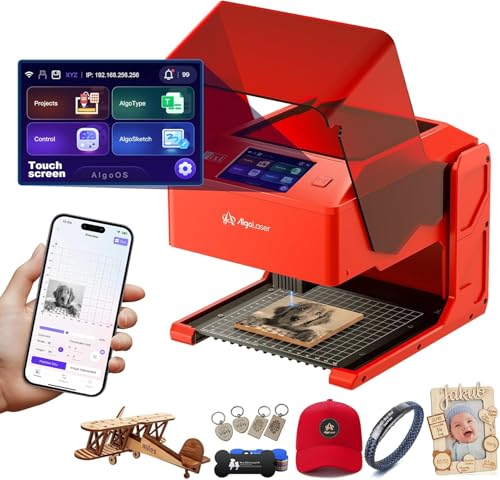
AlgoLaser Pixi 10W Portable Engraver
Best for: standalone desktop crafting on wood and leather
- Features
- Touchscreen (what this guide is about)
- Laser Power
- 10W
- Software Compatibility
- AlgoOS
- Form Factor
- Class 1
- Compatible Material
- Wood, Acrylic, Leather
- Dimensions
- 10.5 × 8.5 × 7.7 inches
This compact 10W laser engraver features a built-in 3.5-inch touchscreen running the AlgoOS system, letting you draw, upload, and engrave without needing a connected computer. Weighing just 4.41 pounds, it has a Class 1 enclosed build with an auto-pause safety lid. It suits hobbyists and crafters who want standalone operation, direct screen controls, and plug-and-play setup for working on leather, wood, and acrylic.
Pros
- Integrated 3.5-inch touchscreen with standalone AlgoOS software
- Class 1 enclosed form factor with auto-pause safety door
- Lightweight 4.41-pound frame requires no assembly
- Supports Wi-Fi, USB-C, SD card, and mobile device connections
Cons
- Compact 10.5 by 8.5-inch outer footprint limits maximum project size
- Transparent acrylic and glass require colored backers for reverse engraving
Good fit if
- You want to engrave directly from a touchscreen without connecting a PC
- You need a lightweight, fully assembled machine that weighs under 5 pounds
- You prioritize safety features like an enclosed lid with auto-pause and lock screen
Skip if
- You plan to engrave large boards that exceed a compact desktop footprint
- You require high-wattage laser power above 10W for rapid deep cutting
Verdict: AlgoLaser Pixi 10W Portable Engraver delivers true standalone engraving with its 3.5-inch touchscreen, Class 1 safety enclosure, and lightweight portable frame.

AlgoLaser Pixi 1064nm Infrared Engraver
Best for: precise metal surface marking
- Features
- Touchscreen (what this guide is about)
- Laser Type
- 1064nm Infrared
- Software Compatibility
- AlgoOS
- Compatible Material
- Metal, Jewelry, Aluminum
- Weight
- 7.24 pounds
The AlgoLaser Pixi uses a 1064nm infrared laser to mark metal surfaces. It features a 3.5-inch touchscreen and runs on AlgoOS for standalone operation. This compact unit weighs 7.24 pounds. It suits users who need precise metal marking for jewelry or tags. It does not cut wood or engrave deep. You get clean lines on stainless steel and aluminum.
Pros
- 1064nm infrared laser for metal marking
- 3.5-inch touchscreen for standalone control
- Runs AlgoOS software
- Compact 7.24-pound desktop design
Cons
- Infrared laser cannot cut wood
- Limited to surface marking on metal
- Small working area for large projects
Good fit if
- You need to mark metal jewelry or tags
- You want standalone touchscreen operation without a PC
- You have a small desktop workspace
Skip if
- You need to cut wood or acrylic
- You require deep engraving capabilities
- You want to mark reflective metals without spray
Verdict: AlgoLaser Pixi 1064nm Infrared is a specialized tool for metal surface marking. It fits users who need precise, clean marks on jewelry or metal tags using a compact, standalone system.
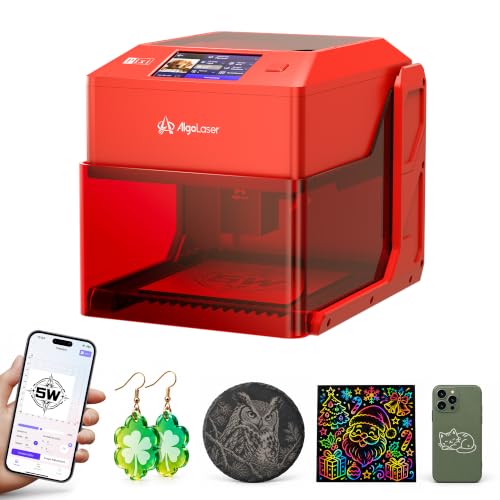
AlgoLaser Pixi 5W Compact Laser Engraver
Best for: standalone small-format crafting and portable engraving
- Features
- Touchscreen (what this guide is about)
- Laser Power
- 5W
- Working Area
- 100 x 100 mm
- Software Compatibility
- AlgoOS, LightBurn, LaserGRBL
- Target Audience
- Beginners
- Dimensions
- 10.2 × 8.27 × 7.48 inches
The AlgoLaser Pixi 5W is a portable desktop engraver built for standalone crafting. It features an integrated 3.5-inch touchscreen running AlgoOS, allowing you to type, draw, or select from over 300 built-in designs without a computer. With a 5W output, a fine 0.03 x 0.07 mm laser spot, and a 100 x 100 mm working bed, it suits hobbyists making small projects like tags, bookmarks, and ornaments.
Pros
- Built-in 3.5-inch touchscreen with AlgoOS enables computer-free operation
- Pre-assembled design weighs approximately 6.61 pounds for easy portability
- Fine 0.03 x 0.07 mm laser spot supports detailed lettering and line art
- Removable base with six height settings accommodates objects up to 134 mm tall
Cons
- Compact working area limited to 100 x 100 mm
- 5W laser output is restricted to light cutting and engraving
Good fit if
- You want a fully assembled, portable engraver that operates without a PC connection.
- You focus on smaller blanks such as leather patches, bookmarks, and wooden tags.
- You need an adjustable or removable base to engrave onto taller objects.
Skip if
- You need a work area larger than 100 x 100 mm.
- You require higher laser wattage for cutting thick materials.
Verdict: AlgoLaser Pixi 5W Compact Laser Engraver delivers true PC-free operation and detailed marking in a lightweight, fully assembled package. Its compact 100 x 100 mm working bed makes it an efficient tool for small-scale personalization.

AlgoLaser Pixi 3W Portable Engraver
Best for: portable PC-free crafting and small DIY projects
- Features
- Touchscreen (what this guide is about)
- Laser Power
- 3W
- Software Compatibility
- AlgoOS, LightBurn, LaserGRBL
- Compatible Material
- Wood, Leather, Glass
- Target Audience
- DIY, Beginners
- Form Factor
- Portable
This compact desktop engraver features an integrated 3.5-inch touchscreen running AlgoOS, allowing you to create and engrave designs without a connected PC. Powered by a 3W laser module, it includes an auto-stop safety cover rated as a Class 1 device. Weighing just 6.7 pounds, it suits hobbyists and crafters who want a safe, portable machine for lightweight materials like wood, leather, glass, and acrylic.
Pros
- Built-in 3.5-inch touchscreen with AlgoOS for PC-free operation
- Enclosed Class 1 design with auto-stop safety cover
- Compact 6.7-pound frame requires no assembly
- Supports Wi-Fi, USB-C, and SD card connections
- Compatible with LightBurn, LaserGRBL, tablets, and smartphones
Cons
- 3W laser power is relatively low for heavy cutting tasks
- Compact 10.4 by 8.4-inch footprint limits project dimensions
- Color option limited to Red 1
Good fit if
- You want a fully assembled desktop unit that works without being tied to a computer
- You prioritize safety features like an auto-pausing cover and Class 1 laser rating
- You work primarily on small crafts using wood, acrylic, leather, or glass
Skip if
- You need higher wattage for thick cutting passes
- You plan to engrave large signboards or oversized objects
- You require a high-power industrial fiber or high-wattage diode setup
Verdict: AlgoLaser Pixi 3W Portable Engraver delivers true PC-free operation and Class 1 safety in a lightweight, pre-assembled package. It is a solid choice for hobbyists focusing on small-format craft projects.

AlgoLaser Pixi 1064nm Infrared Metal Engraver
Best for: portable, PC-free metal gift and tag personalization
- Features
- Touchscreen (what this guide is about)
- Laser Type
- 1064nm Infrared
- Software Compatibility
- AlgoOS, LightBurn, LaserGRBL
- Compatible Material
- Metal, Jewelry
- Target Audience
- Beginners
- Dimensions
- 8.27 × 7.48 × 10.2 inches
View on Amazon: AlgoLaser Pixi 1064nm Infrared Metal Engraver
The AlgoLaser Pixi 1064nm Infrared Engraver is a compact desktop metal-marking machine featuring a built-in 3.5-inch touchscreen. Powered by AlgoOS, it lets you generate text with AlgoType, sketch designs, or pick from over 300 built-in templates without connecting a PC. With its 0.04 x 0.05 mm laser spot and 6.61-pound weight, you get a dedicated setup for personalizing small metal tags, nameplates, and keepsakes directly on a counter or table.
Pros
- 3.5-inch touchscreen runs AlgoOS with standalone text entry and drawing tools
- 1064nm infrared laser with a 0.04 x 0.05 mm fine spot for detailed metal marking
- Includes over 300 built-in designs with preset parameters and on-screen preview
- Lightweight 6.61-pound build fits easily on retail counters and compact desks
- Supports both PC-free standalone operation and LightBurn or LaserGRBL software
Cons
- Dedicated to metal marking rather than cutting wood or acrylic
- Compact chassis limits working space to small tags and keepsakes
- Specific optical laser output wattage is not listed in the specifications
Good fit if
- You want to personalize metal nameplates and gifts without setting up a PC.
- You need a lightweight unit under 7 pounds for market tables or retail counters.
- You require a fine 0.04 x 0.05 mm beam spot for small, detailed metal lettering.
Skip if
- You need a laser cutter for materials such as thick plywood or acrylic sheets.
- You plan to engrave wide, oversized workpieces that exceed a small desktop footprint.
Verdict: AlgoLaser Pixi 1064nm Infrared Engraver provides true standalone metal engraving from its built-in 3.5-inch touchscreen and dedicated operating system. It is a capable choice if you need a portable machine strictly for customizing small metal gifts and tags.

Longer Ray5 10W Laser Engraver
Best for: budget-friendly offline engraving with a built-in touchscreen
- Features
- Touchscreen (what this guide is about)
- Laser Power
- 10W (10000mW)
- Working Area
- 400x400mm
- Engraving Speed
- 10,000mm/min
- Software Compatibility
- LaserGRBL, LightBurn
- Cutting Capacity
- 0.8"/20mm wood, 1.2"/30mm acrylic
The Longer Ray5 10W combines a built-in 3.5-inch touchscreen with an open-frame 400x400mm working area. Powered by an ESP32 chipset, it lets you operate directly via touchscreen, TF card, Wi-Fi, or USB. Its 10W optical output cuts up to 20mm wood and 30mm acrylic with a fine 0.06x0.06mm spot. You will appreciate this model if you want touchscreen-driven offline control without giving up standard desktop workspace dimensions.
Pros
- Integrated 3.5-inch touchscreen for standalone and offline control
- Spacious 400x400mm engraving and cutting workspace
- Fine 0.06x0.06mm laser spot with 10,000mm/min maximum speed
- Flexible connectivity including Wi-Fi, TF card, USB, and mobile app
- Safety package with emergency stop, motion detection, and heat protection
Cons
- Open-frame construction lacks a full protective enclosure
- Maximum engraving speed tops out at 10,000mm/min
- Requires manual assembly with included tools before first use
Good fit if
- You want to engrave directly from a 3.5-inch screen or TF card without tethering a computer
- You need a 10W diode laser capable of cutting up to 20mm wood on a 400x400mm bed
- You plan to work across standard desktop software like LightBurn and LaserGRBL
Skip if
- You need an enclosed Class 1 laser engraver for desktop containment
- You require speeds higher than the specified 10,000mm/min limit
- You prefer a fully pre-assembled machine out of the box
Verdict: Longer Ray5 10W Laser Engraver with 3.5-Inch Touchscreen provides capable 10W diode cutting, offline display operation, and a full 400x400mm workbed at an accessible entry level.
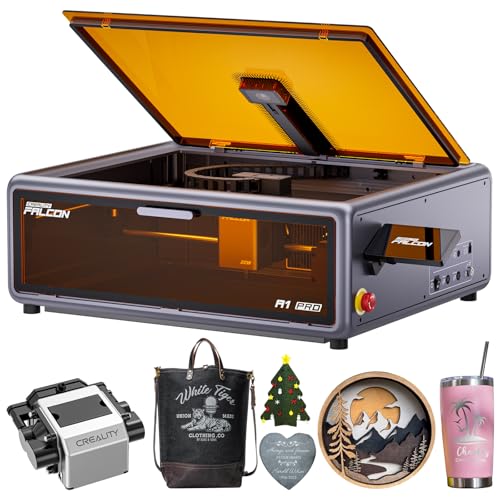
Creality Falcon A1 Pro 20W Enclosed Laser
Best for: enclosed laser cutting with built-in air assist
- Features
- Enclosure, Air Assist, Camera, Touchscreen, Auto Focus (what this guide is about)
- Laser Power
- 20W (20000mW)
- Engraving Speed
- Up to 600 mm/s
- Form Factor
- Enclosed (Class 1)
- Cutting Capacity
- 10 mm basswood, 8 mm black acrylic
- Compatible Material
- Wood, Metal
The Creality Falcon A1 Pro 20W Enclosed Laser combines a smart touchscreen with integrated air assist inside a Class 1 enclosed frame. You get a 20W optical output, CoreXY speeds reaching 600 mm/s, an HD camera for full-bed alignment, and a 3-second autofocus system. It cuts through 10 mm basswood or 8 mm black acrylic, making it a capable choice if you need clean, contained cutting and standalone touchscreen operation.
Pros
- Integrated air assist and Class 1 enclosure with safety lid stop
- CoreXY motion system delivering engraving speeds up to 600 mm/s
- Built-in HD camera for bed preview and 3-second autofocus
- Smart touchscreen allows quick project recalls and real-time previews
Cons
- Optional 1064nm infrared module is not included and requires a separate purchase
- Fixed enclosure limits the handling of oversized materials compared to open frames
Good fit if
- You want an enclosed Class 1 laser with built-in air assist for cleaner cuts.
- You need fast CoreXY speeds up to 600 mm/s paired with camera alignment.
- You prefer running repeat jobs and viewing previews directly on a touchscreen.
Skip if
- You need fine jewelry metal engraving immediately without buying an add-on module.
- You regularly engrave large or irregular materials that exceed enclosed chassis dimensions.
Verdict: Creality Falcon A1 Pro 20W Enclosed Laser delivers fast CoreXY operation and clean cutting with its integrated air assist, Class 1 enclosure, and onboard touchscreen.

AlgoLaser Alpha MK2 40W Laser Engraver
Best for: High-speed cutting of thick wood
- Features
- Air Assist, Touchscreen (what this guide is about)
- Laser Power
- 40,000mW (40W)
- Engraving Speed
- 25,000 mm/min
- Software Compatibility
- AlgoLaser App, LightBurn, LaserGRBL
- Form Factor
- Semi-enclosed
- Cutting Capacity
- Up to 25 mm solid wood
This AlgoLaser Alpha MK2 delivers 40,000mW of power for rapid cutting and engraving. It features a 3.5-inch touchscreen running AlgoOS for direct control. The unit reaches speeds of 25,000 mm/min and cuts up to 25 mm solid wood. It includes a dual air assist system to reduce smoke. This machine suits users needing high output and industrial-grade reliability for serious production work.
Pros
- 40,000mW laser module for deep cutting
- 3.5-inch smart touchscreen with AlgoOS
- 25,000 mm/min engraving speed
- Cuts up to 25 mm solid wood
- Dual air assist system included
Cons
- Semi-enclosed design offers less containment
- No 1064nm infrared laser for metal
- Large footprint at 28 inches long
Good fit if
- You need to cut thick wood quickly
- You want direct touchscreen control
- You require high-power industrial output
Skip if
- You need enclosed Class 1 safety
- You want to engrave stainless steel colors
- You need a compact desktop size
Verdict: AlgoLaser Alpha MK2 40W is a high-power semi-enclosed engraver for users who prioritize cutting speed and thick material capacity over full enclosure safety.

Ortur R2 10W Enclosed Laser Engraver
Best for: Beginners wanting an enclosed, standalone touchscreen engraver
- Features
- Enclosure, Camera, Touchscreen (what this guide is about)
- Laser Power
- 10W
- Working Area
- 300 x 210 mm (11.8" x 8.3")
- Engraving Speed
- Up to 20,000 mm/min (333 mm/s)
- Form Factor
- Fully Enclosed (Class 1)
- Compatible Material
- Wood, Metal, Acrylic, Leather
The Ortur R2 10W pairs a built-in touchscreen with fully enclosed Class 1 safety, letting you operate without a computer or phone app. It features an integrated HD camera for live positioning right on the screen. With a 300 x 210 mm work area and speeds up to 20,000 mm/min, it suits beginners who want a compact desktop unit for wood, leather, acrylic, and coated metal.
Pros
- Built-in touchscreen enables complete offline operation via TF card
- Class 1 fully enclosed metal-and-acrylic housing
- Integrated HD camera allows live visual design alignment
- Engraving speeds reach up to 20,000 mm/min
- Supports swappable Ortur laser modules for future upgrades
Cons
- Work area is limited to 300 x 210 mm (11.8 x 8.3 inches)
- Higher-power or specialized modules are sold separately
Good fit if
- You want a fully enclosed Class 1 desktop setup ready to run right out of the box
- You prefer running jobs directly from a touchscreen without connecting a PC or phone
- You need camera-assisted alignment to reduce positioning errors on small blanks
Skip if
- You require a large work bed exceeding 300 x 210 mm
- You need higher than 10W optical output without purchasing separate add-on modules
Verdict: Ortur R2 10W Enclosed Laser Engraver provides a self-contained, offline-ready workstation with built-in camera positioning and full enclosure safety. It is an ideal desktop entry point if you want simple touchscreen control without configuring external software.
Specifications side by side
| Spec | AlgoLaser 10W Laser Engraver with Touchscreen | Creality Falcon A1 Pro 20W Enclosed Engraver | AlgoLaser 400x400mm 8W Touchscreen Engraver | Longer Ray5 10W Laser Engraver with Touchscreen | AlgoLaser Pixi 10W Enclosed Laser Engraver | Longer Ray5 5W Laser Engraver | AlgoLaser Pixi 10W Portable Engraver | AlgoLaser Pixi 1064nm Infrared Engraver | AlgoLaser Pixi 5W Compact Laser Engraver | AlgoLaser Pixi 3W Portable Engraver | AlgoLaser Pixi 1064nm Infrared Metal Engraver | Longer Ray5 10W Laser Engraver | Creality Falcon A1 Pro 20W Enclosed Laser | AlgoLaser Alpha MK2 40W Laser Engraver | Ortur R2 10W Enclosed Laser Engraver |
|---|---|---|---|---|---|---|---|---|---|---|---|---|---|---|---|
| Laser Type | not specified | Blue-laser | Diode | not specified | not specified | not specified | not specified | 1064nm Infrared | not specified | not specified | 1064nm Infrared | not specified | not specified | not specified | not specified |
| Laser Power | 10W | 20W | 8W | 10W | 10W | 5W | 10W | not specified | 5W | 3W | not specified | 10W (10000mW) | 20W (20000mW) | 40,000mW (40W) | 10W |
| Working Area | 15.7" x 17.1" | not specified | 400×400mm | 400x400mm | not specified | 15.74"x15.74" | not specified | not specified | 100 x 100 mm | not specified | not specified | 400x400mm | not specified | not specified | 300 x 210 mm (11.8" x 8.3") |
| Engraving Speed | 12,000 mm/min | up to 600 mm/s | 15,000mm/min | 10,000mm/min | 100–300 mm/s | not specified | not specified | not specified | not specified | not specified | not specified | 10,000mm/min | Up to 600 mm/s | 25,000 mm/min | Up to 20,000 mm/min (333 mm/s) |
| Software Compatibility | LightBurn, LaserGRBL, AlgoOS | Falcon Design Space | AlgoOS, LightBurn, LaserGRBL, AlgoLaser | LaserGRBL, LightBurn | AlgoOS | not specified | AlgoOS | AlgoOS | AlgoOS, LightBurn, LaserGRBL | AlgoOS, LightBurn, LaserGRBL | AlgoOS, LightBurn, LaserGRBL | LaserGRBL, LightBurn | not specified | AlgoLaser App, LightBurn, LaserGRBL | not specified |
| Form Factor | not specified | Full Enclosed, Class 1 | not specified | not specified | Fully Enclosed (Class 1) | not specified | Class 1 | not specified | not specified | not specified | not specified | not specified | Enclosed (Class 1) | Semi-enclosed | Fully Enclosed (Class 1) |
| Cutting Capacity | not specified | 10 mm basswood, 8 mm black acrylic | not specified | 0.8" (20mm) wood, 1.2" (30mm) acrylic | not specified | not specified | not specified | not specified | not specified | not specified | not specified | 0.8"/20mm wood, 1.2"/30mm acrylic | 10 mm basswood, 8 mm black acrylic | Up to 25 mm solid wood | not specified |
| Compatible Material | Wood, Metal, Leather, Glass | Wood, Metal | not specified | Wood, Metal, Acrylic, Glass | Wood, Metal, Leather | Wood, Acrylic, Glass | Wood, Acrylic, Leather | Metal, Jewelry, Aluminum | not specified | Wood, Leather, Glass | Metal, Jewelry | Wood, Metal, Acrylic, Glass | Wood, Metal | Wood, Metal, Acrylic | Wood, Metal, Acrylic, Leather |
| Features | Touchscreen | Enclosure, Touchscreen, Auto Focus | Touchscreen | Touchscreen | Touchscreen | Touchscreen, Offline Controller | Touchscreen | Touchscreen | Touchscreen | Touchscreen | Touchscreen | Touchscreen | Enclosure, Air Assist, Camera, Touchscreen, Auto Focus | Air Assist, Touchscreen | Enclosure, Camera, Touchscreen |
| Target Audience | Beginners | not specified | not specified | DIY | DIY, Beginners | DIY | not specified | not specified | Beginners | DIY, Beginners | Beginners | DIY | not specified | not specified | DIY, Beginners |
| Size | DIY KIT MK2 10W | not specified | not specified | 10W | not specified | 5W | 10W | not specified | not specified | not specified | not specified | not specified | not specified | Alpha MK2 40W with Air Assist | R2 10W Camera Laser Engraver |
| Dimensions | 25.6 × 9.8 × 5.9 inches | 32 × 27 × 15 inches | 20.7 × 10 × 5 inches | 25.4 × 17.1 × 12.8 inches | 10.4 × 8.4 × 7.7 inches | not specified | 10.5 × 8.5 × 7.7 inches | not specified | 10.2 × 8.27 × 7.48 inches | 10.4 × 8.4 × 7.7 inches | 8.27 × 7.48 × 10.2 inches | not specified | 177 × 94.5 × 256 inches | 28 × 9 × 8.5 inches | 18.5 × 15.7 × 8.43 inches |
| Weight | not specified | 37.5 pounds | 8.59 pounds | not specified | not specified | not specified | 4.41 pounds | 7.24 pounds | 6.61 pounds | 6.7 pounds | 6.61 pounds | not specified | not specified | not specified | not specified |
| Color | Size-1 | Falcon-A1 Pro 20W | GRAY-8W | 10w | Classic Black | black | Passion Red | Red 1064 | Red 5 | Red-1 | Red | 10w | Dark Gray | Size 5 | R2 10W Camera Laser Engraver |
| Model | DIY KIT MK2 | Falcon A1 Pro | DIY KIT MK3 | 10W | Pixi Black | RAY5 | Pixi-Red-10W | Pixi | Pixi red | Pixi | Pixi | Ray5 10W | Creality Falcon A1 | Alpha MK2 | Ortur R2 |
Is a Touchscreen Worth It?
A touchscreen lets you run the machine offline. You can adjust settings directly on the device without connecting to a PC. This is useful for quick changes or simple projects. The AlgoLaser 10W and Creality Falcon A1 Pro use this for standalone control. However, complex designs still need software. If you prefer full computer control, a screen adds little value. It is best for basic, immediate tasks.
Worth it if
- You want to operate the machine without a computer
- You need quick adjustments during simple projects
- You prefer direct control over the interface
Skip it if
- You rely on advanced PC software for complex designs
- You already have a dedicated control setup
- You prefer keyboard and mouse precision
If you also manage workshop security, you can compare interface hardware specifications among the best deadbolts with touchscreen.
How We Selected These Picks
We identified machines with a touchscreen by scanning Amazon listings for that specific feature in the title or bullet points. We included only one size or variant from each product family to keep the list clear. All details come directly from the published specifications and feature lists on those listings. We did not handle or test any units. The data is refreshed at least daily to ensure accuracy.
We ordered the results by availability first. Next, we ranked them by the listing's overall rating, weighted by the number of ratings. Finally, we considered how many of our core criteria the specs met. This method ensures you see the most relevant touchscreen engravers first, based on current market data and verified feature presence.
How to Choose the Right One
-
Check Laser Power
Laser power determines the thickness of materials you can cut. Higher wattage machines like the Creality Falcon A1 Pro 20W handle thicker wood and metal faster. Standard 10W models, such as the AlgoLaser 10W or Longer Ray5, are sufficient for most DIY projects and thin materials. If you only need to engrave surfaces, lower power options like the 5W or 3W AlgoLaser Pixi models are adequate. Match the wattage to your heaviest expected material to ensure clean cuts without burning.
-
Verify Material Compatibility
Not all lasers work on every material. Standard diode lasers like the Longer Ray5 10W handle wood, acrylic, and leather well. For metal engraving, you need a specialized unit. The AlgoLaser Pixi 1064nm Infrared models are designed specifically for metal surface marking. Some machines, like the Creality Falcon A1 Pro, list metal compatibility, but results vary by finish. Check the compatible material list for each device to ensure it handles your primary projects, such as glass or hard plastics.
-
Assess Workspace Size
The working area dictates the size of your projects. Larger beds like the 15.7" x 17.1" area on the AlgoLaser 10W allow for bigger panels. Compact units, such as the AlgoLaser Pixi 5W, offer a 100 x 100 mm bed for small tags or jewelry. Consider your typical project dimensions before buying. A larger bed requires more floor space but offers greater flexibility. Smaller machines are easier to store but limit you to small-scale crafting and personalization tasks.
-
Consider Enclosure Safety
Enclosures provide Class 1 safety by containing laser light and fumes. The Creality Falcon A1 Pro and AlgoLaser Pixi 10W Enclosed models offer this protection. Semi-enclosed or open-frame machines like the AlgoLaser Alpha MK2 40W lack full containment. If you work in a shared space or worry about eye safety, choose an enclosed unit. Open machines may require separate safety glasses and ventilation. The enclosure also helps protect the machine from dust and debris during operation.
-
Evaluate Portability Needs
Weight and form factor matter if you move your machine often. The AlgoLaser Pixi 10W Portable Engraver weighs only 4.41 pounds and fits on a desk. Heavier units like the Creality Falcon A1 Pro weigh 37.5 pounds and stay stationary. Portable models are ideal for craft fairs or travel. Stationary machines offer more stability and larger work areas. Decide if you need a device that travels easily or one that stays fixed in your workshop for consistent results.
Frequently asked questions
Can I use a touchscreen laser engraver without a computer?
Yes. Many models in this list offer true standalone operation. The AlgoLaser 10W and Longer Ray5 10W allow you to run the machine offline using their onboard operating systems. You can adjust settings directly on the device without connecting to a PC.
Which touchscreen engraver is best for metal marking?
The AlgoLaser Pixi 1064nm Infrared Engraver is designed for precise metal surface marking. It uses a dedicated infrared laser to create clean marks on jewelry or metal tags. The Ophiner Pixi 1064nm is another portable option for customizing small metal items.
What is the largest work area on a touchscreen engraver?
The AlgoLaser 10W Laser Engraver features a 15.7" x 17.1" workspace. This is the largest area among the standalone touchscreen picks. It is ideal for makers who need to engrave larger items without a computer connection.
Do any touchscreen engravers have an enclosure for safety?
Several models include a Class 1 enclosure for safety. The Creality Falcon A1 Pro 20W and AlgoLaser Pixi 10W Enclosed versions provide this protection. The Ortur R2 10W also offers a self-contained enclosed design. These are safer for desktop use.
Which touchscreen engraver is best for beginners?
The Ortur R2 10W Enclosed Laser Engraver is ideal for beginners. It provides a self-contained workstation with built-in camera positioning. You get simple touchscreen control without needing to configure external software. It is a safe entry point for new users.
How fast is the Creality Falcon A1 Pro?
The Creality Falcon A1 Pro 20W delivers rapid speeds up to 600 mm/s. It uses CoreXY operation for fast movement. This high speed allows for quick cutting and detailed engraving. It also features automated focusing to maintain precision.
Is there a portable option with a touchscreen?
Yes. The AlgoLaser Pixi 10W Portable Engraver is a lightweight, portable choice. It weighs 4.41 pounds and fits in a small frame. It offers true standalone engraving with a 3.5-inch touchscreen. It is suitable for small-format craft projects.
What laser power do most touchscreen engravers have?
Most picks in this list feature 10W laser power. Examples include the AlgoLaser 10W, Longer Ray5 10W, and AlgoLaser Pixi 10W. This power level is sufficient for general DIY projects and cutting standard materials like wood and acrylic.