15 Best Laser Engravers Under $1000, Compared
As an Amazon Associate we earn from qualifying purchases. Links on this page are affiliate links.
Finding the best laser engravers under $1000 requires balancing laser output power, workspace safety, and motion hardware. We compared 15 products based strictly on the specifications published on their listings.
The xTool M2 20W Enclosed Laser Engraver leads the list because it combines a 20W laser with a protective enclosure and camera positioning for accurate alignment. This guide helps you compare diode and CO2 options to decide which wattage, workspace format, and material compatibility fit your workshop needs.
Quick picks
The best fit for you
- You want an enclosed engraver with built-in camera positioning xTool M2 20W Enclosed Laser Engraver Its 20W diode laser is housed inside a Class 1 enclosure with dual-camera positioning.
- You want high cutting power plus an included rotary chuck ATOMSTACK 48W Laser Engraver with Rotary Chuck It combines a 48W output with an included rotary axis for cylindrical work.
- You need a lightweight, portable engraver for mobile work LaserPecker LP2 Plus Portable Laser Engraver Its 10W diode system weighs only 3.39kg and delivers marking speeds up to 4000mm/s.
- You need a CO2 laser with dedicated water cooling OMTech K40+ 45W CO2 Laser Engraver It offers a 45W CO2 laser tube and includes a dedicated water chiller.
Our 15 picks

xTool M2 20W Enclosed Laser Engraver
Best for: safe home crafting with camera alignment
- Laser Type
- Diode
- Laser Power
- 20W (20000mW)
- Software Compatibility
- xTool Studio
- Form Factor
- Class 1 Enclosed
- Compatible Material
- Wood, Leather, Paper, Fabric
- Features
- Enclosure, Camera
The xTool M2 is a 20W diode laser cutter built into a fully enclosed Class 1 housing. It features built-in dual cameras with alignment software for placing designs directly onto your workpiece. Designed for DIY crafters and home workshops, it cuts and engraves materials such as wood, leather, fabric, and cardstock while keeping the workspace self-contained and monitored.
Pros
- Class 1 fully enclosed safety design with real-time monitoring
- 20W (20,000mW) diode laser output power
- Built-in dual cameras for real-time visual alignment
- Supports add-on modules for CMYK inkjet printing and rotary engraving
Cons
- CMYK Inkjet module and RA3 Lite rotary are sold separately
- 3W IR laser head for dedicated metal marking is not included
Good fit if
- You want a fully enclosed Class 1 laser for safe desktop crafting.
- You rely on dual overhead cameras for accurate design placement.
- You want the option to add full-color printing modules in the future.
Skip if
- You need full-color inkjet printing or rotary tools included out of the box.
- You require an integrated infrared laser standard for fine metal engraving.
Verdict: xTool M2 20W Enclosed Laser Engraver pairs a 20W diode cutter with a Class 1 protective enclosure and dual-camera positioning. It provides an accurate, modular workspace suited for home crafting and DIY projects.

ATOMSTACK 48W Laser Engraver with Rotary Chuck
Best for: heavy cutting and multi-diameter cylindrical engraving
- Laser Power
- 24W / 48W
- Engraving Speed
- 500mm/s (30,000mm/min)
- Software Compatibility
- LightBurn, LaserGRBL
- Cutting Capacity
- 18mm Basswood, 9mm MDF
- Compatible Material
- Wood, Metal, Acrylic, Leather, Jewelry
- Features
- Air Assist, Rotary Axis
View on Amazon: ATOMSTACK 48W Laser Engraver with Rotary Chuck
The ATOMSTACK 48W Laser Engraver with Rotary Chuck pairs a switchable 24W and 48W laser module with an all-in-one rotary chuck system. It reaches travel speeds up to 500mm/s and cuts through 18mm basswood or 9mm MDF in a single pass. With included auto air assist and LightBurn compatibility, this machine suits makers who need high optical power for thick cutting alongside cylindrical engraving for rings and tumblers.
Pros
- Dual-mode physical switch toggles between 24W precision and 48W cutting power
- Includes 4-in-1 rotary attachment for cylinders, rings, and spheres
- High operating speed up to 500mm/s (30,000mm/min)
- Cuts up to 18mm basswood and 9mm MDF in a single pass
- Equipped with an automatic air assist kit
Cons
- Open-frame construction lacks an integrated safety enclosure
- Requires 20 to 30 minutes of initial frame assembly
- No built-in camera for automated design positioning
Good fit if
- You need heavy cutting capability up to 18mm basswood with 48W power.
- You plan to engrave cylindrical items like tumblers, spheres, or rings.
- You want the option to switch down to 24W for finer engraving work.
Skip if
- You prefer a fully enclosed desktop laser for contained smoke and debris.
- You want an integrated camera to align designs directly on workpieces.
Verdict: ATOMSTACK 48W Laser Engraver with Rotary Chuck delivers versatile dual-power output and heavy-duty cutting alongside a capable multi-axis rotary system. It is a solid choice if you need rapid production speeds and cylinder engraving without purchasing separate add-ons.

LaserPecker LP2 Plus Portable Laser Engraver
Best for: portable marking and cylindrical engraving projects
- Laser Type
- Diode
- Laser Power
- 10W
- Engraving Speed
- 4000mm/s
- Cutting Capacity
- Up to 6mm basswood
- Compatible Material
- Wood, Metal, Acrylic, Leather
- Form Factor
- Portable
View on Amazon: LaserPecker LP2 Plus Portable Laser Engraver
This compact 10W diode laser engraver features high-speed output and versatile mounting options. It operates at speeds up to 4000mm/s and cuts basswood up to 6mm thick in a single pass. Weighing 3.39kg, it includes an adjustable multi-angle head, dual red-dot focusing, and the SpinTrack module for linear trolley and cylindrical rotary jobs. It suits makers who need a portable setup for curved surfaces and mobile engraving tasks.
Pros
- High engraving speed rated up to 4000mm/s
- SpinTrack module supports 360-degree cylinder and 2-meter track trolley modes
- Dual red-dot focus system removes the need for manual measuring tools
- Lightweight 3.39kg build with an adjustable multi-angle laser head
Cons
- 10W optical output cuts slower than higher-wattage desktop units
- Maximum single-pass wood cutting is limited to 6mm basswood
Good fit if
- You need to engrave cylindrical items or long panels using a rolling track
- You want a lightweight, portable unit to engrave angled or vertical surfaces
- You prioritize high engraving speeds over heavy-duty cutting capacity
Skip if
- You need higher laser wattage for cutting dense or thick stock
- You prefer a fully enclosed stationary desktop machine with a fixed bed
Verdict: LaserPecker LP2 Plus Portable Laser Engraver delivers rapid 4000mm/s marking and flexible multi-axis positioning in a compact 3.39kg frame. It is an agile 10W solution for curved items and mobile jobs.

xTool SafetyPro AP2 Smoke Purifier
Best for: indoor laser fume and odor extraction
- Laser Type
- Fiber
- Dimensions
- 25.6 × 16.1 × 26.4 inches
- Weight
- 46.1 pounds
The xTool SafetyPro AP2 is an indoor filtration unit designed for laser engraving setups. It features a 6-layer filtration system combined with 36 cyclones that separate large dust particles before they reach the main filters. Built to handle diode and CO2 machines with airflow requirements of up to 150 m³/h, it includes an ultra-dense carbon mesh for odor absorption. It suits you if you operate an engraver indoors without direct outdoor exhaust.
Pros
- 6-layer filtration system designed to remove 99.99% of dust and odors
- 36-cyclone technology captures 99% of large particles before the filters
- Ultra-dense carbon mesh absorbs odors and chemical fumes
- Pull-out magnetic door allows straightforward filter removal and cleaning
Cons
- Incompatible with systems requiring over 150 m³/h fume extraction, such as the xTool P3
- Substantial overall weight at 46.1 pounds
Good fit if
- You need indoor particulate and odor management for a diode or CO2 laser engraver.
- You use an xTool system and want synchronized operation with real-time filter tracking.
Skip if
- You operate a laser machine with fume extraction requirements above 150 m³/h.
- You need a compact, portable unit that weighs significantly less than 46.1 pounds.
Verdict: xTool SafetyPro AP2 Smoke Purifier delivers robust multi-stage particle separation and odor filtration for desktop engravers operating under 150 m³/h.

Creality Falcon A1 Pro 20W Enclosed Engraver
Best for: enclosed desktop crafting with camera alignment and auto-focus
- Laser Power
- 20W
- Engraving Speed
- 600mm/s
- Software Compatibility
- Creality Falcon Design Space
- Form Factor
- Class 1 Safety Enclosed
- Cutting Capacity
- 10mm wood board or 13mm acrylic board
- Compatible Material
- Wood, Metal, Acrylic
View on Amazon: Creality Falcon A1 Pro 20W Enclosed Engraver
The Creality Falcon A1 Pro 20W Enclosed Engraver provides a Class 1 fully enclosed workstation designed for clean indoor cutting and marking. You get a 20W blue laser capable of cutting 10mm wood or 13mm acrylic, engraving speeds reaching 600mm/s, and an integrated HD camera that completes auto-focusing within three seconds. It suits creators who want touch-screen control, app monitoring, and built-in eye protection without wearing goggles.
Pros
- Class 1 enclosed chassis with dual-door access and 99% light filtration
- 20W laser module cuts up to 10mm wood or 13mm acrylic in one pass
- Integrated HD camera with 3-second auto-focus and position preview
- Onboard touchscreen interface plus LightBurn and mobile app support
Cons
- Optional 2W IR module is not included in the package
- Internal exhaust fan requires connection to an outdoor vent or air purifier
- Weighs 37 pounds, limiting portability
Good fit if
- You want an enclosed system with lid-open safety stops and no need for safety glasses.
- You need automated camera alignment and auto-focusing for precise job placement.
- You prefer operating jobs directly from a built-in touchscreen or mobile device.
Skip if
- You require the 1064nm IR module out of the box without buying an add-on.
- You do not have a way to route the internal exhaust hose outdoors or to a filter.
Verdict: Creality Falcon A1 Pro 20W Enclosed Engraver pairs a 600mm/s engraving rate and 20W cutting capability with an enclosed, camera-assisted design ready for safe desktop production.

Creality Falcon A1 Pro 20W Enclosed Engraver
Best for: Fast enclosed engraving with smart controls
- Laser Type
- Blue-laser
- Laser Power
- 20W
- Engraving Speed
- up to 600 mm/s
- Software Compatibility
- Falcon Design Space
- Form Factor
- Full Enclosed, Class 1
- Cutting Capacity
- 10 mm basswood, 8 mm black acrylic
View on Amazon: Creality Falcon A1 Pro 20W Enclosed Engraver
The Creality Falcon A1 Pro is a 20W blue-laser engraver with a full enclosed Class 1 design. It reaches speeds up to 600 mm/s and cuts 10 mm basswood. The unit includes a touchscreen and app control for remote monitoring. An HD camera with auto-focus simplifies setup. This model suits users who want safety features and fast processing without external goggles.
Pros
- 20W blue laser cuts 10 mm basswood
- Full enclosed Class 1 design blocks smoke
- Speeds up to 600 mm/s
- HD camera with 3-second auto-focus
Cons
- 2W IR module for metal engraving sold separately
- Only compatible with 460 x 346 mm honeycomb panels
- No rotary chuck included
Good fit if
- You want a fully enclosed Class 1 machine
- You need fast engraving speeds for batches
- You prefer touchscreen and app control
Skip if
- You need to engrave metal without buying extra modules
- You require a rotary attachment for cylindrical items
- You need a larger work area than 460 x 346 mm
Verdict: The Creality Falcon A1 Pro 20W delivers high speed and safety in a compact enclosed frame. It fits hobbyists and small businesses who prioritize fast workflow and eye protection over included metal engraving capabilities.
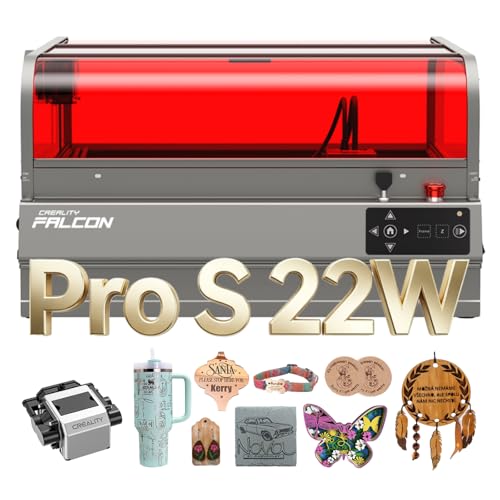
Creality Falcon2 Pro S 22W Desktop Laser
Best for: enclosed desktop batch cutting and wood engraving
- Laser Type
- Diode
- Laser Power
- 22W
- Engraving Speed
- 600mm/s (up to 500mm/s)
- Form Factor
- Fully enclosed
- Cutting Capacity
- 15mm basswood, 10mm black acrylic
- Compatible Material
- Wood, Acrylic
This fully enclosed desktop diode engraver pairs a 22W optical output with speeds up to 600mm/s. An integrated top-mounted camera and Z-axis motorized auto-focus simplify job setup and material alignment directly via USB. It cuts up to 15mm basswood or 10mm black acrylic in a single pass. If you want a self-contained, Class 1 certified workspace with built-in smoke containment and a slide-out debris drawer, this machine fits right on your workbench.
Pros
- Class 1 fully enclosed metal frame with fireproof cover and safety lock
- Z-axis auto-focus and built-in center camera for material alignment
- Cuts up to 15mm basswood and 10mm black acrylic in one pass
- Pull-out debris drawer simplifies table cleaning
Cons
- Heavy 49.3-pound desktop footprint reduces portability
- Diode laser is limited to thin 0.1mm metal sheets rather than deep metal cutting
Good fit if
- You want an enclosed desktop unit with safety interlocks and noise containment
- You prefer automated Z-axis focusing and overhead camera alignment instead of manual measurements
- You cut wood up to 15mm thick or acrylic up to 10mm
Skip if
- You need a lightweight machine that is easy to move between rooms
- You need to cut thick sheets of bare metal
Verdict: Creality Falcon2 Pro S 22W Desktop Laser delivers complete Class 1 desktop containment with camera positioning and automated focusing. It is a solid, self-contained workshop option for cutting wood and acrylic without open laser exposure.

Longer B1 40W Laser Engraver
Best for: Large workspace and thick material cutting
- Laser Power
- 40W (up to 48W)
- Working Area
- 450 x 440 mm
- Engraving Speed
- 36,000 mm/min
- Cutting Capacity
- 40 mm basswood, 50 mm acrylic
- Features
- Enclosure, Air Assist, Camera
The Longer B1 40W laser engraver offers a 450 x 440 mm working area and up to 48W output power. It features an enclosure, air assist, and camera kit for real-time monitoring. The unit reaches 36,000 mm/min engraving speeds and handles 40 mm basswood or 50 mm acrylic. This machine suits users needing a large workspace and high-speed performance for thicker materials.
Pros
- 450 x 440 mm large working area
- Up to 48W laser output power
- 36,000 mm/min engraving speed
- Built-in camera for real-time monitoring
- Cuts up to 50 mm acrylic
Cons
- 40W model is less powerful than 48W competitors
- No mention of mobile app control
- No mention of LightBurn software compatibility
Good fit if
- You need a large 450 x 440 mm workspace
- You require fast 36,000 mm/min engraving speeds
- You want to cut thick 50 mm acrylic
Skip if
- You need the highest 48W power output
- You require LightBurn software compatibility
- You prefer a smaller desktop footprint
Verdict: The Longer B1 40W Laser Engraver fits users who prioritize a large 450 x 440 mm workspace and high-speed cutting over maximum power output. It is ideal for handling thick materials like 50 mm acrylic.

ATOMSTACK A40 Pro V2 with Rotary Chuck
Best for: Heavy-duty cutting and cylindrical engraving projects
- Laser Power
- 24W/48W (48,000mW)
- Engraving Speed
- 500mm/s (30,000mm/min)
- Software Compatibility
- LightBurn, LaserGRBL
- Cutting Capacity
- 18mm Basswood, 9mm MDF, 0.1mm SS
- Compatible Material
- Wood, Metal, Acrylic, Leather, Jewelry
- Features
- Air Assist, Rotary Axis
The ATOMSTACK A40 Pro V2 with Rotary Chuck delivers 48W of optical output with a switch to drop to 24W for finer detail. It runs at speeds up to 500mm/s and cuts 18mm basswood or 9mm MDF in one pass. It includes an automatic air assist kit and a 4-in-1 rotary system for cylinders and rings. It suits makers who need high cutting power alongside curved and cylindrical engraving capability.
Pros
- Hardware button switches between 24W precision and 48W power modes
- Cuts up to 18mm basswood and 9mm MDF in a single pass
- Includes a 4-in-1 rotary chuck supporting items from 12mm to 200mm
- Engraving speed reaches up to 500mm/s (30,000mm/min)
- Comes equipped with an automatic air assist system
Cons
- Open-frame structure lacks an integrated protective enclosure
- Requires 20 to 30 minutes of assembly out of the box
- Footprint measures 26.8 by 23.2 inches, requiring ample work table area
Good fit if
- You need to alternate between 48W cutting and 24W fine engraving.
- You plan to engrave tumblers, rings, or other cylindrical objects.
- You frequently cut thick materials like 18mm basswood or 9mm MDF.
Skip if
- You prefer a fully enclosed laser engraver out of the box.
- You have limited workspace to accommodate a 26.8-inch long frame.
Verdict: ATOMSTACK A40 Pro V2 with Rotary Chuck combines high 48W cutting capacity with dual-mode power switching and an included 4-in-1 rotary system.

Creality Falcon2 Pro S 22W Enclosed Laser
Best for: enclosed desktop safety with automated focus
- Laser Power
- 22W (22000mW)
- Engraving Speed
- Up to 25,000 mm/min
- Form Factor
- Enclosed (Class 1)
- Cutting Capacity
- 15mm basswood, 10mm black acrylic
- Compatible Material
- Wood, Metal
- Features
- Enclosure, Air Assist, Camera
This fully enclosed machine delivers 22W of diode laser power with Class 1 safety. You get engraving speeds up to 25,000 mm/min, single-pass cuts through 15mm basswood or 10mm black acrylic, and integrated air assist. The built-in top camera and smart auto-focus handle material positioning quickly. It suits makers who want an enclosed, desktop-safe setup compatible with LightBurn, LaserGRBL, and Falcon Design Space on Windows or Mac OS.
Pros
- Full 360-degree visual enclosure with Class 1 laser safety
- Smart auto-focus with one-click height adjustment
- Built-in top camera for visual positioning and batch alignment
- Engraving speeds reaching up to 25,000 mm/min
- Cuts 15mm basswood and 10mm black acrylic in one pass
Cons
- Output is capped at 22W compared to higher-wattage alternatives
- Large footprint measuring 30.3 inches high and 25.4 inches long
Good fit if
- You want a fully enclosed Class 1 laser workstation for safer operation
- You prefer automated material focusing and camera-assisted layout
- You work with standard materials like wood, acrylic, and thin metal
Skip if
- You require more than 22W of laser output for faster, heavy cutting
- You have limited bench space for its 30.3-inch tall frame
Verdict: Creality Falcon2 Pro S 22W Enclosed Laser provides a tidy, safe workspace with automatic focusing and camera alignment for precise diode cutting and engraving.
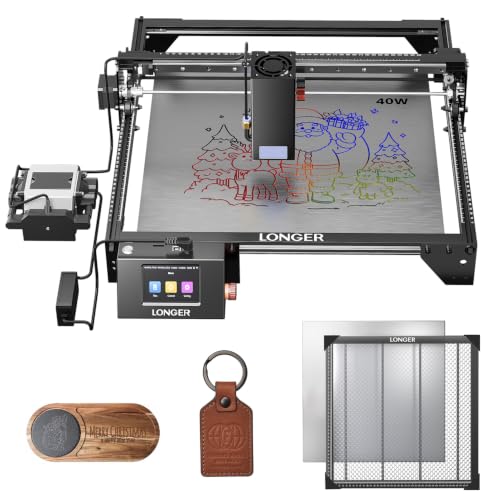
Longer RAY5 40W Laser Engraver with Honeycomb Table
Best for: deep single-pass cutting and offline DIY projects
- Laser Power
- 40W
- Engraving Speed
- 24,000 mm/min
- Software Compatibility
- LaserBurn, LaserGRBL, LightBurn
- Cutting Capacity
- 0.78" (20mm) wood, 1.18" (30mm) acrylic
- Compatible Material
- Wood, Metal, Acrylic, Leather, Glass, Paper
- Target Audience
- DIY
View on Amazon: Longer RAY5 40W Laser Engraver with Honeycomb Table
The Longer RAY5 40W Laser Engraver with Honeycomb Table is an open-frame diode cutter built for maker workshops. It features a 40W optical output module and operates at speeds up to 24,000 mm/min. With a 0.08 by 0.1 mm focus spot, it cuts up to 20 mm wood and 30 mm black acrylic in a single pass. It suits you if you need deep cutting capacity and multi-connection offline control for DIY projects.
Pros
- 40W optical output cuts 20 mm wood and 30 mm acrylic in a single pass
- Engraving speeds reach up to 24,000 mm/min
- Includes a 17.3 by 17.3-inch iron and aluminum honeycomb work table
- Supports USB, TF card, Wi-Fi, and mobile app offline operation
Cons
- Open-frame construction lacks a protective enclosure
- No integrated camera system listed for visual positioning
Good fit if
- You need high optical wattage to cut thick wood or acrylic in one pass.
- You want to run jobs untethered from a computer using Wi-Fi, an app, or a TF card.
- You want a matching 17.3 by 17.3-inch honeycomb bed included in the package.
Skip if
- You need a fully enclosed desktop laser for contained smoke management.
- You require an overhead camera for automatic workpiece alignment.
- You plan to cut steel thicker than 0.15 mm.
Verdict: Longer RAY5 40W Laser Engraver with Honeycomb Table delivers high-wattage cutting power and rapid engraving speeds for demanding maker projects. Its included honeycomb bed and broad offline connectivity make it a practical open-frame desktop tool.

OMTech K40+ 45W CO2 Laser Engraver
Best for: small-format acrylic cutting with dedicated CO2 cooling
- Laser Type
- CO2
- Laser Power
- 45W
- Working Area
- 12"x8"
- Software Compatibility
- LightBurn, LaserGRBL
- Cutting Capacity
- 0.4" (10mm) acrylic, 0.31" (8mm) wood
- Features
- Water Chiller
This desktop CO2 laser engraver delivers 45W of optical power and includes a dedicated CW-3000 water chiller. It cuts up to 0.4-inch acrylic and 0.31-inch wood within a 12-by-8-inch working area. With built-in air assist, door and water safety protections, and direct compatibility with LightBurn and LaserGRBL, it suits small workshops and hobbyists who need the clean cutting characteristics of a dedicated CO2 tube for acrylic and wood projects.
Pros
- 45W CO2 laser cuts up to 0.4-inch acrylic and 0.31-inch wood
- Includes dedicated CW-3000 water chiller for tube cooling
- Built-in 45-degree air assist clears smoke and debris
- Compatible with both LightBurn and LaserGRBL software
- Safety features include door sensor, water protection, and emergency stop
Cons
- Working area is limited to 12 by 8 inches
- Machine and chiller ship separately in two different packages
- Weighs 53.8 pounds, making it heavier to move than open-frame diode units
Good fit if
- You specifically need a CO2 laser source to cut clear acrylic and organic materials
- You want an integrated cooling setup that includes a CW-3000 chiller
- You work on smaller designs that fit within a 12-by-8-inch workspace
Skip if
- You need a large cutting bed exceeding 12 by 8 inches
- You want a lightweight, portable engraver under 50 pounds
- You prefer an open-frame diode machine that arrives in a single package
Verdict: OMTech K40+ 45W CO2 Laser Engraver delivers genuine CO2 cutting power with an included dedicated water chiller and built-in safety controls. It is a capable choice if your projects fit within its compact 12-by-8-inch working envelope.

SCULPFUN E1 Pro 21W Enclosed Laser Engraver
Best for: safe indoor crafting and camera-assisted alignment
- Laser Type
- Diode (455nm)
- Laser Power
- 21000mW
- Working Area
- 400×320mm
- Engraving Speed
- up to 600mm/s
- Software Compatibility
- SCULPFUN Space, LightBurn, LaserGRBL
- Form Factor
- Fully enclosed (Class 1)
This fully enclosed Class 1 desktop diode engraver pairs a 21000mW laser with a 400x320mm work area. It uses a CoreXY motion system reaching speeds up to 600mm/s with a fine 0.04x0.06mm spot size. An integrated HD smart camera aids visual positioning, while the included air assist, honeycomb bed, and exhaust kit simplify setup. It suits home workshops and craft businesses prioritizing integrated enclosure safety.
Pros
- Class 1 fully enclosed body with lid-open auto-pause and USB safety key
- High-speed CoreXY motion system reaching up to 600mm/s
- Built-in HD camera for visual layout and alignment
- Ships pre-assembled with air assist pump, exhaust kit, and honeycomb bed
Cons
- Work area of 400x320mm is smaller than open-frame 400x400mm platforms
- Requires coating or blackening reflective metals and clear acrylics before engraving
Good fit if
- You want a fully enclosed Class 1 laser with built-in emergency shutoffs for an indoor workshop
- You need an integrated camera to align graphics on irregular workpieces without manual measuring
- You prefer an out-of-the-box bundle that includes an air assist pump and honeycomb plate
Skip if
- You need to engrave large panels beyond the 400x320mm bed limit
- You frequently cut bare, reflective metals without applying pre-treatments
Verdict: SCULPFUN E1 Pro 21W Enclosed Laser Engraver delivers clean cutting and fast 600mm/s engraving inside a self-contained, camera-assisted enclosure.

Creality Falcon A1 Pro 20W Enclosed Engraver
Best for: Beginners needing safe, enclosed desktop engraving
- Laser Power
- 20W (20,000mW)
- Working Area
- 14.09" x 10.55" (approx. 358x268mm)
- Engraving Speed
- 600 mm/s
- Software Compatibility
- Falcon Design Space
- Form Factor
- Class 1
- Cutting Capacity
- 10mm wood, 13mm acrylic
View on Amazon: Creality Falcon A1 Pro 20W Enclosed Engraver
The Creality Falcon A1 Pro is a Class 1 enclosed laser engraver with a 20W blue laser module. It offers a 14.09 x 10.55 inch work area and cuts up to 10mm wood or 13mm acrylic. An optional 2W IR module adds metal marking capability. The unit includes a smart camera for precise positioning and a touchscreen interface. It is designed for beginners and small business users who need safety compliance and fast engraving speeds.
Pros
- Class 1 enclosed safety rating with 99% light filtration
- 20W blue laser cuts 10mm wood in a single pass
- Smart HD camera with drag-and-drop design positioning
- Optional 2W IR module for ultra-fine metal engraving
- Touchscreen interface with pre-tested material settings
Cons
- Smaller 14.09 x 10.55 inch work area than many competitors
- IR module sold separately for metal marking
- Proprietary Falcon Design Space software limits third-party integration
Good fit if
- You need a Class 1 safe machine for home or office use
- You want a touchscreen interface for easy operation
- You require precise positioning via an integrated camera
Skip if
- You need to engrave metals without buying an extra module
- You require compatibility with LightBurn or other third-party software
- You need a larger cutting area for big projects
Verdict: The Creality Falcon A1 Pro 20W fits users who prioritize safety and ease of use over raw cutting size. It is a practical option for beginners who want a contained, camera-assisted workflow without complex software setup.

Longer Laser B1 48W Engraver
Best for: deep cutting and high-speed large-format projects
- Laser Power
- 48000mW (40000mW output)
- Working Area
- 450 x 440 mm
- Engraving Speed
- 36,000 mm/min
- Software Compatibility
- LightBurn, LaserBurn App
- Cutting Capacity
- 40mm basswood, 50mm acrylic
- Compatible Material
- Wood, Metal, Acrylic, Leather, Glass, Paper
This open-frame laser engraver delivers 40000mW output power paired with a 450 x 440 mm working area. You can reach speeds up to 36,000 mm/min while an automated air-assist pump connects to LightBurn for clean cuts. It cuts materials up to 40mm basswood and 50mm acrylic. It suits makers who need high optical power and a larger workspace for extensive cutting and engraving jobs.
Pros
- 40000mW laser output cuts up to 40mm basswood and 50mm acrylic
- Generous 450 x 440 mm working area
- Operating speed up to 36,000 mm/min
- Includes automated air-assist pump controllable via LightBurn
- Eight safety features including flame detection and emergency stop
Cons
- Open-frame build lacks a built-in protective enclosure
- No integrated camera system listed for visual positioning
- Large footprint measures 28.6 by 26.3 inches
Good fit if
- You need heavy cutting capacity for thick acrylic and basswood
- You want a large 450 x 440 mm working area for batch work or bigger projects
- You prefer mobile control using the LaserBurn app alongside LightBurn
Skip if
- You require a fully enclosed Class 1 laser engraver for your workspace
- You need an integrated camera system for visual project alignment
- You have tight desk space that cannot fit a 28.6 by 26.3 inch frame
Verdict: Longer Laser B1 48W Engraver gives you strong cutting power and a wide 450 x 440 mm bed. It is a capable open-frame tool when you prioritize raw output and fast travel speeds.
Specifications side by side
| Spec | xTool M2 20W Enclosed Laser Engraver | ATOMSTACK 48W Laser Engraver with Rotary Chuck | LaserPecker LP2 Plus Portable Laser Engraver | xTool SafetyPro AP2 Smoke Purifier | Creality Falcon A1 Pro 20W Enclosed Engraver | Creality Falcon A1 Pro 20W Enclosed Engraver | Creality Falcon2 Pro S 22W Desktop Laser | Longer B1 40W Laser Engraver | ATOMSTACK A40 Pro V2 with Rotary Chuck | Creality Falcon2 Pro S 22W Enclosed Laser | Longer RAY5 40W Laser Engraver with Honeycomb Table | OMTech K40+ 45W CO2 Laser Engraver | SCULPFUN E1 Pro 21W Enclosed Laser Engraver | Creality Falcon A1 Pro 20W Enclosed Engraver | Longer Laser B1 48W Engraver |
|---|---|---|---|---|---|---|---|---|---|---|---|---|---|---|---|
| Laser Type | Diode | not specified | Diode | not specified | not specified | Blue-laser | Diode | not specified | not specified | not specified | not specified | CO2 | Diode (455nm) | not specified | not specified |
| Laser Power | 20W (20000mW) | 24W / 48W | 10W | not specified | 20W | 20W | 22W | 40W (up to 48W) | 24W/48W (48,000mW) | 22W (22000mW) | 40W | 45W | 21000mW | 20W (20,000mW) | 48000mW (40000mW output) |
| Working Area | not specified | not specified | not specified | not specified | not specified | not specified | not specified | 450 x 440 mm | not specified | not specified | not specified | 12"x8" | 400×320mm | 14.09" x 10.55" (approx. 358x268mm) | 450 x 440 mm |
| Engraving Speed | not specified | 500mm/s (30,000mm/min) | 4000mm/s | not specified | 600mm/s | up to 600 mm/s | 600mm/s (up to 500mm/s) | 36,000 mm/min | 500mm/s (30,000mm/min) | Up to 25,000 mm/min | 24,000 mm/min | not specified | up to 600mm/s | 600 mm/s | 36,000 mm/min |
| Software Compatibility | xTool Studio | LightBurn, LaserGRBL | not specified | not specified | Creality Falcon Design Space | Falcon Design Space | not specified | not specified | LightBurn, LaserGRBL | not specified | LaserBurn, LaserGRBL, LightBurn | LightBurn, LaserGRBL | SCULPFUN Space, LightBurn, LaserGRBL | Falcon Design Space | LightBurn, LaserBurn App |
| Form Factor | Class 1 Enclosed | not specified | not specified | not specified | Class 1 Safety Enclosed | Full Enclosed, Class 1 | Fully enclosed | not specified | not specified | Enclosed (Class 1) | not specified | not specified | Fully enclosed (Class 1) | Class 1 | not specified |
| Cutting Capacity | not specified | 18mm Basswood, 9mm MDF | Up to 6mm basswood | not specified | 10mm wood board or 13mm acrylic board | 10 mm basswood, 8 mm black acrylic | 15mm basswood, 10mm black acrylic | 40 mm basswood, 50 mm acrylic | 18mm Basswood, 9mm MDF, 0.1mm SS | 15mm basswood, 10mm black acrylic | 0.78" (20mm) wood, 1.18" (30mm) acrylic | 0.4" (10mm) acrylic, 0.31" (8mm) wood | not specified | 10mm wood, 13mm acrylic | 40mm basswood, 50mm acrylic |
| Compatible Material | Wood, Leather, Paper, Fabric | Wood, Metal, Acrylic, Leather, Jewelry | Wood, Metal, Acrylic, Leather | not specified | Wood, Metal, Acrylic | Wood, Metal | Wood, Acrylic | not specified | Wood, Metal, Acrylic, Leather, Jewelry | Wood, Metal | Wood, Metal, Acrylic, Leather, Glass, Paper | not specified | not specified | Wood, Metal, Acrylic | Wood, Metal, Acrylic, Leather, Glass, Paper |
| Features | Enclosure, Camera | Air Assist, Rotary Axis | not specified | not specified | Enclosure, Air Assist, Camera, Auto Focus | Enclosure, Touchscreen, Auto Focus | Enclosure, Air Assist, Camera, Auto Focus | Enclosure, Air Assist, Camera | Air Assist, Rotary Axis | Enclosure, Air Assist, Camera | not specified | Water Chiller | Enclosure | Touchscreen | Air Assist |
| Target Audience | DIY | not specified | not specified | not specified | not specified | not specified | not specified | not specified | DIY | not specified | DIY | not specified | not specified | not specified | DIY |
| Size | 20W | A40 + R8 | LP2 Plus Suit | 290*491*542mm | 22.3*18.4*8.3 inch | not specified | Falcon2 Pro-22W with Integrated Enclosure | 40W | A40 Pro V2&R8 | not specified | 40W | 45W with LB&Chiller | not specified | not specified | B1-40 |
| Dimensions | not specified | 10 × 10 × 10 inches | 11.2 × 7.01 × 11.4 inches | 25.6 × 16.1 × 26.4 inches | 5 × 3 × 1 inches | 32 × 27 × 15 inches | 26 × 22 × 12.9 inches | not specified | 26.8 × 23.2 × 6.69 inches | 25.4 × 11.2 × 30.3 inches | not specified | 31.9 × 19.7 × 9.8 inches | 23.2 × 19.7 × 8.07 inches | 18.4 × 22.3 × 8.29 inches | 28.6 × 26.3 × 9.4 inches |
| Weight | not specified | not specified | not specified | 46.1 pounds | 37 pounds | 37.5 pounds | 49.3 pounds | not specified | not specified | not specified | not specified | 53.8 pounds | 26.6 pounds | 37 pounds | not specified |
| Color | M2 Basic | Black | LP2 Plus (SpinTrack) | White+Black | A1 Pro-20W-White | Falcon-A1 Pro 20W | Falcon2 Pro S 22W | Camera Set | A40 Pro V2&R8 | Falcon2 Pro S 22W | not specified | Blue | E1 Pro-21W | A1 Pro - White | Dark blue,Black |
| Model | MLM-K610-001 | A40 Pro V2+R8 | LP2 Plus | MAX-S300-P01 | Creality Falcon A1 PRO | Falcon A1 Pro | Falcon2 pro 22W | B1 40W | MH-A40 Pro V2&R8 | Creality Falcon2 Pro 22W | not specified | K40+ 45W | E1 | Creality Falcon A1 Pro | RAY5-B1 40W |
Hardware Trade-Offs to Expect Under $1000
Choosing an engraver Under $1000 requires balancing enclosure safety against workspace size and optical output. Most models in this category use diode lasers suited for DIY craft work on wood, acrylic, and leather. If you need high laser power between 40W and 48W, the machines use open-frame form factors rather than protective enclosures. Conversely, fully enclosed desktop designs that feature alignment cameras or autofocus cap laser power at 20W to 22W, or they restrict platen size down to 3.94 by 3.94 inches.
- Laser power: High-output 40W to 48W modules only appear on open-frame chassis, while enclosed desktop units cap at 20W to 22W.
- Platen size: Enclosed and dual-source options restrict cutting beds to dimensions like 12 × 8 inches or 3.94 × 3.94 inches.
- Laser type: Diode modules make up nearly the entire category, leaving CO2 alternatives limited to a single 45W model.
If you need kitchen appliances, our list of the best ranges under 1000 compares cooktop and oven specifications.
How we chose these engravers
This guide covers laser engravers and accessories that fit the Under $1000 category on Amazon. We select one variant per product family and rely strictly on published manufacturer specifications, including optical power, work area, and safety features. Products are never physically handled. The list orders in-stock items first, then uses sales rank to place better-selling options higher on the page.
Live availability and values refresh at least daily on the page. Because items qualify solely by their current status matching Under $1000, listings can move on or off this guide as merchant data changes over 2026.
How to Choose the Right Laser Engraver
-
Select the Laser Source Type
Review the laser source technology before buying because it dictates which materials you can process. Most entry-level models utilize blue diode modules, which excel at marking organic materials like wood, leather, and dark acrylics. However, diode beams struggle with clear acrylic or bare metals without coatings. If your projects involve cutting clear acrylic sheets or require dedicated gas-tube power, look at CO2 options like the OMTech K40+ 45W CO2 Laser Engraver. Check whether a machine offers infrared dual-wavelength setups if bare jewelry engraving is a priority.
-
Evaluate Enclosure and Safety Design
Check whether the machine features an open frame or a Class 1 fully enclosed chassis. Open-frame models offer accessible workspaces and lower base weights, but they require dedicated laser safety goggles and well-ventilated dedicated workshops. Enclosed models, such as the Creality Falcon2 Pro S 22W Desktop Laser, shield your working environment from direct laser radiation while sealing in smoke and particulate matter. If you plan to operate your equipment inside a home, shared craft room, or office, prioritize fully enclosed housings with built-in exhaust ports.
-
Check Positioning Camera Features
Examine the optical setup features to understand how designs are aligned onto your stock. Basic engravers require manual framing by jogging the laser module across work corners to check placement boundaries. Higher-end units integrate overhead or dual cameras inside the lid, as found on the xTool M2 20W Enclosed Laser Engraver. A camera captures a real-time snapshot of the bed, letting you drop graphic files directly onto scrap materials or irregular blanks. This spec prevents misaligned engravings and reduces test material waste.
-
Confirm Air Assist Integration
Review whether air assist hardware is included in the box or sold separately. Cutting without airflow leaves charred, discolored edges and causes smoke to deposit residue onto the focusing lens. Systems equipped with integrated air assist direct high-pressure air directly at the focal point to blow away combustion debris. The Longer Laser B1 40W Engraver includes built-in air assist routing to keep cutting lines sharp. Check the spec sheet for bundled air pumps so you avoid purchasing separate tubing and compressors.
-
Verify Rotary Attachment Needs
Check if your planned projects involve curved surfaces like tumblers, bottles, mugs, or rings. Standard flatbed gantries only engrave across flat, planar sheets along the X and Y axes. To mark round objects, the machine must support a motorized rotary accessory that spins the item beneath the laser beam. Models such as the ATOMSTACK 48W Laser Engraver with Rotary Chuck ship with a dedicated multi-axis chuck system included. Review product bundles to confirm whether the rotary chuck or roller is supplied directly.
-
Assess Work Bed Dimensions
Compare the usable bed dimensions against the maximum size of your finished goods. Compact desktop units keep physical footprints small but limit jobs to small gifts or jewelry pieces. Large-format models provide extended bed spans suitable for signage, furniture parts, or bulk batch production without repositioning stock. For instance, the Longer RAY5 40W Laser Engraver with Y-Axis Extension offers an elongated 385 by 825 mm bed area. Verify that both the working travel limits and the machine's external physical dimensions fit your table space.
Frequently asked questions
What is the benefit of a dual-laser setup like diode and infrared?
A dual-laser setup expands the variety of materials you can engrave without switching machines. For example, the Carverall A1 Pro pairs a 12W diode module with a 1.2W infrared module. This allows you to engrave organic items like wood alongside bare metals, glass, and jewelry directly on its compact 3.94 by 3.94-inch work bed.
How does a CO2 laser engraver differ from a diode engraver?
A CO2 laser uses a gas-filled tube rather than solid-state semiconductor diodes to generate light. The OMTech K40+ features a 45W CO2 tube and includes a dedicated water chiller to maintain operating temperatures. It runs via LightBurn software and provides a 12-by-8-inch cutting area, making it a specialized choice for small-format acrylic projects.
Can you engrave cylindrical items such as tumblers on these machines?
Yes, you can engrave cylindrical objects if the machine includes or supports a rotary attachment. The ATOMSTACK 48W Laser Engraver comes bundled with a rotary chuck system designed for multi-axis positioning. This setup lets you engrave curved materials like drinkware and jewelry without needing to purchase an add-on rotary axis separately.
What role does an integrated camera play in desktop laser engraving?
An integrated camera provides a live overhead view of the bed to assist with design placement. Systems on machines like the xTool M2 20W and Creality Falcon A1 Pro let you align graphics over specific workpieces via software. This visual alignment minimizes positioning errors and helps speed up project setup before cutting.
Why do some laser engravers include integrated air assist?
Air assist channels a continuous, pressurized stream of air directly at the laser contact point. Models like the Longer Laser B1 40W and Creality Falcon2 Pro S feature air assist to blow away vaporized material and smoke. This process reduces scorch marks on wood edges and prevents smoke residue from settling on the laser lens.
How large of a project can you engrave on an extended bed laser?
An extended bed allows you to process long workpieces that exceed standard square frames. For instance, the Longer RAY5 40W with Y-Axis Extension features an expanded 385 by 825 millimeter workspace, providing roughly 33.5 inches of usable length. This elongated bed lets you cut or engrave signs, skateboards, and large panels in a single pass.
Do you need a dedicated smoke purifier when operating an enclosed laser indoors?
A smoke purifier is useful if you run an engraver indoors without direct ducting to an exterior window. The xTool SafetyPro AP2 provides multi-stage particle separation and odor filtration for setups requiring under 150 cubic meters per hour of airflow. It captures smoke and fumes during cutting, helping maintain clean air in your workspace.