The Best Ortur Laser Engravers in 2026: 15 Picks
As an Amazon Associate we earn from qualifying purchases. Links on this page are affiliate links.
Choosing the best ortur laser engravers involves matching optical wattage, chassis design, and safety features to your workspace. Ortur offers open-frame systems, compact enclosed units, foldable portable models, and accessories like rotary chucks and air assist pumps.
The Ortur R2 10W Enclosed Laser Engraver leads the lineup with its built-in enclosure, alignment camera, and touchscreen designed for indoor desktop crafting without a computer. We evaluated 15 products based strictly on manufacturer specifications so you can find the right match for your materials and work area.
Quick picks
Our 15 picks

Ortur R2 10W Enclosed Laser Engraver
Best for: indoor desktop crafting without a computer
- Laser Power
- 10W
- Working Area
- 300 x 210 mm (11.8" x 8.3")
- Engraving Speed
- Up to 20,000 mm/min (333 mm/s)
- Form Factor
- Fully Enclosed (Class 1)
- Compatible Material
- Wood, Metal, Acrylic, Leather
- Features
- Enclosure, Camera, Touchscreen
The Ortur R2 is an enclosed Class 1 desktop laser engraver and cutter equipped with a 10W diode module. It provides a 300 by 210 mm working area, engraving speeds up to 20,000 mm/min, and an integrated HD camera for alignment. With an onboard touchscreen and TF card slot, you can operate it completely offline without connecting a computer.
Pros
- Fully enclosed Class 1 safety housing ready out of the box
- Built-in HD camera provides live positioning preview on materials
- Standalone operation via integrated touchscreen and TF card slot
- Engraving speeds reach up to 20,000 mm/min
- Supports swappable Ortur laser modules for future upgrades
Cons
- Working area is limited to 300 x 210 mm
- 10W output provides less cutting capability than 20W configurations
Good fit if
- You want an enclosed Class 1 machine suitable for home or desk use without building a separate safety cover.
- You prefer running jobs offline via a touchscreen rather than tethering a PC or mobile device.
- You need camera-assisted alignment to accurately position designs on small items.
Skip if
- You need to engrave or cut workpieces larger than 300 x 210 mm.
- You require high-wattage cutting performance out of the box.
Verdict: Ortur R2 10W Enclosed Laser Engraver delivers Class 1 safety, camera alignment, and computer-free operation in a compact footprint. It is a solid choice if you prioritize indoor safety and standalone desktop workflow over a large open bed.

Ortur R1 5W Enclosed Portable Laser
Best for: portable tabletop crafting and small engraved items
- Laser Power
- 5W
- Working Area
- 100 x 100 mm
- Engraving Speed
- 5000 mm/min
- Software Compatibility
- App
- Form Factor
- Enclosed (Class 1)
- Cutting Capacity
- 3 mm basswood
The Ortur R1 Foldable Laser Engraver is a portable, fully enclosed Class 1 laser machine designed for quick setup without assembly. It provides a 5W laser module with a 100 by 100 mm working area and speeds up to 5000 mm/min. With app-based control, tilt detection, and an integrated aluminum base plate, it suits you if you need a compact, tabletop engraver for small crafts and cutting 3 mm basswood.
Pros
- Foldable Class 1 enclosed design requires zero assembly
- Comprehensive safety suite includes lid-stop, tilt detection, and USB key lock
- Fine 0.025 x 0.11 mm laser spot with up to 0.05 mm accuracy
- Integrated aluminum alloy base plate protects tabletop surfaces
Cons
- Compact 100 x 100 mm working area limits project dimensions
- 5W output is limited to cutting thinner materials like 3 mm basswood
- Operates via mobile app rather than desktop software
Good fit if
- You want an enclosed Class 1 engraver that works directly out of the box without assembly.
- You prioritize safety features like tilt detection, cover shutoff, and a physical USB interlock.
- You work on smaller designs that fit within a 100 x 100 mm working space.
Skip if
- You need to engrave or cut workpieces larger than 100 x 100 mm.
- You need high optical wattage for cutting thick boards.
Verdict: Ortur R1 Foldable Laser Engraver delivers a safe, enclosed setup in a portable folding design. It is built for small crafts where quick deployment and built-in protections are essential.

Ortur Laser Master 2 10W Engraver
Best for: DIY makers needing reliable 10W cutting capacity
- Laser Power
- 10W (10000mW)
- Working Area
- 390 x 410mm
- Software Compatibility
- LaserGRBL, LightBurn
- Cutting Capacity
- 20mm wood, 30mm acrylic
- Compatible Material
- Metal
- Target Audience
- DIY
This open-frame laser engraver delivers 10W of optical output with a 390 by 410 mm working area. It cuts materials up to 20 mm in wood and 30 mm in acrylic using a fine 0.05 by 0.1 mm compressed laser spot. If you want a dependable desktop machine for personal DIY cutting and engraving that works with LaserGRBL and LightBurn, this model offers a capable feature set.
Pros
- 10W optical output cuts up to 20 mm wood and 30 mm acrylic
- Fine 0.05 mm x 0.1 mm compressed laser focal spot
- Dual-fan module cooling and built-in air-assist interface
- Safety stops for tilt, displacement, USB disconnect, and idle state
Cons
- Open-frame Class 4 design lacks a fully enclosed cabinet
- Requires user assembly out of the box
- Air pump is not included with the integrated air-assist interface
Good fit if
- You want an open-frame platform with a generous 390 x 410 mm working area
- You plan to cut dense stock such as 20 mm wood or 30 mm acrylic
- You use standard engraving software like LaserGRBL or LightBurn on Windows or Mac
Skip if
- You need a factory-enclosed Class 1 machine for home or classroom safety
- You want a fully pre-assembled unit that requires no hardware setup
- You require a higher-output 20W module for faster production speeds
Verdict: Ortur Laser Master 2 S2 10W Engraver provides a solid balance of 10W optical cutting strength and a precise 0.05 by 0.1 mm spot size on an open metal frame. It is a practical, modular choice for DIY makers who work across wood, acrylic, and metal.
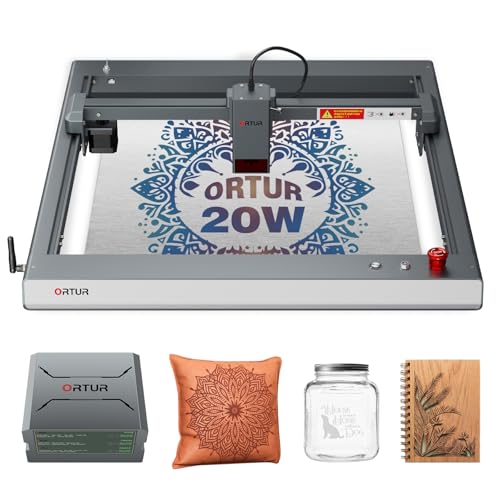
Ortur Laser Master 3 20W with Air Assist
Best for: Heavy cutting and stainless steel color engraving
- Laser Power
- 20W
- Engraving Speed
- Up to 20,000 mm/min
- Software Compatibility
- LaserGRBL, LightBurn, ORTUR App, Web UI
- Cutting Capacity
- 15mm pine, 10mm plywood, 8mm acrylic
- Compatible Material
- Wood, Metal, Acrylic, Leather
- Features
- Air Assist
This open-frame laser machine delivers 20,000mW of optical output paired with a compressed 0.08 × 0.08 mm spot size. It achieves speeds up to 20,000 mm/min and includes an integrated 50L air assist pump to reduce scorch marks. If you need heavy-duty cutting, such as single-pass cuts through 15mm pine or color marking on stainless steel, this high-output model is built for your workshop.
Pros
- High 20W optical output with 0.08 × 0.08 mm laser spot
- Includes dedicated 50L air assist pump and built-in air tube
- Engraves up to 20,000 mm/min across wood, acrylic, and leather
- Capable of over 380 colors on stainless steel surfaces
- Eight built-in safety protections including tilt detection and emergency stop
Cons
- Open-frame build lacks an enclosed protective cover
- Substantial physical footprint measuring 25.9 by 24.6 inches
Good fit if
- You need deep cutting capability for thick pine, plywood, or acrylic
- You want a bundled air assist pump to minimize edge burning
- You intend to produce color engravings on stainless steel
Skip if
- You prefer a fully enclosed Class 1 desktop engraver
- You have tight desk space that cannot fit a 25.9-inch wide machine
Verdict: Ortur Laser Master 3 20W Engraver provides serious cutting capability and fast processing speeds backed by an included air assist system. It is a powerful open-frame choice for users tackling dense materials and metal color marking.

Ortur Laser Master 3 10W Engraver
Best for: DIY makers needing fast, app-controlled 10W engraving
- Laser Power
- 10W
- Working Area
- 15.7'' x 15.7''
- Engraving Speed
- Up to 20,000mm/min
- Software Compatibility
- LaserGRBL, LightBurn, ORTUR APP, Web UI
- Cutting Capacity
- 12mm plywood, up to 30mm black acrylic
- Compatible Material
- Wood, Metal, Acrylic, Leather, Glass
The Ortur Laser Master 3 pairs a 10W output module with an open 15.7 by 15.7-inch working area. Operating at speeds up to 20,000 mm/min, it cuts up to 12 mm plywood and features a compressed 0.05 by 0.1 mm focus spot. It suits DIY makers who need fast engraving and multi-platform software compatibility across mobile and desktop devices.
Pros
- High engraving speed reaching up to 20,000 mm/min
- Compressed laser spot size of 0.05 x 0.1 mm for fine detail
- Comprehensive connectivity with Wi-Fi, USB, TF Card, and mobile app control
- Eight built-in safety systems, including tilt detection and an emergency stop button
- Integrated air assist hardware and dual cooling fans
Cons
- Open-frame build lacks a fully enclosed protective housing
- Mac OS support requires using third-party LightBurn software
Good fit if
- You want wireless control from an iPhone, Android, or tablet via an app
- You need high working speeds up to 20,000 mm/min for detailed engraving projects
- You plan to cut materials like 12 mm plywood or black acrylic up to 30 mm
Skip if
- You require an enclosed Class 1 laser engraver for desktop safety
- You want higher laser output than 10W without changing modules
Verdict: Ortur Laser Master 3 10W Engraver delivers rapid processing speeds and fine spot precision for versatile cutting and engraving across wood, acrylic, and leather.

Ortur 50L/min Air Assist Pump
Best for: cleaner cuts on compatible Ortur engravers
- Features
- Air Assist
- Weight
- 6.06 pounds
The Ortur 50L/min Air Assist Pump is an external airflow accessory designed for specific Ortur laser modules, including LU2-4-LF, LU2-10A, and LU3-20A units. It delivers adjustable airflow from 0 to 50 liters per minute to cool cut surfaces, protect the lens from debris, and reduce scorching during operation. At 6.06 pounds, this pump suits you if you want cleaner cutting edges on supported Laser Master setups.
Pros
- Delivers adjustable airflow from 0 to 50 liters per minute
- Compatible with Ortur LU2-4-LF, LU2-10A, and LU3-20A modules
- Provides stable air output to protect the laser lens from debris
- Engineered for low noise and low vibration operation
Cons
- Requires a separate compatible engraver to function
- Weighs 6.06 pounds, adding external bulk to your workspace
- Compatibility is restricted to specific Ortur modules
Good fit if
- You own a compatible Ortur Laser Master 2 or Laser Master 3 model
- You want up to 50 liters per minute of air assist for cleaner edges and deeper cutting
- You need to protect your laser module lens from smoke and residue
Skip if
- You need a standalone laser engraver rather than an accessory
- You operate an unsupported engraver outside the specified Ortur module lineup
Verdict: Ortur 50L/min Air Assist Pump delivers dedicated airflow up to 50 liters per minute to reduce scorch marks and safeguard compatible laser heads. It is a focused upgrade that helps your supported Ortur machine achieve smoother edges and deeper cuts.

Ortur F20 Portable Laser Engraver
Best for: portable, small-scale wood and metal engraving
- Laser Type
- diode laser
- Laser Power
- 5000mW
- Working Area
- 15×15cm (5.91×5.91 inches)
- Engraving Speed
- 15000mm/min
- Software Compatibility
- LightBurn, LaserGRBL, ORTUR App
- Form Factor
- Class 4
The Ortur F20 Portable Laser Engraver is a fully preassembled diode laser machine designed for small workshops and mobile setups. It provides a 5000mW laser output, a 0.005mm² spot size, and speeds up to 15000mm/min across a 15×15cm working area. Weighing 2.36kg, it suits you if you want a compact tool for detailed wood and metal engraving without assembling an open-frame kit.
Pros
- Fully preassembled design requires no mechanical frame assembly
- Lightweight 2.36kg aluminum construction enables easy transport
- 0.005mm² laser spot size and engraving speeds up to 15000mm/min
- Compatible with LightBurn, LaserGRBL, and the ORTUR mobile app
Cons
- 15×15cm (5.91×5.91 inches) engraving area limits project size
- 5000mW output offers less cutting power than higher-wattage models
- Class 4 open-frame build lacks an integrated protective enclosure
Good fit if
- You want a ready-to-use engraver that arrives fully preassembled.
- You need a lightweight machine weighing 2.36kg that you can easily move.
- You primarily engrave smaller workpieces within a 15×15cm area.
Skip if
- You require more than 5000mW of laser power for heavy cutting tasks.
- You plan to work on large materials exceeding 15×15cm.
- You prefer a fully enclosed Class 1 safety enclosure.
Verdict: Ortur F20 Portable Laser Engraver delivers a compact 15×15cm workspace and preassembled convenience for small-scale projects. Its 5000mW diode laser and 2.36kg weight make it a solid portable option when you do not need a full-sized work bed.

Ortur Laser Master 2 S2 Expansion Kit
Best for: extending the Laser Master 2 S2 bed
- Working Area
- 390 x 800 mm (15.35 x 31.49 in.)
- Software Compatibility
- LaserGRBL
This accessory expands the working area of your existing Ortur Laser Master 2 S2 engraver. By swapping out the stock Y-axis rails, it enlarges your usable space from 390 x 410 mm to 390 x 800 mm. It includes matching metal profiles, extended wiring, and assembly hardware. It suits you if you need to engrave or cut long projects like guitars or large photo frames without buying a completely new machine.
Pros
- Expands work area to 390 x 800 mm
- Directly replaces the stock Y-axis rails
- Includes necessary long wiring and mounting hardware
- Works with LaserGRBL on Windows XP through 10
Cons
- Does not include a laser module or standalone machine
- Only compatible with the Laser Master 2 S2 model
- Does not expand the 390 mm X-axis width
Good fit if
- You already own an Ortur Laser Master 2 S2 engraver
- You want to engrave longer items like guitars or signs
- You need 800 mm of Y-axis cutting space without modifying software dimensions
Skip if
- You need a complete, standalone laser engraving machine
- You own a different Ortur model such as the Laser Master 3
- You require wider engraving space along the X-axis
Verdict: Ortur Laser Master 2 S2 Expansion Kit doubles the Y-axis workspace of your compatible engraver to 390 x 800 mm using matched replacement rails. It is a practical upgrade for handling long materials without replacing your entire system.

Ortur Laser Master 2 Pro S2 10W Engraver
Best for: general-purpose 10W hobby and workshop fabrication
- Laser Power
- 10000mW
- Working Area
- 390*410mm
- Engraving Speed
- 15,000mm/min
- Software Compatibility
- LaserGRBL, LightBurn, Inspiraesth
- Cutting Capacity
- 30mm acrylic, 20mm wood
- Compatible Material
- Wood, Metal, Acrylic, Leather, Glass
This open-frame laser engraver delivers 10W of optical output with a 390 by 410 mm working area. You can engrave at speeds up to 15,000 mm/min thanks to a lightweight 235-gram laser module. Its compressed laser spot measures 0.05 by 0.1 mm, and it handles up to 20 mm wood or 30 mm acrylic. It suits makers who need a capable cutting setup with broad software compatibility.
Pros
- 10000mW output with capability to cut 20mm wood and 30mm acrylic
- Compressed spot size of 0.05mm x 0.1mm for fine detail
- Engraving speed reaches up to 15,000mm/min
- Built-in air-assist interface on the laser head
- Comprehensive safety suite including flame alarm and emergency stop switch
Cons
- Working area is 390 x 410mm rather than a full 400 x 400mm bed
- Open-frame design lacks a fully enclosed protective housing
- Requires initial mechanical assembly before first use
Good fit if
- You need 10W optical output to cut materials like wood up to 20mm thick
- You plan to connect your own external pump to the integrated air-assist nozzle
- You use LaserGRBL, LightBurn, or Ortur's Inspiraesth software across Windows or Mac
Skip if
- You require a fully enclosed Class 1 laser workstation right out of the box
- You want an expansive working area wider than 390 by 410mm without expansion kits
Verdict: Ortur Laser Master 2 Pro S2 10W Engraver pairs a fast 15,000 mm/min motion system with a fine 0.05 by 0.1 mm focal spot for reliable cutting and engraving. It is a capable choice if you want 10W output power and integrated air assist routing on an open-frame chassis.

Ortur Y-Axis Rotary Chuck
Best for: engraving tumblers, rings, and spheres
- Software Compatibility
- Laser Explorer, LaserGRBL, LightBurn
- Compatible Material
- Glass
- Features
- Rotary Axis
- Application
- Tumblers
- Weight
- 3.73 pounds
This accessory expands your laser engraving setup to handle curved and round workpieces. It supports cylindrical items with diameters from 1mm to 120mm, spheres from 25mm to 150mm, and rings from 11mm to 100mm. With a rotational speed of up to 360 degrees per second and 180-degree angle adjustment, you can engrave tumblers, glassware, and balls using software like LightBurn, LaserGRBL, or Laser Explorer.
Pros
- Supports cylindrical items from 1mm to 120mm in diameter
- Handles spheres from 25mm to 150mm and rings from 11mm to 100mm
- Offers 180-degree angle adjustment and 360-degree rotation
- Compatible with Laser Explorer, LaserGRBL, and LightBurn software
- Rotational speed reaches up to 360 degrees per second
Cons
- Requires manual adjustment and jaw assembly steps for different object sizes
- Functions only as an add-on attachment rather than a standalone machine
Good fit if
- You want to engrave curved items like tumblers, rings, or baseballs
- You already use Laser Explorer, LaserGRBL, or LightBurn software
- You need an adjustable jaw chuck capable of holding items as small as 1mm
Skip if
- You only plan to engrave flat sheets of material
- You need a complete, standalone laser engraving machine out of the box
Verdict: Ortur Y-Axis Rotary Chuck provides the multi-mode gripping flexibility needed to turn an Ortur machine into a dedicated cylinder, sphere, and ring engraver. It is an essential add-on if your projects expand beyond flat workpieces.
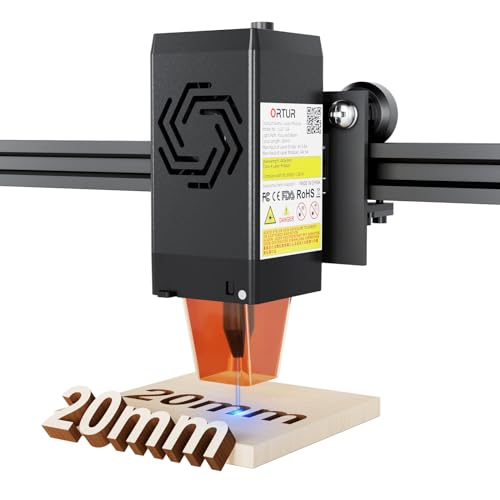
Ortur LU2-10A 10W Laser Module
Best for: Upgrading compatible Ortur frames to 10W power
- Laser Type
- Diode
- Laser Power
- 10000mW
- Software Compatibility
- LightBurn, LaserGRBL
- Cutting Capacity
- 20mm wood, 30mm acrylic
This is a standalone 10,000mW diode laser module designed as an upgrade or replacement head for compatible Ortur machines. It features a fine 0.05 x 0.1 mm compressed spot, dual-fan cooling, and an integrated air-assist interface nozzle. Weighing 235 grams, it cuts materials up to 20 mm wood and 30 mm acrylic. It suits you if you already own an Ortur frame and need higher cutting power.
Pros
- 10,000mW output power cuts up to 20 mm wood and 30 mm acrylic
- Ultra-fine 0.05 x 0.1 mm compressed laser spot
- Built-in air-assist nozzle interface
- Dual-fan cooling system on a lightweight 235 g head
Cons
- Standalone module only, frame and power base not included
- Requires an external air pump to utilize the air nozzle
Good fit if
- You own a compatible Ortur Laser Master 2, 2 Pro, or Laser Master 3 frame
- You want to upgrade an existing setup to 10W optical output power
- You need a focused 0.05 x 0.1 mm spot for detailed photo engraving
Skip if
- You need a complete, standalone engraving machine out of the box
- You do not already own a compatible 24V Ortur engraver
Verdict: Ortur LU2-10A 10W Laser Module delivers strong 10,000mW cutting capability and fine spot precision directly to your existing Ortur frame. It is an efficient path to double your cutting depth without replacing your entire machine.
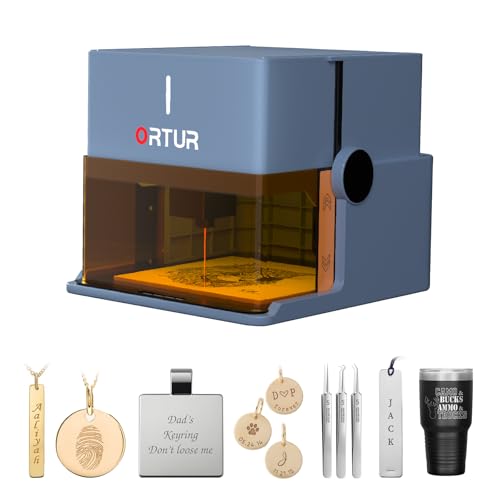
Ortur Foldable 1064nm Infrared Laser Engraver
Best for: marking fine jewelry and precious metals
- Laser Type
- 1064nm Infrared
- Laser Power
- 1000mW
- Form Factor
- Class 1 Foldable
- Compatible Material
- Metal, Acrylic, Jewelry, Plastic
- Dimensions
- 10.7 × 9.84 × 8.58 inches
View on Amazon: Ortur Foldable 1064nm Infrared Laser Engraver
This compact unit runs a 1000mW 1064nm infrared laser module inside a foldable, Class 1 safety enclosure. Because infrared light interacts efficiently with metals like gold, silver, platinum, and copper, you can customize jewelry, rings, and pendants without complex setups. It requires no installation, features an integrated aluminum base plate, and uses app-based controls. It suits you if you need a portable, dedicated engraver for precious metals, plastics, and leather.
Pros
- 1064nm infrared laser module tailored for gold, silver, platinum, and copper
- Foldable design requires no assembly and unfolds ready for use
- Class 1 safety housing with tilt detection, lid-stop, and USB security lock
- Integrated aluminum alloy base plate protects desktop surfaces
- Companion app features AI generation, puzzle mode, and sketch-to-engrave tools
Cons
- 1000mW output is built for fine surface engraving rather than cutting
- Small chassis limits engraving area to compact objects
- Machine will not operate without the safety USB key inserted
Good fit if
- You want to engrave small jewelry pieces like rings, necklaces, and bracelets
- You need a portable, pre-assembled machine that folds away for storage
- You require an enclosed Class 1 laser with automatic lid shut-off safety features
Skip if
- You need higher laser wattage to cut through thick wooden boards
- You work on large-format items that exceed compact tabletop dimensions
Verdict: Ortur R1 1064nm Infrared Foldable Laser delivers focused infrared capability in a portable, Class 1 enclosure. It is an ideal benchtop tool for anyone targeting detailed metal marking and jewelry personalization.
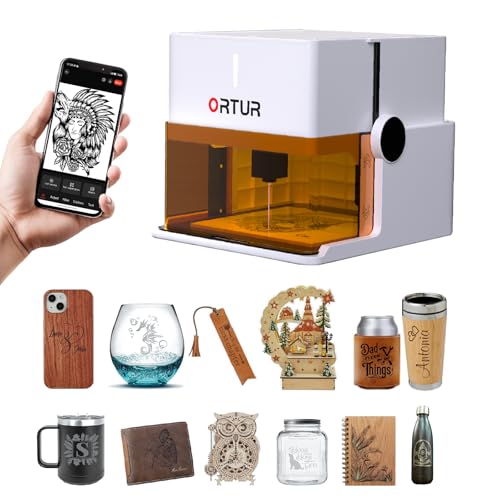
Ortur R1 5W Foldable Laser Engraver
Best for: safe, portable small-format desktop engraving
- Laser Power
- 5000mW
- Working Area
- 100 x 100 mm
- Engraving Speed
- 5000mm/min
- Form Factor
- Class 1 Foldable
- Cutting Capacity
- 3mm
- Compatible Material
- Wood, Leather, Glass
The Ortur R1 5W Foldable Laser Engraver is a compact, fully enclosed desktop machine designed for small-scale projects. It features a 5000mW laser diode, a 100 by 100 mm working area, and an engraving speed reaching up to 5000 mm/min. Because it uses a foldable setup with no assembly required and includes Class 1 safety interlocks, you can deploy it quickly in home or classroom environments for working on wood, leather, and glass.
Pros
- Foldable, zero-assembly design with an integrated aluminum alloy base plate
- Class 1 enclosed safety setup with lid-stop, tilt detection, and USB interlock key
- Fine 0.025 x 0.11 mm laser spot with up to 0.05 mm precision
- Single-pass cutting capability for up to 3 mm basswood board
Cons
- Compact 100 x 100 mm working area limits project sizes
- Maximum engraving speed is capped at 5000 mm/min
- Laser output is restricted to 5000mW
Good fit if
- You need a portable, ready-to-use engraver with no assembly required.
- You prioritize Class 1 enclosed safety features like lid-stop and tilt detection.
- You focus on small items that fit inside a 100 x 100 mm working area.
Skip if
- You need to engrave workpieces larger than 100 x 100 mm.
- You require laser power higher than 5000mW for deeper cutting.
- You want engraving speeds faster than 5000 mm/min.
Verdict: Ortur R1 5W Foldable Laser Engraver provides a safe, fully enclosed Class 1 setup that unfolds ready to work on small wood, leather, and glass projects. Its 100 x 100 mm working bed and 5W output make it suited for compact desktop tasks rather than large-format production.

Ortur Laser Master 3 10W Engraver
Best for: fast everyday cutting and detailed surface marking
- Laser Power
- 10W (10000mW)
- Working Area
- 400 x 400 mm (15.75 x 15.75 in.)
- Engraving Speed
- Up to 20000 mm/min
- Cutting Capacity
- 12 mm pine wood, 10 mm acrylic
- Dimensions
- 25.9 × 24.6 × 5.9 inches
This open-frame diode machine provides a 10W output power paired with a standard 400 x 400 mm working area. It runs at speeds up to 20,000 mm/min, driven by TMC2209 silent stepper drivers on an aluminum alloy frame. With a 0.05 x 0.1 mm focus spot, it cuts up to 12 mm pine wood in one pass. It suits makers who need fast engraving on wood, acrylic, and leather.
Pros
- High engraving speed reaching up to 20000 mm/min
- Fine 0.05 x 0.1 mm focus spot with 0.01 mm mechanical accuracy
- Cuts up to 12 mm pine wood and 10 mm acrylic in a single pass
- Silent TMC2209 stepper drivers reduce operating noise
Cons
- Open-frame Class 4 design requires the use of protective goggles
- Air assist and rotary chuck must be purchased separately as modular upgrades
- Takes up a large desktop footprint at 25.9 by 24.6 inches
Good fit if
- You want high-speed engraving runs up to 20,000 mm/min
- You need a standard 400 x 400 mm workspace for flat sheet materials
- You prioritize fine detail with a 0.05 x 0.1 mm focal spot
Skip if
- You require an enclosed Class 1 laser for your workspace
- You need an included air assist system out of the box
- You have limited desk space for a machine measuring over 24 inches wide
Verdict: Ortur Laser Master 3 10W Engraver delivers rapid processing speeds and fine detail across a spacious 400 x 400 mm bed. It is a solid choice for workshops handling everyday cutting and detailed marking tasks.

Ortur F20 10W Portable Laser Engraver
Best for: portable small-format engraving without DIY assembly
- Laser Type
- Diode
- Laser Power
- 10000mW (10W)
- Working Area
- 150 x 150 mm (5.91 x 5.91 in)
- Engraving Speed
- 15000mm/min
- Software Compatibility
- LightBurn, LaserGRBL, ORTUR App
- Form Factor
- Class 4
This compact Class 4 diode engraver delivers 10000mW of optical output inside a lightweight 2.36kg aluminum frame. It arrives fully preassembled, offering a 150 by 150 mm working area and an engraving speed reaching up to 15000mm/min. You can run projects through LightBurn, LaserGRBL, or mobile apps over iOS and Android. It suits makers who want solid 10W diode power without managing large, heavy frame assemblies.
Pros
- Ships fully preassembled for immediate setup
- Lightweight aluminum build weighing 2.36kg
- Fine 0.005mm² laser spot size
- Fast engraving speeds up to 15000mm/min
- Works with LightBurn, LaserGRBL, and the ORTUR App
Cons
- Working area is limited to 150 x 150 mm
- Class 4 open-frame design requires standard laser safety precautions
Good fit if
- You want an out-of-the-box machine with zero mechanical assembly
- You need a lightweight unit that is easy to move between workspaces
- You primarily engrave smaller items within a 150 by 150 mm footprint
Skip if
- You need to cut or engrave large sheets exceeding 150 mm in width
- You prefer a fully enclosed Class 1 safety housing
Verdict: Ortur F20 10W Portable Laser Engraver combines a preassembled portable frame with true 10000mW output for detailed desktop engraving. It is an efficient choice for hobbyists focused on small-format projects.
Specifications side by side
| Spec | Ortur R2 10W Enclosed Laser Engraver | Ortur R1 5W Enclosed Portable Laser | Ortur Laser Master 2 10W Engraver | Ortur Laser Master 3 20W with Air Assist | Ortur Laser Master 3 10W Engraver | Ortur 50L/min Air Assist Pump | Ortur F20 Portable Laser Engraver | Ortur Laser Master 2 S2 Expansion Kit | Ortur Laser Master 2 Pro S2 10W Engraver | Ortur Y-Axis Rotary Chuck | Ortur LU2-10A 10W Laser Module | Ortur Foldable 1064nm Infrared Laser Engraver | Ortur R1 5W Foldable Laser Engraver | Ortur Laser Master 3 10W Engraver | Ortur F20 10W Portable Laser Engraver |
|---|---|---|---|---|---|---|---|---|---|---|---|---|---|---|---|
| Laser Type | not specified | not specified | not specified | not specified | not specified | not specified | diode laser | not specified | not specified | not specified | Diode | 1064nm Infrared | not specified | not specified | Diode |
| Laser Power | 10W | 5W | 10W (10000mW) | 20W | 10W | not specified | 5000mW | not specified | 10000mW | not specified | 10000mW | 1000mW | 5000mW | 10W (10000mW) | 10000mW (10W) |
| Working Area | 300 x 210 mm (11.8" x 8.3") | 100 x 100 mm | 390 x 410mm | not specified | 15.7'' x 15.7'' | not specified | 15×15cm (5.91×5.91 inches) | 390 x 800 mm (15.35 x 31.49 in.) | 390*410mm | not specified | not specified | not specified | 100 x 100 mm | 400 x 400 mm (15.75 x 15.75 in.) | 150 x 150 mm (5.91 x 5.91 in) |
| Engraving Speed | Up to 20,000 mm/min (333 mm/s) | 5000 mm/min | not specified | Up to 20,000 mm/min | Up to 20,000mm/min | not specified | 15000mm/min | not specified | 15,000mm/min | not specified | not specified | not specified | 5000mm/min | Up to 20000 mm/min | 15000mm/min |
| Software Compatibility | not specified | App | LaserGRBL, LightBurn | LaserGRBL, LightBurn, ORTUR App, Web UI | LaserGRBL, LightBurn, ORTUR APP, Web UI | not specified | LightBurn, LaserGRBL, ORTUR App | LaserGRBL | LaserGRBL, LightBurn, Inspiraesth | Laser Explorer, LaserGRBL, LightBurn | LightBurn, LaserGRBL | not specified | not specified | not specified | LightBurn, LaserGRBL, ORTUR App |
| Form Factor | Fully Enclosed (Class 1) | Enclosed (Class 1) | not specified | not specified | not specified | not specified | Class 4 | not specified | not specified | not specified | not specified | Class 1 Foldable | Class 1 Foldable | not specified | Class 4 |
| Cutting Capacity | not specified | 3 mm basswood | 20mm wood, 30mm acrylic | 15mm pine, 10mm plywood, 8mm acrylic | 12mm plywood, up to 30mm black acrylic | not specified | not specified | not specified | 30mm acrylic, 20mm wood | not specified | 20mm wood, 30mm acrylic | not specified | 3mm | 12 mm pine wood, 10 mm acrylic | not specified |
| Compatible Material | Wood, Metal, Acrylic, Leather | Wood, Leather, Glass | Metal | Wood, Metal, Acrylic, Leather | Wood, Metal, Acrylic, Leather, Glass | not specified | Wood, Metal | not specified | Wood, Metal, Acrylic, Leather, Glass | Glass | not specified | Metal, Acrylic, Jewelry, Plastic | Wood, Leather, Glass | not specified | Wood, Metal, Acrylic, Glass |
| Features | Enclosure, Camera, Touchscreen | not specified | not specified | Air Assist | not specified | Air Assist | not specified | not specified | not specified | Rotary Axis | not specified | not specified | not specified | not specified | not specified |
| Target Audience | DIY, Beginners | not specified | DIY | not specified | DIY | not specified | not specified | not specified | not specified | not specified | not specified | not specified | not specified | not specified | not specified |
| Size | R2 10W Camera Laser Engraver | 5W | 10W | not specified | not specified | not specified | 5.91*5.91" | For OLM2 S2 | not specified | not specified | LU2-10A | 1064nm Infrared | 5W | not specified | 10W |
| Application | not specified | not specified | not specified | not specified | not specified | not specified | not specified | not specified | not specified | Tumblers | not specified | not specified | not specified | not specified | not specified |
| Dimensions | 18.5 × 15.7 × 8.43 inches | 12.4 × 11.4 × 7.28 inches | 22.4 × 21.7 × 6.9 inches | 25.9 × 24.6 × 5.91 inches | 25.9 × 24.6 × 5.9 inches | not specified | 12.6 × 8.27 × 13.8 inches | not specified | 23.6 × 22.4 × 5.12 inches | not specified | not specified | 10.7 × 9.84 × 8.58 inches | 12.4 × 11.4 × 7.28 inches | 25.9 × 24.6 × 5.9 inches | 12.6 × 8.27 × 13.8 inches |
| Weight | not specified | not specified | not specified | not specified | not specified | 6.06 pounds | not specified | not specified | not specified | 3.73 pounds | not specified | not specified | not specified | not specified | not specified |
| Color | R2 10W Camera Laser Engraver | Misty Blue | Black | 20W | 10W | Black | Blue | not specified | OLM2 Pro S2 10W | not specified | black | Misty Blue | White | 10W | Blue |
| Model | Ortur R2 | R1 | Laser Master 2 | ORTUR LM3 | OrturOLM3 | LM2 Pro S2 | F20 | 0025 | Ortur-LaserMaster2-ProS2 | not specified | LU2-10A | R1 | R1 | OLM3 | F20 |
The Ortur Lineup at a Glance
Ortur separates its catalog into open-frame machines, enclosed desktop units, and portable designs. If you need cutting power for wood and acrylic on a large bed, open-frame models like the Ortur Laser Master 3 20W with Air Assist fit workshop DIY projects. For indoor benchtop use, the Ortur R2 10W Enclosed Laser Engraver provides a built-in enclosure, camera alignment, and touchscreen operation without requiring a computer.
For compact or specialized tasks, portable options target different materials. The Ortur F20 Portable Laser Engraver gives you a 15 by 15 centimeter area for small wood and metal pieces. If you focus on marking metals and jewelry instead of standard diode cutting, the Ortur Foldable 1064nm Infrared Laser Engraver offers dedicated infrared output.
Where the Ortur Range Fits
The Ortur catalog spans from small 5W portable units and foldable 1064nm infrared engravers up to 20W open-frame gantries measuring nearly 26 inches wide. You can choose compact enclosed cubes with built-in cameras and touchscreens, preassembled portable towers, or wide-format flatbeds. Across this spectrum, output power ranges from 5W to 20W diode heads alongside a dedicated infrared option. However, the lineup does not include high-wattage options beyond 20W, and it lacks integrated pass-through slots on the enclosed machines for handling oversized sheet stock.
If you need standard text output on paper, compare technical specifications for the best monochrome laser printers.
How to Choose an Ortur Laser Engraver
-
Laser Power Output
Diode laser wattage dictates how fast you can engrave and how deep you can cut in a single pass. A 5W module handles delicate marking on wood and leather. Stepping up to 10W provides versatile cutting through acrylic and denser craft woods. If your work involves thick materials or metal color marking, a 20W optical unit gives you the highest speed and penetration. Review the Ortur Laser Master 3 20W with Air Assist if your workflow focuses heavily on cutting tasks.
-
Laser Wavelength for Materials
Different materials absorb distinct light wavelengths. Standard blue diode lasers process organic materials like wood, leather, and dark acrylics effectively. However, fine precious metals and jewelry require specialized absorption. The Ortur Foldable 1064nm Infrared Laser Engraver uses an infrared beam dedicated to plastic and metal marking. Check the material compatibility specifications before choosing a beam type. If you intend to mark rings, pendants, or bare metal surfaces, an infrared module offers the focused precision needed for fine jewelry work.
-
Enclosure and Work Area
Chassis design affects where you can operate the engraver. Open-frame models span up to 25.9 inches wide and accommodate larger items, but they require a dedicated workshop space. Enclosed units contain laser emissions and smoke inside a compact structure. The Ortur R2 10W Enclosed Laser Engraver offers a self-contained shell measuring 18.5 inches long, along with a built-in camera and touchscreen. Choose an enclosed unit if you need desktop operation in a shared indoor area without adding external safety barriers.
-
Air Assist for Clean Cuts
Air assist directs continuous airflow at the focal point during cutting. This stream removes smoke and debris from the kerf, preventing scorched edges and keeping the lens clean. Some units include routing or pumps, while others require add-on hardware. Adding the Ortur 50L/min Air Assist Pump delivers active air pressure to improve edge quality on dense wood or acrylic. Check whether your chosen model includes integrated air hardware or needs a dedicated pump to achieve clean cutting edges.
-
Bed Size and Expandability Options
Workbed dimensions limit the maximum size of your raw materials. Portable units provide working beds as small as 100 by 100 millimeters or 15 by 15 centimeters for quick, small jobs. Open-frame systems start around 400 by 400 millimeters and can grow further. The Ortur Laser Master 2 S2 Expansion Kit doubles the Y-axis workspace to 390 by 800 millimeters using extended rails. If you plan to make large signs or long panels, verify whether the frame supports expansion rail kits.
-
Rotary Axis for Curved Items
Standard laser beds only engrave flat workpieces along flat X and Y axes. If you want to customize drinking glasses, tumblers, rings, or spheres, you need a rotary attachment. The Ortur Y-Axis Rotary Chuck plugs into compatible machines to rotate cylindrical objects beneath the laser head. Check your target projects before buying. If your catalog includes drinkware or rounded gifts, ensure the machine's motherboard and clearance allow you to install and level a multi-mode rotary accessory.
Frequently asked questions
Which Ortur laser engraver is best for marking jewelry and metals?
The Ortur Foldable 1064nm Infrared Laser Engraver is designed specifically for jewelry and metal marking. Its 1064nm infrared laser wavelength reacts effectively with precious metals, acrylics, and plastics that blue diode lasers cannot engrave cleanly. The unit uses a compact, foldable design with a Class 1 protective enclosure, making it a safe choice for small tabletop metal personalization.
Can you operate an Ortur laser engraver without connecting a computer?
Yes, the Ortur R2 10W Enclosed Laser Engraver supports computer-free desktop operation. It incorporates an integrated touchscreen display and an internal camera for standalone job setup and design alignment. The machine is fully enclosed for Class 1 safety and engraves wood, metal, acrylic, and leather within a compact 15.7 by 18.5-inch desktop footprint.
What does the Ortur Laser Master 2 S2 Expansion Kit do?
The Ortur Laser Master 2 S2 Expansion Kit doubles the Y-axis workspace of your compatible engraver. By swapping out the stock side rails with the included matched structural extrusions, your working area expands to 390 by 800 millimeters. This modification lets you process long wooden signs, panels, and large assemblies without purchasing a whole new chassis.
How do you engrave cylindrical items like tumblers with an Ortur laser?
You can engrave curved objects by connecting the Ortur Y-Axis Rotary Chuck to your compatible engraver. Weighing 3.73 pounds, this multi-mode attachment clamps cylinders, rings, and spheres securely. It rotates the object in coordination with the machine motion system, ensuring the laser beam stays focused evenly across the rounded surface of drinkware and round crafts.
Why should you add an air assist pump to an Ortur laser engraver?
An air assist pump delivers continuous pressurized airflow directly to the cutting point. The Ortur 50L/min Air Assist Pump provides up to 50 liters of airflow per minute to clear vaporized debris and smoke. This reduces scorch marks on wood and acrylic edges, protects the internal optical lens from soot, and assists the beam in cutting deeper passes cleanly.
How does the Ortur F20 differ from the Ortur Laser Master 3?
The primary differences are workspace size and portability. The Ortur F20 is a preassembled, portable unit featuring a small 15 by 15 cm working bed and an 8.27 by 12.6-inch footprint. The Ortur Laser Master 3 is a wide open-frame gantry with a 400 by 400 mm bed, available in 10W and 20W outputs for larger cutting projects.
Can you upgrade an older Ortur engraver to higher laser power?
Yes, you can upgrade compatible frames using the Ortur LU2-10A 10W Laser Module. This 10,000mW optical diode unit mounts directly to your existing Ortur gantry system. It allows you to increase cutting depth and processing capacity across wood and acrylic without having to replace your entire frame, motion rails, or underlying control board.