Best 20W Laser Engravers: 15 Spec-Based Picks
As an Amazon Associate we earn from qualifying purchases. Links on this page are affiliate links.
Finding the best 20W laser engravers requires comparing published specifications rather than marketing claims. We analyzed 15 models to help you choose based on actual performance data. The xTool M2 20W Enclosed Laser Engraver leads this list because its Class 1 enclosure safety and dual-camera alignment offer precise, contained operation. Each pick is ranked strictly by the specs provided on the product listings. This guide helps you decide which machine fits your workspace and material needs.
Quick picks
The best fit for you
- You need safe enclosed crafting for DIY projects xTool M2 20W Enclosed Laser Engraver It features a Class 1 enclosure and dual-camera alignment for safe, modular desktop work.
- You want offline operation using standalone touchscreen controls Longer Ray5 20W Laser Engraver Its 3.5-inch display allows full offline operation without needing a connected computer.
- You require high-speed engraving on metal and jewelry xTool F1 Ultra 20W Dual Fiber and Diode Engraver This model pairs 20W fiber and 20W diode lasers for versatile, high-speed batch processing.
Our 15 picks

xTool M2 20W Enclosed Laser Engraver
Best for: safe enclosed crafting and modular upgrades
- Laser Power
- 20W (what this guide is about)
- Laser Type
- Diode
- Software Compatibility
- xTool Studio
- Form Factor
- Class 1 Enclosed
- Compatible Material
- Wood, Leather, Paper, Fabric
- Features
- Enclosure, Camera
The xTool M2 is a fully enclosed 20W diode laser engraver built for desktop crafting and cutting. It pairs a 20000mW laser with an integrated dual-camera alignment system and Class 1 laser safety. You run projects through xTool Studio software, which provides templates and design tools. This setup suits home makers who want an enclosed machine ready for materials like wood, leather, fabric, and cardstock.
Pros
- Class 1 fully enclosed housing with real-time monitoring
- 20W (20000mW) diode laser output
- Built-in dual cameras for workspace preview and positioning
- Compatible with optional add-on modules like inkjet printing and IR laser
Cons
- CMYK inkjet and rotary accessories must be purchased separately
- Only lists compatibility with xTool Studio software
- 3W IR laser module is not included in the standard package
Good fit if
- You want a fully enclosed Class 1 laser engraver for home crafting.
- You rely on camera-assisted positioning to align designs accurately on your materials.
- You want a machine that can be expanded later with separate color printing or IR modules.
Skip if
- You need full-color inkjet printing or rotary tools included right out of the box.
- You prefer using open-standard third-party control software rather than xTool Studio.
Verdict: xTool M2 20W Enclosed Laser Engraver combines a 20W diode output with Class 1 enclosure safety and dual-camera alignment. It provides an all-in-one desktop workstation that cuts common craft materials and supports future modular add-ons.

ACMER S2 20W Diode Laser Engraver
Best for: fine-detail desktop engraving with bundled air assist
- Laser Power
- 20W (what this guide is about)
- Laser Type
- Diode
- Working Area
- 300 × 285mm
- Engraving Speed
- 10,000mm/min
- Software Compatibility
- Acmer Studio
- Compatible Material
- Wood, Acrylic, Leather
The ACMER S2 is an open-frame diode laser engraver delivering 20W of output power. It pairs a 300 by 285 mm working area with a tight 0.09 by 0.1 mm laser spot and an included 25L/min air assist pump. Operating at speeds up to 10,000 mm/min, it delivers engraving accuracy down to 0.01 mm. It suits makers seeking a compact, high-precision diode machine for detailed benchtop cutting and engraving.
Pros
- 20W diode laser with an ultra-fine 0.09 × 0.1mm compressed focal spot
- Includes a dedicated 25L/min air assist pump
- Integrated limit switches to prevent frame collisions
- Compatible with Windows, macOS, and Linux systems
Cons
- Working area of 300 × 285 mm is smaller than standard 400 × 400 mm beds
- Maximum engraving speed is limited to 10,000 mm/min
- Requires DIY frame assembly before use
Good fit if
- You need bundled 25L/min air assist to keep cut edges clean
- You prioritize fine detail work requiring high 0.01 mm engraving accuracy
- You work on smaller materials that fit within a 300 × 285 mm area
Skip if
- You require a larger 400 × 400 mm bed for oversized workpieces
- You prefer an enclosed machine or fully pre-assembled hardware
Verdict: ACMER S2 20W Diode Laser Engraver balances high cutting power with a fine 0.09 × 0.1 mm spot and bundled air assist. It is a solid, space-conscious pick if your work fits within its 300 × 285 mm boundary.

Longer Ray5 20W Laser Engraver
Best for: offline laser projects using standalone touchscreen controls
- Laser Power
- 20W (what this guide is about)
- Working Area
- 400 x 365 mm
- Engraving Speed
- 24,000 mm/min
- Software Compatibility
- LaserGRBL, LightBurn
- Cutting Capacity
- 15 mm wood, 8 mm acrylic
- Compatible Material
- Wood, Metal, Acrylic, Leather, Glass
The Longer Ray5 provides 20W of laser power over a 400 × 365 mm working area, paired with speeds up to 24,000 mm/min. A built-in 3.5-inch touchscreen allows offline operation without keeping a computer connected. Its 0.08 × 0.1 mm focal spot enables 0.01 mm precision and single-pass cutting through 15 mm pine. If you want standalone control with flexible Wi-Fi and TF card connectivity, this unit fits practical workshop requirements.
Pros
- 3.5-inch touchscreen enables offline parameter adjustment and job monitoring
- Maximum engraving speed reaches up to 24,000 mm/min
- Single-pass cutting capacity through 15 mm pine and 8 mm acrylic
- Multiple connectivity options including Wi-Fi, TF card, USB, and mobile app
Cons
- No integrated camera system for visual project alignment
- Air assist pump is not listed as included in this package
Good fit if
- You want to run engraving jobs offline using a built-in 3.5-inch touchscreen
- You need engraving speeds up to 24,000 mm/min with a fine 0.08 × 0.1 mm laser spot
- You plan to cut dense stock such as 15 mm pine wood in a single pass
Skip if
- You require an onboard camera for precise visual design positioning
- You want a machine bundle that includes a dedicated air assist compressor
Verdict: Longer Ray5 20W Touchscreen Laser Engraver combines reliable 20W cutting capability with fast travel speeds, distinguished by its 3.5-inch display for full offline operation.

Twotrees TTS-20 Max Large-Format Diode Engraver
Best for: oversized signage and large-batch engraving projects
- Laser Power
- 20W (what this guide is about)
- Laser Type
- Diode
- Working Area
- 600 x 600 mm (23.62" x 23.62")
- Engraving Speed
- 30,000 mm/min
- Software Compatibility
- LightBurn, LaserGRBL
- Compatible Material
- Wood, Metal, Acrylic, Glass
View on Amazon: Twotrees TTS-20 Max Large-Format Diode Engraver
The Twotrees TTS-20 Max combines a 20W diode laser with an expansive 600 x 600 mm working area, setting it apart from standard-sized machines on this list. It operates at speeds up to 30,000 mm/min with 0.1 mm positioning accuracy. Driven by an ESP32-S3 mainboard, it supports offline carving via TF card alongside Wi-Fi and USB. This machine suits you if you plan to batch smaller parts or engrave oversized signage.
Pros
- Large 600 x 600 mm working bed for oversized projects
- High engraving speed reaching up to 30,000 mm/min
- Supports TF card offline engraving, Wi-Fi, and USB
- Dual X/Y limit switches for automatic homing
Cons
- Air assist kit is not included in the standard package
- Honeycomb panel and touch screen sold separately
- Large footprint requires over 31 inches of desk space
Good fit if
- You need to engrave large signs or run high-volume batches on a single bed
- You want an open-frame diode machine that can run offline via TF card
- You prioritize high travel speeds up to 30,000 mm/min
Skip if
- You have limited workspace and cannot fit a 31 x 30.2-inch machine
- You need a factory-enclosed unit with pre-installed air assist hardware
- You require an integrated camera for job alignment
Verdict: Twotrees TTS-20 Max Large-Format Diode Engraver is a capable 20W open-frame option for creators who need significantly more workspace than typical desktop laser beds provide.

xTool F1 Ultra 20W Dual Fiber and Diode Engraver
Best for: high-speed dual-material and metal batch engraving
- Laser Power
- 20W (what this guide is about)
- Laser Type
- Fiber & Diode
- Working Area
- 220 x 220 mm
- Engraving Speed
- 10,000 mm/s
- Form Factor
- Fully Enclosed
- Cutting Capacity
- 15mm wood, 12mm black acrylic
View on Amazon: xTool F1 Ultra 20W Dual Fiber and Diode Engraver
This fully enclosed desktop machine features both 20W fiber and 20W diode lasers in a single unit. It reaches engraving speeds up to 10,000mm/s over a 220 x 220 mm work area. The dual-source setup lets you mark bare metals with the fiber module and process organic materials or cut up to 15mm wood with the diode. It suits businesses needing high-speed batching and metal engraving.
Pros
- Dual 20W fiber and 20W diode laser sources
- Engraving speeds up to 10,000mm/s
- Fully enclosed design with built-in 16MP smart camera
- Cuts up to 15mm wood and 12mm black acrylic
- Supports 3D embossing and deep engraving on metal and rock
Cons
- Standard working area is limited to 220 x 220 mm
- Heavy unit weighing 43.9 pounds
- Conveyor for extended batching must be purchased separately
Good fit if
- You need to engrave both bare metals and organic materials like wood or acrylic
- You require ultra-fast production speeds up to 10,000mm/s for high-volume jobs
- You want a fully enclosed machine safe for countertop or in-store operation
Skip if
- You primarily work on large-format flat sheet materials exceeding 220 x 220 mm out of the box
- You need a lightweight, portable engraver that is easy to move around frequently
Verdict: xTool F1 Ultra 20W Dual Laser delivers exceptional production speed and versatile material processing by pairing 20W fiber and 20W diode lasers in an enclosed, camera-assisted enclosure.

ATOMSTACK A20 Pro V2 20W Laser Engraver
Best for: budget-conscious makers needing fast 20W diode cutting
- Laser Power
- 20W (what this guide is about)
- Engraving Speed
- Up to 400 mm/s
- Software Compatibility
- ATOMSTACK App/PC, LightBurn, LaserGRBL
- Compatible Material
- Wood, Metal, Acrylic, Leather
- Dimensions
- 22.8 × 9.84 × 6.69 inches
This 20W diode laser engraver operates at speeds up to 400mm/s with an integrated linear guide rail design. It supports materials like wood, acrylic, leather, and metal, achieving an engraving accuracy of 0.01mm using built-in limit switches and a positioning cross-line light. You can run jobs through Lightburn, LaserGRBL, or the dedicated mobile app via Type-C or USB stick, making it a capable benchtop setup for budget-conscious makers.
Pros
- 20W optical output with speeds up to 400mm/s
- 0.01mm accuracy supported by linear guides and limit switches
- Includes tilt detection safety beep for angles over 15 degrees
- Multiple control methods including Type-C, USB drive, and mobile app
Cons
- Open-frame construction lacks a full protective enclosure
- Air assist pump is not listed as an included accessory
Good fit if
- You want an open-frame 20W laser with built-in limit switches and 400mm/s movement
- You use Lightburn, LaserGRBL, or mobile app controls via Type-C or USB
- You work with mixed materials like wood, metal, acrylic, and leather
Skip if
- You require an enclosed Class 1 laser machine out of the box
- You need a bundled air assist system included with the unit
Verdict: ATOMSTACK A20 Pro V2 20W Laser Engraver delivers standard 20W cutting power and 400mm/s motion on a sturdy linear guide frame without requiring expensive extras. It provides solid positioning accuracy and flexible software support for everyday desktop jobs.

Creality Falcon A1 Pro 20W Enclosed Engraver
Best for: touchscreen-driven standalone engraving in enclosed workspaces
- Laser Power
- 20W (what this guide is about)
- Laser Type
- Blue-laser
- Engraving Speed
- up to 600 mm/s
- Software Compatibility
- Falcon Design Space
- Form Factor
- Full Enclosed, Class 1
- Cutting Capacity
- 10 mm basswood, 8 mm black acrylic
View on Amazon: Creality Falcon A1 Pro 20W Enclosed Engraver
The Creality Falcon A1 Pro 20W Enclosed Engraver is a fully enclosed Class 1 diode laser designed for workshop safety and standalone operation. It delivers engraving speeds up to 600 mm/s and cuts materials up to 10 mm basswood or 8 mm black acrylic. Equipped with an onboard touchscreen, app controls, an HD camera, and 3-second autofocus, it suits makers who want quick setup and cable-free machine control without an open frame.
Pros
- Integrated smartphone-style touchscreen and app control for cable-free operation
- Engraving speeds reach up to 600 mm/s
- HD camera preview with 3-second automated Z-axis focusing
- Class 1 fully enclosed chassis with internal exhaust fan and lid-open safety halt
Cons
- Optional 2W infrared laser module is sold separately
- Honeycomb panel compatibility is limited to 460 x 346 mm
- Large 32 by 27-inch footprint weighing 37.5 pounds
Good fit if
- You want an onboard touchscreen and app monitoring for standalone laser jobs.
- You need a fully enclosed Class 1 safety frame with smoke and light filtering.
- You prioritize rapid automated setup using camera positioning and auto-focus.
Skip if
- You need out-of-the-box infrared laser engraving without buying extra modules.
- You have limited workspace to accommodate a 32 by 27-inch enclosure.
- You intend to use non-standard honeycomb panels outside the 460 x 346 mm size.
Verdict: Creality Falcon A1 Pro 20W Enclosed Engraver combines a responsive touchscreen and smart app control with an enclosed 600 mm/s chassis for safe, cable-free workshop production. Its automated camera alignment and 20W cutting power make it an efficient all-in-one desktop workstation.

WECREAT Vision 20W Enclosed Laser Engraver
Best for: Safe desktop engraving with varied material heights
- Laser Power
- 20W (what this guide is about)
- Laser Type
- Diode
- Engraving Speed
- 600mm/s
- Software Compatibility
- LightBurn, WeCreat proprietary software
- Form Factor
- Fully enclosed (Class 1)
- Cutting Capacity
- 10mm wood, 8mm opaque black acrylic
The WeCreat Vision 20W is a fully enclosed Class 1 diode laser with 20,000mW power. It reaches 600mm/s engraving speed and cuts 10mm wood or 8mm acrylic in one pass. The unit includes an auto-lifting bed for materials up to 140mm thick, built-in air assist, and a rotary system. A smart HD camera aids precise positioning. It works with LightBurn and proprietary software.
Pros
- 20W (20,000mW) diode laser power
- Fully enclosed Class 1 safety design
- Auto-lifting bed handles 1mm to 140mm materials
- Built-in HD camera for precise alignment
- Includes rotary system and air assist
Cons
- Proprietary software required for full feature access
- Limited to 20W output compared to higher power options
- No mention of Bluetooth or Wi-Fi connectivity
Good fit if
- You need a safe, enclosed machine for indoor use
- You engrave cylindrical items like mugs or rings
- You work with varied material thicknesses up to 140mm
Skip if
- You require high-speed fiber laser marking
- You need a large bed size over 24 inches
- You prefer open-frame desktop designs
Verdict: WeCreat Vision 20W Desktop Laser suits users who prioritize safety and versatility in a compact footprint. Its auto-lifting bed and rotary system make it ideal for diverse desktop projects.

Longer Ray5 20W Laser Engraver
Best for: large workspace DIY projects
- Laser Power
- 20W (what this guide is about)
- Working Area
- 400 x 400 mm
- Software Compatibility
- LaserGRBL, LightBurn
- Cutting Capacity
- 25mm wood, 35mm acrylic
- Compatible Material
- Wood, Metal, Leather, Glass
- Features
- Touchscreen
The LONGER RAY5 20W delivers 20000mW of power for cutting up to 25mm wood or 35mm acrylic. It features a large 400 x 400 mm working area and a 3.5-inch touchscreen for local control. You get 0.01mm precision with in-house color engraving. The system supports LightBurn and LaserGRBL. It is a solid option for DIY users who need a spacious bed and offline operation.
Pros
- 20000mW laser power for thick material cutting
- 400 x 400 mm large working area
- Built-in 3.5-inch touchscreen for offline control
- Supports LightBurn and LaserGRBL software
Cons
- No dual-camera system for alignment
- Open-frame design lacks full enclosure
- No mention of a built-in air assist pump
Good fit if
- You need a large 400 x 400 mm workspace
- You prefer using LightBurn or LaserGRBL
- You want offline control via a touchscreen
Skip if
- You require a fully enclosed Class 1 machine
- You need built-in dual cameras for precision
- You want a compact desktop footprint
Verdict: The LONGER RAY5 20W 400x400mm is a high-power choice for DIYers who prioritize a large engraving area and offline touchscreen control over enclosure safety or camera alignment.

AlgoLaser Alpha MK2 20W Engraver with Touchscreen
Best for: standalone engraving without a dedicated computer
- Laser Power
- 20W (what this guide is about)
- Working Area
- 400 x 410 mm
- Software Compatibility
- AlgoOS, LightBurn, LaserGRBL
- Compatible Material
- Aluminum
- Features
- Air Assist, Touchscreen
- Dimensions
- 22.8 × 7.87 × 27.2 inches
View on Amazon: AlgoLaser Alpha MK2 20W Engraver with Touchscreen
The AlgoLaser Alpha MK2 is an open-frame diode laser cutter providing 20W of optical output across a 400 x 410 mm working area. Unlike many desktop units that require a continuous computer tether, it features a 3.5-inch touchscreen running AlgoOS for standalone drawing and typing. Equipped with a direct-powered 30 L/min air pump and an aluminum-alloy frame, it suits users who want quick, computer-free job setup alongside standard LightBurn or LaserGRBL compatibility.
Pros
- 3.5-inch touchscreen running AlgoOS allows standalone sketching, typing, and framing without a PC
- Includes an adjustable 30 L/min air assist pump that draws power directly from the main unit
- Spacious 400 x 410 mm work area handles larger blanks and multi-item batch layouts
- Hardware protections include an emergency stop button, physical key switch, and motherboard overheat safeguard
Cons
- Open-frame construction lacks an integrated protective enclosure
- Does not include a built-in camera for digital workpiece positioning
Good fit if
- You want the option to engrave text and designs directly from a machine touchscreen without connecting a computer.
- You need an included 30 L/min air assist system that runs without a separate power adapter.
- You require standard 400 x 410 mm workspace dimensions for signs, acrylic, and wood projects.
Skip if
- You require a fully enclosed Class 1 laser engraver for desktop ventilation and containment.
- You want camera-based optical alignment to lay out designs on irregular materials.
Verdict: AlgoLaser Alpha MK2 20W Engraver with Touchscreen combines standalone controls via its 3.5-inch screen with 20W cutting power and an integrated air assist pump. It is a solid choice if you prefer direct, computer-free operation on a standard 400 x 410 mm bed.

Aliencell X1 20W 26x21" Bed Laser
Best for: large format offline engraving
- Laser Power
- 20W (what this guide is about)
- Working Area
- 26 x 21 in
- Engraving Speed
- 600 mm/s
- Software Compatibility
- Aliencell Space
- Target Audience
- Beginners
- Dimensions
- 31 × 8.4 × 35.6 inches
The Aliencell X1 offers a 26 by 21 inch working area, which is significantly larger than many competitors in this list. It features 20W laser power and reaches engraving speeds of 600mm/s. The unit includes dual 8MP cameras for AI-powered vision and precision positioning. You can operate it offline using the standalone 6.86-inch touchscreen without needing a PC. This setup suits users who need a large bed and independent operation.
Pros
- 26 x 21 inch large working area
- 20W laser power for cutting and engraving
- Standalone 6.86-inch touchscreen for offline use
- Dual 8MP cameras for auto-focus and positioning
Cons
- No mention of built-in air assist
- No mention of enclosed safety housing
- Proprietary Aliencell Space software limits compatibility
Good fit if
- You need a large 26 x 21 inch engraving surface
- You want to operate the machine without a computer
- You value AI vision for precise material placement
Skip if
- You require a fully enclosed Class 1 safety housing
- You need built-in air assist for clean cuts
- You prefer standard open-source control software
Verdict: Aliencell X1 20W Laser Engraver fits users who need a large 26 x 21 inch bed and want to work without a PC. It is best for batch production on wood, leather, and acrylic.

Longer RAY5 20W with Air Pump and Honeycomb Table
Best for: DIY cutting of thick wood and acrylic
- Laser Power
- 20W (what this guide is about)
- Cutting Capacity
- up to 25mm wood and 35mm acrylic
- Compatible Material
- Wood, Metal, Acrylic, Leather, Glass, Paper
- Target Audience
- DIY
- Dimensions
- 29.3 × 5.31 × 22.4 inches
View on Amazon: Longer RAY5 20W with Air Pump and Honeycomb Table
The Longer RAY5 20W laser engraver offers 20W of power for cutting wood up to 25mm and acrylic up to 35mm. It features a 0.08 x 0.1mm focus for detailed engraving on materials like metal, wood, and leather. The unit includes a honeycomb worktable and an air pump for cleaner results. It is designed for DIY users who need reliable cutting and engraving capabilities.
Pros
- 20W laser power cuts up to 25mm wood and 35mm acrylic
- 0.08 x 0.1mm laser focus for high-detail engraving
- Includes honeycomb worktable and adjustable air pump
- Supports engraving on metal, wood, acrylic, leather, and glass
Cons
- No built-in enclosure or cameras for safety monitoring
- Requires a PC for operation
- No mobile app or remote control listed
Good fit if
- You need to cut thick wood or acrylic in one pass
- You want detailed engraving on various materials
- You prefer a desktop unit with included accessories
Skip if
- You need a fully enclosed Class 1 machine
- You require wireless app control
- You want a portable handheld device
Verdict: The Longer RAY5 20W Laser Engraver fits DIY makers who need strong cutting power and detailed engraving on a desktop unit. It is a solid choice for those who do not need an enclosed system.
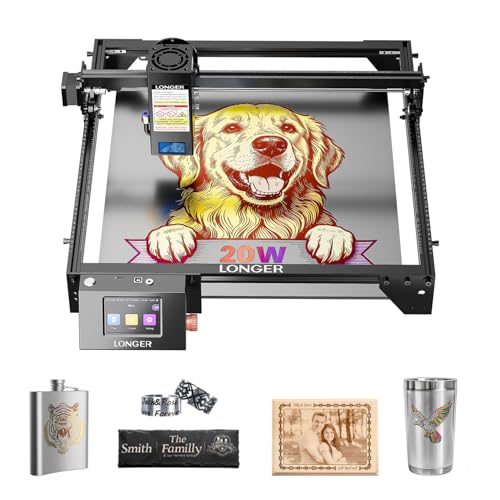
Longer RAY5 20W Laser Engraver
Best for: large format engraving and fast cutting
- Laser Power
- 20W (what this guide is about)
- Working Area
- 400×365mm
- Engraving Speed
- Up to 10000mm/min
- Software Compatibility
- LaserGRBL, LightBurn
- Cutting Capacity
- 25mm wood, 35mm acrylic
- Compatible Material
- Wood, Metal, Acrylic, Leather, Glass
The Longer RAY5 is a 20W diode laser engraver with a 400x365mm working area. It reaches speeds of 10000mm/min using a 0.08x0.1mm beam. The unit includes a 3.5-inch touch screen and supports USB, TF card, WiFi, and app connections. It cuts up to 25mm wood and 35mm acrylic. You get reliable performance for detailed projects and moderate material thicknesses.
Pros
- 20W laser power for efficient cutting
- 400x365mm large working area
- 10000mm/min maximum engraving speed
- Built-in 3.5-inch color touch screen
- Supports WiFi and app connectivity
Cons
- Smaller working area than 400x400mm variants
- Air pump recommended but not included
- No built-in camera system
Good fit if
- You need a large 400x365mm workspace
- You want fast 10000mm/min engraving speeds
- You prefer direct touch screen control
Skip if
- You require a fully enclosed Class 1 design
- You need a built-in air pump
- You want a 400x400mm bed size
Verdict: The Longer RAY5 20W 400x365mm offers strong speed and a generous 400x365mm bed for users who prioritize workspace and throughput over enclosed safety features.

Woxcker 20W Enclosed Laser Engraver
Best for: enclosed indoor laser engraving and cutting
- Laser Power
- 20W (what this guide is about)
- Working Area
- 300×300mm
- Engraving Speed
- up to 20,000mm/min
- Software Compatibility
- LightBurn, LaserGRBL, CutLabX
- Form Factor
- Class 1, 360° fully enclosed
- Compatible Material
- Wood, Metal, Acrylic, Leather
This is an enclosed 20W laser cutter and engraver featuring a 300×300mm work area and a top speed of 20,000mm/min. Its 360-degree Class 1 enclosure provides fume and noise containment along with flame and tilt protection. It suits home workshops and DIY creators who need 20W cutting power on wood and acrylic without running an open-frame machine indoors.
Pros
- 360° fully enclosed Class 1 design for containment and safety
- Engraving speeds up to 20,000mm/min with a 0.01mm focus spot
- Multiple control methods via Wi-Fi, USB, mobile app, and TF card
- Built-in safety sensors including flame detection and 15° tilt shutoff
Cons
- 300×300mm working area is smaller than typical 400×400mm platforms
- No air assist hardware listed in the product specifications
Good fit if
- You want a fully enclosed 20W laser to contain fumes, dust, and operating noise.
- You work on items up to 300×300mm and need fine 0.01mm engraving precision.
- You prefer multiple connection options, including Wi-Fi, mobile app, and offline TF card.
Skip if
- You need a standard 400×400mm or larger workspace for wide stock.
- You require an integrated air assist system out of the box.
Verdict: Woxcker 20W Enclosed Laser Engraver combines Class 1 safety containment with 20W output in a compact 300×300mm format. It is a solid choice if you need enclosed indoor cutting and engraving without a massive desktop footprint.

LaserPecker LP5 20W Dual Laser Engraver
Best for: Jewelry and mobile engraving
- Laser Power
- 20W (what this guide is about)
- Laser Type
- Fiber & Diode Dual Laser
- Engraving Speed
- 10,000mm/s
- Form Factor
- Portable
- Cutting Capacity
- 20mm wood, 15mm acrylic, 0.5mm metal
- Compatible Material
- Wood, Metal, Jewelry
The LaserPecker LP5 combines a 20W diode and a fiber laser in a portable 6.02kg unit. It reaches 10,000mm/s engraving speed with 0.0027mm precision. The diode handles up to 20mm wood, while the fiber laser cuts 0.5mm metal. This dual-laser setup allows you to process both jewelry metals and standard crafts without switching machines.
Pros
- Dual fiber and diode lasers for metal and wood
- 0.0027mm precision for high-detail engraving
- 10,000mm/s maximum engraving speed
- Cuts 20mm wood and 0.5mm metal
- Portable 6.02kg weight for mobile use
Cons
- Small 11.3 x 7.8 x 14.4 inch footprint
- No air assist included in basic specs
- Limited to thin metal cutting at 0.5mm
Good fit if
- You need to engrave both metal jewelry and wood
- You require high precision for detailed work
- You need a portable unit for mobile services
Skip if
- You need to cut thick metal plates
- You require a large working area
- You only engrave non-metal materials
Verdict: LaserPecker LP5 20W Fiber & Diode is a compact dual-laser system for jewelers and mobile engravers. It fits buyers who need to process metals and wood in a small space.
Specifications side by side
| Spec | xTool M2 20W Enclosed Laser Engraver | ACMER S2 20W Diode Laser Engraver | Longer Ray5 20W Laser Engraver | Twotrees TTS-20 Max Large-Format Diode Engraver | xTool F1 Ultra 20W Dual Fiber and Diode Engraver | ATOMSTACK A20 Pro V2 20W Laser Engraver | Creality Falcon A1 Pro 20W Enclosed Engraver | WECREAT Vision 20W Enclosed Laser Engraver | Longer Ray5 20W Laser Engraver | AlgoLaser Alpha MK2 20W Engraver with Touchscreen | Aliencell X1 20W 26x21" Bed Laser | Longer RAY5 20W with Air Pump and Honeycomb Table | Longer RAY5 20W Laser Engraver | Woxcker 20W Enclosed Laser Engraver | LaserPecker LP5 20W Dual Laser Engraver |
|---|---|---|---|---|---|---|---|---|---|---|---|---|---|---|---|
| Laser Type | Diode | Diode | not specified | Diode | Fiber & Diode | not specified | Blue-laser | Diode | not specified | not specified | not specified | not specified | not specified | not specified | Fiber & Diode Dual Laser |
| Laser Power | 20W (20000mW) | 20W | 20W | 20W | 20W | 20W (20,000 mW) | 20W | 20W (20,000mW) | 20000mW | 20W | 20W | 20W | 20W | 20W (20000mW) | 20W |
| Working Area | not specified | 300 × 285mm | 400 x 365 mm | 600 x 600 mm (23.62" x 23.62") | 220 x 220 mm | not specified | not specified | not specified | 400 x 400 mm | 400 x 410 mm | 26 x 21 in | not specified | 400×365mm | 300×300mm | not specified |
| Engraving Speed | not specified | 10,000mm/min | 24,000 mm/min | 30,000 mm/min | 10,000 mm/s | Up to 400 mm/s | up to 600 mm/s | 600mm/s | not specified | not specified | 600 mm/s | not specified | Up to 10000mm/min | up to 20,000mm/min | 10,000mm/s |
| Software Compatibility | xTool Studio | Acmer Studio | LaserGRBL, LightBurn | LightBurn, LaserGRBL | not specified | ATOMSTACK App/PC, LightBurn, LaserGRBL | Falcon Design Space | LightBurn, WeCreat proprietary software | LaserGRBL, LightBurn | AlgoOS, LightBurn, LaserGRBL | Aliencell Space | not specified | LaserGRBL, LightBurn | LightBurn, LaserGRBL, CutLabX | not specified |
| Form Factor | Class 1 Enclosed | not specified | not specified | not specified | Fully Enclosed | not specified | Full Enclosed, Class 1 | Fully enclosed (Class 1) | not specified | not specified | not specified | not specified | not specified | Class 1, 360° fully enclosed | Portable |
| Cutting Capacity | not specified | not specified | 15 mm wood, 8 mm acrylic | not specified | 15mm wood, 12mm black acrylic | not specified | 10 mm basswood, 8 mm black acrylic | 10mm wood, 8mm opaque black acrylic | 25mm wood, 35mm acrylic | not specified | not specified | up to 25mm wood and 35mm acrylic | 25mm wood, 35mm acrylic | not specified | 20mm wood, 15mm acrylic, 0.5mm metal |
| Compatible Material | Wood, Leather, Paper, Fabric | Wood, Acrylic, Leather | Wood, Metal, Acrylic, Leather, Glass | Wood, Metal, Acrylic, Glass | Wood, Metal, Jewelry | Wood, Metal, Acrylic, Leather | Wood, Metal | Wood, Metal, Acrylic | Wood, Metal, Leather, Glass | Aluminum | not specified | Wood, Metal, Acrylic, Leather, Glass, Paper | Wood, Metal, Acrylic, Leather, Glass | Wood, Metal, Acrylic, Leather | Wood, Metal, Jewelry |
| Features | Enclosure, Camera | Air Assist | Touchscreen | not specified | Camera | not specified | Enclosure, Touchscreen, Auto Focus | Enclosure, Air Assist, Camera | Touchscreen | Air Assist, Touchscreen | not specified | not specified | Touchscreen | not specified | not specified |
| Target Audience | DIY | DIY | DIY | DIY | not specified | not specified | not specified | not specified | DIY | not specified | Beginners | DIY | not specified | DIY, Small Business | not specified |
| Size | 20W | S2 20W | 400×365mm | not specified | xTool F1 Ultra Standalone | A20 PRO V2 | not specified | 20W | not specified | not specified | 20W | 20W | 400x365mm | 300mm 20W | LP5 Basic |
| Length | not specified | 11.8 inches | not specified | not specified | not specified | not specified | not specified | not specified | not specified | not specified | not specified | not specified | not specified | not specified | not specified |
| Width | not specified | 11.2 inches | not specified | not specified | not specified | not specified | not specified | not specified | not specified | not specified | not specified | not specified | not specified | not specified | not specified |
| Dimensions | not specified | not specified | 24.5 × 14 × 5 inches | 31 × 30.2 × 4.88 inches | 18 × 17 × 24 inches | 22.8 × 9.84 × 6.69 inches | 32 × 27 × 15 inches | 24 × 21 × 10 inches | 14 × 5.51 × 24.5 inches | 22.8 × 7.87 × 27.2 inches | 31 × 8.4 × 35.6 inches | 29.3 × 5.31 × 22.4 inches | 23.6 × 12.2 × 5.9 inches | 21.5 × 18.5 × 8.5 inches | 7.8 × 11.3 × 14.4 inches |
| Weight | not specified | not specified | not specified | not specified | 43.9 pounds | not specified | 37.5 pounds | not specified | not specified | not specified | not specified | not specified | not specified | 16 pounds | not specified |
| Color | M2 Basic | Pack-020 | black | Black-20 | not specified | Black | Falcon-A1 Pro 20W | Rotary Pack | 20w | Black | X1-white | Black | Metallic Black | Black | LP5 Basic Bundle |
| Model | MLM-K610-001 | not specified | ray5 20W | TTS-20 Max | MXF-K002-B20 | A20 Pro V2 | Falcon A1 Pro | LC2320 | 20W | Alpha MK2 | X1-2418-A0 | RAY5 | 202406024 | L2 MAX | LaserPecker 5 |
Is a 20W laser worth it?
A 20W laser provides the optical output required to cut through dense craft supplies like wood, acrylic, and leather rather than just surface marking them. Compared to lower-wattage diode options, 20W power handles deeper passes and supports travel speeds up to 600 mm/s. In fiber units, a 20W source allows metal marking up to 10,000 mm/s. Choosing a 20W machine gives you the necessary headroom for cutting projects without moving to larger industrial footprints.
Worth it if
- You plan to cut thicker wood, acrylic, and leather sheets rather than just etching surfaces.
- You want higher motion speeds up to 600 mm/s to finish jobs in fewer passes.
- You need a 20W fiber source for high-speed metal marking.
Skip it if
- You only engrave thin paper or fabric where higher wattage is unnecessary.
- You work strictly with materials that do not require deep cutting capability.
If you need office equipment, see our list of best lexmark laser printers for spec-based comparisons.
How We Picked These Models
To build this list of 15 machines for 2026, we filtered listings to find engravers with an explicit 20W laser power rating in the title or published specifications. We selected diode and fiber units across enclosed and open-frame designs, keeping only one representative variant per product family. Every detail comes strictly from manufacturer specifications.
We sorted the machines to show products in stock first, followed by Amazon sales rank, with better-selling units appearing higher. We then evaluated stated hardware features, including bundled air assist systems, integrated positioning cameras, protective enclosures, touchscreen controls, and compatible materials such as wood, acrylic, and metal.
How to Choose a 20W Laser Engraver
-
Form Factor and Safety Containment
Choose between an open-frame chassis and a fully enclosed machine based on your working space. Open-frame units provide flexible access to materials, but they expose the surrounding room to smoke and laser light. Enclosed systems contain laser emissions and direct fumes into an exhaust port, making them safer for shared indoor rooms. Check the product specifications for a Class 1 enclosure if you plan to operate your engraver on a standard office desk. The Woxcker 20W Enclosed Laser Engraver offers a self-contained 300 × 300 mm design suited for indoor environments.
-
Working Area and Bed Dimensions
Check the usable working area before committing to a machine. Standard desktop units offer areas around 300 × 300 mm or 400 × 400 mm, which fit small signs, coasters, and craft blanks. If you engrave oversized boards or batch multiple parts together, choose an expanded bed size to avoid repositioning your raw stock. Compare the stated bed length and width in millimeters against your typical blank stock. The Longer Laser B1 20W Engraver Cutter provides an expanded 450 × 440 mm workspace designed to accommodate larger raw materials without manual repositioning.
-
Bundled Air Assist Systems
Inspect the specifications to verify if the machine includes an integrated air pump or air assist nozzle. A 20W laser generates high heat during deep cuts, which can scorch wood or melt acrylic edges without continuous airflow. An air assist system channels compressed air directly onto the focal point to blow away debris, suppress flames, and keep cut edges clean. If you plan to cut thick sheets regularly, select a unit with bundled air assist like the Ortur Laser Master 3 20W to avoid buying and plumbing a third-party pump later.
-
Standalone Displays for Offline Operation
Determine how you plan to send jobs to the engraver. Many standard open-frame lasers require an active USB connection to a laptop throughout the entire cutting process. If you work in a dusty garage or want to keep your main computer free, look for standalone offline controls. Machines with integrated displays allow you to load design files via memory card or wireless network and trigger runs directly from the machine. The AlgoLaser Alpha MK2 20W Engraver includes a 3.5-inch touchscreen specifically to manage daily cutting jobs without a dedicated tethered computer.
-
Positioning Cameras and Auto Focus
Aligning designs onto irregularly shaped blanks can waste material if done manually. Check the specifications for built-in camera monitoring and automated focusing mechanisms. A top-mounted camera captures a real-time photo of your workbed, allowing you to drag and drop graphics directly onto specific sections of scrap or pre-cut blanks. Automated focus sets the focal distance precisely without using manual acrylic spacers or step blocks. The Creality Falcon A1 Pro 20W Enclosed Engraver includes both camera alignment and auto focus features to streamline your initial setup and minimize material placement errors.
-
Software Compatibility
Review the supported control software listed by the manufacturer before selecting an engraver. Most diode cutters support industry-standard platforms like LightBurn and LaserGRBL, which give you granular control over power layers, travel speed, and fill intervals. Fiber lasers or specialized industrial units may require specific drivers to interface with third-party design software. If you already manage production files in a specific ecosystem, verify that the controller supports your platform natively. The Monport 20W Fiber Laser Engraver specifically lists LightBurn software compatibility, allowing you to retain established workflows for marking tasks.
Frequently asked questions
Can a 20W laser engraver cut metal?
Standard 20W diode lasers cannot cut metal. They can only mark or engrave metal surfaces. If you need to cut metal, you must choose a fiber laser model. The xTool F1 Ultra 20W and LaserPecker LP5 20W include fiber lasers for this purpose. These dual-laser systems handle metal engraving while still processing wood and acrylic with their diode components.
Do I need a computer to use these machines?
Not necessarily. Several models feature standalone touchscreen controls for offline operation. The Longer Ray5 20W and AlgoLaser Alpha MK2 20W include 3.5-inch displays that allow you to run projects without a connected computer. The Creality Falcon A1 Pro 20W also offers smart app control alongside its touchscreen interface for flexible workflow management.
Which 20W engraver is safest for home use?
Enclosed models provide the highest safety for home workshops. The xTool M2 20W and Creality Falcon A1 Pro 20W feature Class 1 enclosures that contain laser light and smoke. The Woxcker 20W also offers Class 1 safety containment in a compact format. These designs protect users from exposure while allowing safe indoor cutting and engraving.
What is the largest work area available?
The Twotrees TTS-20 Max offers the largest workspace among these picks. Its open-frame design provides a bed size of 30.2 by 31 inches. This large format supports oversized signage and batch engraving projects. Most other 20W models focus on smaller desktop footprints, typically ranging from 11 to 17 inches in width.
Is air assist included with these 20W lasers?
Air assist is not standard on all 20W models. The ACMER S2 20W comes with bundled air assist to improve cut quality. The AlgoLaser Alpha MK2 20W includes an integrated air assist pump. The WECREAT Vision 20W also features air assist. You should check the specific attributes for other models to confirm if this feature is included.
How fast can these 20W engravers move?
Travel speeds vary by model and build quality. The Creality Falcon A1 Pro 20W chassis supports speeds up to 600 mm/s. The ATOMSTACK A20 Pro V2 20W offers 400 mm/s motion on its linear guide frame. Faster travel speeds generally improve production efficiency for repetitive desktop jobs and larger batch processing tasks.
Can I engrave jewelry with a 20W machine?
Yes, if you select a model with a fiber laser. The LaserPecker LP5 20W is designed specifically for jewelry engraving. It combines a portable form factor with a 20W fiber laser for detailed metal marking. The xTool F1 Ultra 20W also handles jewelry through its dual fiber and diode setup, offering high-speed production for small items.