SCULPFUN iCube Ultra Laser engraver Alternatives: 6 Similar Picks Compared
As an Amazon Associate we earn from qualifying purchases. Links on this page are affiliate links.
You are looking for sculpfun icube ultra laser engraver alternatives because your project needs differ from the original’s capabilities. The SCULPFUN iCube Ultra 12W offers a fully enclosed Class 1 design with a 12000mW diode laser. It provides a 150 x 150 mm working area and engraving speeds up to 10000 mm/min. This machine suits beginners who prioritize safety and ease of use for small indoor wood projects. However, you might need more power, a larger workspace, or metal marking abilities.
We selected 6 similar picks because their specifications overlap with the iCube Ultra. The list includes options with higher wattage, such as the 40W Creality Falcon2 Pro S, or dual-laser systems like the Carverall A1 Pro for metal marking. Some alternatives focus on specific features like the FLUX Ador’s touchscreen or the xTool M2’s dual cameras. Each choice balances enclosed safety with distinct performance traits. You can compare these models to find the right fit for your specific material and size requirements without compromising on essential safety features.
Our top pick: SCULPFUN iCube Ultra 12W Enclosed Laser Engraver.
Comparing key specs and features
Creality Falcon2 Pro S 40W Enclosed Laser Cutter
The Creality Falcon2 Pro S 40W replaces the iCube Ultra’s 12W power with 40W for faster, thicker cuts. It keeps the enclosed safety design but adds air assist and a camera for precision. The workspace is larger, allowing you to process bigger wood or acrylic sheets. You gain significant cutting speed and material versatility. However, the unit is heavier and takes up more desk space. If you need to cut thicker materials quickly without sacrificing safety, this is the better choice. The iCube Ultra remains lighter and more compact for small indoor tasks.
Carverall Dual Laser Desktop Engraver
The Carverall Dual Laser A1 Pro 7W offers a smaller footprint than the iCube Ultra. It includes a camera for alignment and supports metal marking, which the 12W diode cannot do. The working area is more compact, making it ideal for jewelry or small tags. You lose some raw power and speed compared to the 12W model. The enclosure ensures safety during operation. If you need to mark metals or require a tiny, precise workspace for crafts, this compact unit fits your needs. The iCube Ultra is better for larger wood projects and faster engraving speeds.
Gluwphy AIM 20 20W Enclosed Laser
The Gluwphy AIM 20 20W increases laser power from 12W to 20W for deeper cuts. It maintains the enclosed Class 1 safety design and adds air assist. The workspace is slightly larger, accommodating bigger projects. You get more power for wood and acrylic cutting while keeping the safe, enclosed environment. The unit is heavier and larger than the iCube Ultra. If you need extra power for thicker materials but still want a safe, beginner-friendly enclosed system, this model is a strong alternative. The iCube Ultra is more portable and sufficient for thinner materials.
FLUX Ador 20W Diode Engraver
The FLUX Ador 20W features a touchscreen interface and auto-focus, differing from the iCube Ultra’s indicator lights. It supports color printing, adding versatility for creative projects. The enclosed design ensures safety, similar to the iCube Ultra. However, the laser power is listed as 10W, which is lower than the 12W model. You gain ease of use through the touchscreen and color capabilities. The unit is larger and heavier. If you prioritize user-friendly controls and color engraving over raw power, this is a good pick. The iCube Ultra offers more power for standard engraving tasks.
xTool M2 10W Enclosed Laser Engraver
The xTool M2 10W has lower power than the iCube Ultra’s 12W but includes dual cameras for high precision. It features a fully enclosed design for safety, similar to the iCube Ultra. The system is designed for DIY crafting with materials like fabric and leather. You gain advanced camera alignment features but lose some cutting power. The unit is compact and safe for home use. If you need precise alignment for delicate materials and a complete ecosystem, this is a solid option. The iCube Ultra provides more power for wood and faster engraving speeds for general projects.
Creality Falcon Pro 10W with Rotary Roller
The Creality Falcon Pro 10W includes a rotary axis for tumbler engraving, a feature the iCube Ultra lacks. It has a lower laser power of 10W compared to the 12W model. The workspace is open, requiring safety goggles, unlike the iCube Ultra’s enclosed design. You gain specialized rotary capabilities for cylindrical objects. The unit is lighter and more portable. If you need to engrave tumblers or prefer an open workspace for larger projects, this model fits. The iCube Ultra is safer for indoor use and offers higher power for standard flat engraving and cutting.
Quick picks
Our 7 picks

SCULPFUN iCube Ultra 12W Enclosed Laser Engraver
Best for: small indoor projects
- Laser Type
- diode laser
- Laser Power
- 12000mW (12 W)
- Working Area
- 5.9x5.9" (150 x 150 mm)
- Engraving Speed
- up to 10000 mm/min
- Form Factor
- Fully enclosed
- Compatible Material
- Wood
View on Amazon: SCULPFUN iCube Ultra 12W Enclosed Laser Engraver Affiliate link
The SCULPFUN iCube Ultra is a Class 1 enclosed diode laser with a 12W output and a 150 x 150 mm working area. It features auto-focus, a 32-bit motherboard, and a 10000 mm/min engraving speed. The fully enclosed design includes a smoke filter and safety sensors, making it suitable for home or office use without goggles.
Pros
- 12W diode laser with 0.06 mm spot size
- Fully enclosed Class 1 safety design
- Auto-focus and 10000 mm/min speed
- Built-in smoke filter and safety sensors
Cons
- 150 x 150 mm working area is small
- No Bluetooth or Wi-Fi connectivity listed
- 12W power is lower than some competitors
Good fit if
- You need a safe, enclosed unit for indoor use
- You want auto-focus for quick setup
- You engrave small wood or acrylic projects
Skip if
- You require large format engraving over 150 mm
- You need wireless connectivity options
- You want higher power than 12W
Verdict: SCULPFUN iCube Ultra 12W Diode suits beginners who prioritize safety and ease of use over large workspaces or high power. It is ideal for small, precise indoor projects.
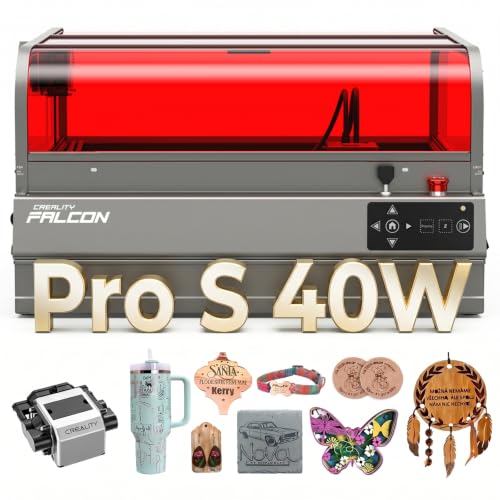
Creality Falcon2 Pro S 40W Enclosed Laser Cutter
Best for: high-speed cutting of thick wood and acrylic
- Laser Type
- Diode
- Laser Power
- 40W
- Engraving Speed
- 600mm/s
- Form Factor
- Fully Enclosed
- Cutting Capacity
- 20mm basswood, 30mm black acrylic
- Compatible Material
- Wood, Acrylic
View on Amazon: Creality Falcon2 Pro S 40W Enclosed Laser Cutter Affiliate link
The Creality Falcon2 Pro S 40W is a fully enclosed desktop laser engraver with 40W optical output. It reaches 600mm/s cutting speed and handles 20mm basswood or 30mm black acrylic in one pass. A built-in camera and Z-axis auto focus simplify setup. The Class 1 enclosure includes flame detection and debris drawers. This machine suits users needing high power and safety for batch production.
Pros
- 40W optical output for thick material cutting
- 600mm/s high-speed engraving and cutting
- Built-in camera with Z-axis auto focus
- Class 1 fully enclosed safety design
- 80% pre-assembled for 10-minute setup
Cons
- Heavy at 50.5 pounds
- Large footprint at 26 inches long
- Limited to wood and acrylic materials
Good fit if
- You need to cut thick basswood or acrylic quickly
- You require a Class 1 enclosed safety system
- You want auto focus to speed up workflow
Skip if
- You need to engrave metals or glass
- You require a compact desktop footprint
- You prefer a lightweight portable unit
Verdict: Creality Falcon2 Pro S 40W delivers professional-grade cutting power in a safe enclosure. It fits makers who prioritize speed and safety for wood and acrylic projects.

Carverall Dual Laser Desktop Engraver
Best for: small metal marking and craft projects
- Laser Type
- Diode (455nm), Infrared (1064nm)
- Laser Power
- 7W Diode, 1.2W IR
- Working Area
- 3.94 x 3.94 inches
- Software Compatibility
- CutLabX, LightBurn, LaserGRBL
- Form Factor
- Fully enclosed Class 1
- Cutting Capacity
- 3mm or less beech plywood
View on Amazon: Carverall Dual Laser Desktop Engraver Affiliate link
The Carverall A1 Pro combines a 7W blue diode laser and a 1.2W infrared laser in one Class 1 enclosed unit. It features a 3.94 x 3.94 inch working area and an HD camera for precise alignment. This machine handles wood, leather, and bare metals like stainless steel. It supports offline batch jobs via TF card and includes CutLabX, LightBurn, and LaserGRBL software. It suits hobbyists needing metal marking without a second device.
Pros
- Dual 7W diode and 1.2W infrared laser heads
- Class 1 fully enclosed safety design
- Built-in HD camera with auto-alignment
- Supports LightBurn and LaserGRBL software
- Offline batch processing via TF card
Cons
- Small 3.94 x 3.94 inch work area
- Manual laser head swapping required
- Limited cutting capacity to 3mm beech plywood
Good fit if
- You need to engrave bare metals like stainless steel
- You want a Class 1 enclosed machine for safety
- You require offline batch processing capabilities
Skip if
- You need to cut materials thicker than 3mm
- You require a large work area for big projects
- You prefer automatic laser head switching
Verdict: Carverall A1 Pro Dual Laser Engraver fits users who need metal marking in a compact, safe enclosure. It is ideal for small craft businesses making jewelry or tags.
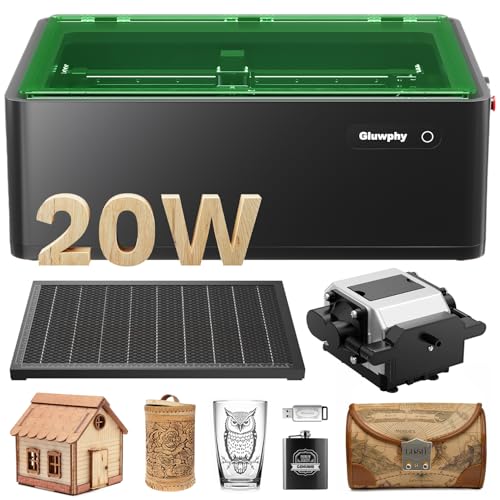
Gluwphy AIM 20 20W Enclosed Laser
Best for: Beginners needing safe, enclosed 20W diode cutting
- Laser Type
- Diode
- Laser Power
- 20000mW (20W)
- Engraving Speed
- 400 mm/second
- Software Compatibility
- LightBurn
- Form Factor
- Enclosed (Class 1)
- Cutting Capacity
- 10mm (wood, acrylic)
View on Amazon: Gluwphy AIM 20 20W Enclosed Laser Affiliate link
The Gluwphy AIM 20W is an enclosed Class 1 diode laser with 20000mW power. It cuts wood and acrylic up to 10mm thick. The unit features auto-focus and an air assist system. It reaches engraving speeds of 400 mm/second. This machine suits beginners who want safety and precision. It works with LightBurn software. The enclosed design protects you from laser exposure.
Pros
- Class 1 enclosed safety design
- 20000mW (20W) laser power
- Auto-focus system for small items
- Cuts up to 10mm wood or acrylic
- Compatible with LightBurn software
Cons
- Heavier build at 39.7 pounds
- No mention of mobile app control
- Limited to diode laser type only
Good fit if
- You need Class 1 safety for home use
- You want auto-focus for jewelry or small parts
- You prefer LightBurn software compatibility
Skip if
- You require multi-material IR laser marking
- You need cutting capacity over 10mm
- You want a portable or pocket-sized unit
Verdict: The Gluwphy AIM 20W Enclosed Diode delivers solid 20W power and safety for beginners. It fits users who prioritize enclosed Class 1 protection and auto-focus precision over portability.

FLUX Ador 20W Diode Engraver
Best for: CMYK color printing and enclosed safety
- Laser Type
- Diode
- Laser Power
- 20W
- Form Factor
- Fully enclosed
- Cutting Capacity
- Up to 10mm
- Compatible Material
- Wood, Metal, Acrylic, Glass
- Features
- Touchscreen, Auto Focus
View on Amazon: FLUX Ador 20W Diode Engraver Affiliate link
The FLUX Ador is a fully enclosed diode laser with 20W power and up to 10mm cutting capacity. It features an 8MP camera, auto-focus, and a 5-inch touchscreen. This unit supports CMYK color printing via an optional module. It works with Windows, macOS, and Linux. The enclosed design includes safety pauses and ventilation. It suits users who need precision and color capabilities in a safe, compact workspace.
Pros
- 20W diode laser for deeper cuts
- Built-in 8MP wide-angle camera
- Auto-focus system
- 5-inch touchscreen display
- Supports CMYK color printing
Cons
- CMYK color printing requires optional module
- IR module for metal engraving is optional
- Fume extractor is optional
Good fit if
- You need CMYK color printing on materials
- You want a fully enclosed safe design
- You use macOS or Linux systems
Skip if
- You need metal engraving without extra purchases
- You prefer manual focus control
- You want built-in fume extraction
Verdict: FLUX Ador 20W Diode Engraver is ideal for creators who need color printing and safe enclosed operation. It fits users who value auto-focus and cross-platform software support.

xTool M2 10W Enclosed Laser Engraver
Best for: Safe home crafting with dual cameras
- Laser Type
- Diode
- Laser Power
- 10W (10000mW)
- Software Compatibility
- xTool Studio
- Form Factor
- Fully enclosed Class 1
- Compatible Material
- Wood, Leather, Paper, Fabric
- Features
- Enclosure, Camera
View on Amazon: xTool M2 10W Enclosed Laser Engraver Affiliate link
The xTool M2 is a Class 1 enclosed diode laser with 10000mW power. It features built-in dual cameras for precise placement and xTool Studio software. This machine suits DIY crafters who need safety and accuracy. It handles wood, leather, and fabric well. You can add a CMYK inkjet module for full-color printing, though it is sold separately. The enclosed design keeps the workspace safe during operation.
Pros
- Class 1 enclosed safety design
- Built-in dual cameras for accuracy
- 10W (10000mW) diode laser power
- xTool Studio software with templates
Cons
- CMYK inkjet module sold separately
- IR laser module sold separately
- RA3 Lite rotary sold separately
Good fit if
- You want a safe, enclosed laser for home use
- You need precise placement with dual cameras
- You plan to add color printing later
Skip if
- You need full-color printing out of the box
- You want to engrave metal without buying extra modules
- You prefer an open-frame desktop design
Verdict: The xTool M2 10W Enclosed Laser is a safe, accurate choice for DIY crafters who value enclosed safety and dual-camera precision. It fits users who want a complete system but are willing to buy add-ons for color or metal engraving.

Creality Falcon Pro 10W with Rotary Roller
Best for: Tumbler engraving with rotary axis
- Laser Power
- 10W (72000mW)
- Working Area
- 17" x 16"
- Compatible Material
- Wood, Metal, Acrylic, Leather, Glass, Paper
- Features
- Rotary Axis
- Application
- Tumblers
- Dimensions
- 24.2 × 12.2 × 7.68 inches
View on Amazon: Creality Falcon Pro 10W with Rotary Roller Affiliate link
The Creality Falcon Pro 10W includes a rotary roller kit for tumblers. It features a 10W laser with 72000mW output and a 17 x 16 inch working area. The unit has a 0.06mm spot size for fine detail. It includes air assist and safety locks. This model suits you if you need rotary capabilities without a fully enclosed Class 1 design.
Pros
- Includes rotary roller kit for tumblers and rings
- 10W laser with 72000mW total output
- 17 x 16 inch working area
- 0.06mm precision spot size
- Built-in air assist for clean cuts
Cons
- Class 3a laser requires safety precautions
- Open frame design lacks full enclosure
- No mention of WiFi or app control
Good fit if
- You want to engrave cylindrical items like tumblers
- You need a large 17 x 16 inch workspace
- You prefer offline operation via TF card
Skip if
- You require a fully enclosed Class 1 machine
- You need remote app control for operation
- You only work with small items under 12 inches
Verdict: Creality Falcon Pro 10W with Rotary offers a dedicated rotary kit and 10W power for tumbler engraving. It fits users who need a large open workspace and offline file handling.
Specifications side by side
| Spec | SCULPFUN iCube Ultra 12W Enclosed Laser Engraver | Creality Falcon2 Pro S 40W Enclosed Laser Cutter | Carverall Dual Laser Desktop Engraver | Gluwphy AIM 20 20W Enclosed Laser | FLUX Ador 20W Diode Engraver | xTool M2 10W Enclosed Laser Engraver | Creality Falcon Pro 10W with Rotary Roller |
|---|---|---|---|---|---|---|---|
| Laser Type | diode laser | Diode | Diode (455nm), Infrared (1064nm) | Diode | Diode | Diode | not stated |
| Laser Power | 12000mW (12 W) | 40W | 7W Diode, 1.2W IR | 20000mW (20W) | 20W | 10W (10000mW) | 10W (72000mW) |
| Working Area | 5.9x5.9" (150 x 150 mm) | not stated | 3.94 x 3.94 inches | not stated | not stated | not stated | 17" x 16" |
| Engraving Speed | up to 10000 mm/min | 600mm/s | not stated | 400 mm/second | not stated | not stated | not stated |
| Software Compatibility | not stated | not stated | CutLabX, LightBurn, LaserGRBL | LightBurn | not stated | xTool Studio | not stated |
| Form Factor | Fully enclosed | Fully Enclosed | Fully enclosed Class 1 | Enclosed (Class 1) | Fully enclosed | Fully enclosed Class 1 | not stated |
| Cutting Capacity | not stated | 20mm basswood, 30mm black acrylic | 3mm or less beech plywood | 10mm (wood, acrylic) | Up to 10mm | not stated | not stated |
| Compatible Material | Wood | Wood, Acrylic | Wood, Metal, Acrylic, Leather, Jewelry | Wood, Metal, Acrylic | Wood, Metal, Acrylic, Glass | Wood, Leather, Paper, Fabric | Wood, Metal, Acrylic, Leather, Glass, Paper |
| Features | Auto Focus | Air Assist, Camera, Auto Focus | Camera | Enclosure, Air Assist | Touchscreen, Auto Focus | Enclosure, Camera | Rotary Axis |
| Target Audience | not stated | not stated | not stated | Beginners | not stated | DIY | not stated |
| Size | 12W Diode | Falcon2 Pro S 40W with Integrated Enclosure | not stated | 20W | not stated | 10W | Falcon Pro-10W with Rotary Roller Kit |
| Application | not stated | not stated | not stated | not stated | not stated | not stated | Tumblers |
| Dimensions | not stated | 26 × 22 × 12.9 inches | 10 × 12 × 9 inches | 26.4 × 19.7 × 9.37 inches | 25.1 × 19.2 × 8.89 inches | not stated | 24.2 × 12.2 × 7.68 inches |
| Weight | not stated | 50.5 pounds | not stated | 39.7 pounds | not stated | not stated | 11.2 pounds |
| Model | iCube Ultra-12W | Falcon2 pro 40W | A1 PRO 7W | AIM 20 | AD2EA | MLM-K610-001 | Laser Engraver |
| Color | not stated | Falcon2 Pro S 40W | 7w | Black | White | M2 Basic | Falcon Pro-10W with Rotary Roller Kit |
If you need visual alignment hardware for precise positioning, you can evaluate the best laser engravers with camera.
Frequently asked questions
Which alternative offers the highest cutting power for thick materials?
The Creality Falcon2 Pro S 40W provides 40W of diode laser power, significantly exceeding the iCube Ultra’s 12W output. This higher wattage allows for faster and deeper cuts in thick wood and acrylic. It includes an integrated enclosure, air assist, and a camera to maintain safety and precision during high-speed operations.
Can I engrave metal with these enclosed laser alternatives?
Yes, several options support metal marking. The Carverall A1 Pro 7W is explicitly listed for jewelry and metal engraving. The Gluwphy AIM 20W and FLUX Ador 20W also list metal as a compatible material. These machines use diode lasers to mark metals safely within their enclosed designs.
Which model is best for engraving tumblers or cylindrical items?
The Creality Falcon Pro 10W with Rotary Roller Kit is designed for this task. It includes a dedicated rotary axis for tumbler engraving. This setup allows you to wrap designs around cylindrical objects like water bottles, providing a large open workspace compared to fully enclosed alternatives.
Is there an option with a touchscreen interface?
The FLUX Ador 20W Diode Engraver features a built-in touchscreen. This interface simplifies operation for users who prefer direct control without a connected computer. It also supports auto-focus and cross-platform software, making it suitable for color printing on materials like wood, acrylic, and glass.
Which alternative is the most compact for small craft projects?
The Carverall A1 Pro 7W is the most compact choice, measuring 12 x 10 x 9 inches. Its small footprint makes it ideal for small craft businesses or users with limited desk space. Despite its size, it includes a camera for precision and handles materials like leather and acrylic.
Which machine is best for fabric and paper crafting?
The xTool M2 10W Enclosed Laser is optimized for DIY crafters working with fabric and paper. It lists these materials as compatible and includes an enclosure for safety. The dual-camera system helps with precise alignment, ensuring clean cuts and engravings on delicate materials without the need for external accessories.
Do these alternatives include auto-focus technology?
Most listed models feature auto-focus for consistent engraving depth. The SCULPFUN iCube Ultra, Creality Falcon2 Pro S, FLUX Ador, and xTool M2 all include this feature. Auto-focus adjusts the laser head automatically, saving time and ensuring sharp results on uneven surfaces or different material thicknesses.